EasyManua.ls Logo

Telex RadioCom BTR-800 - User Manual

Telex RadioCom BTR-800
91 pages
Print Icon
To Next Page IconTo Next Page
Loading...
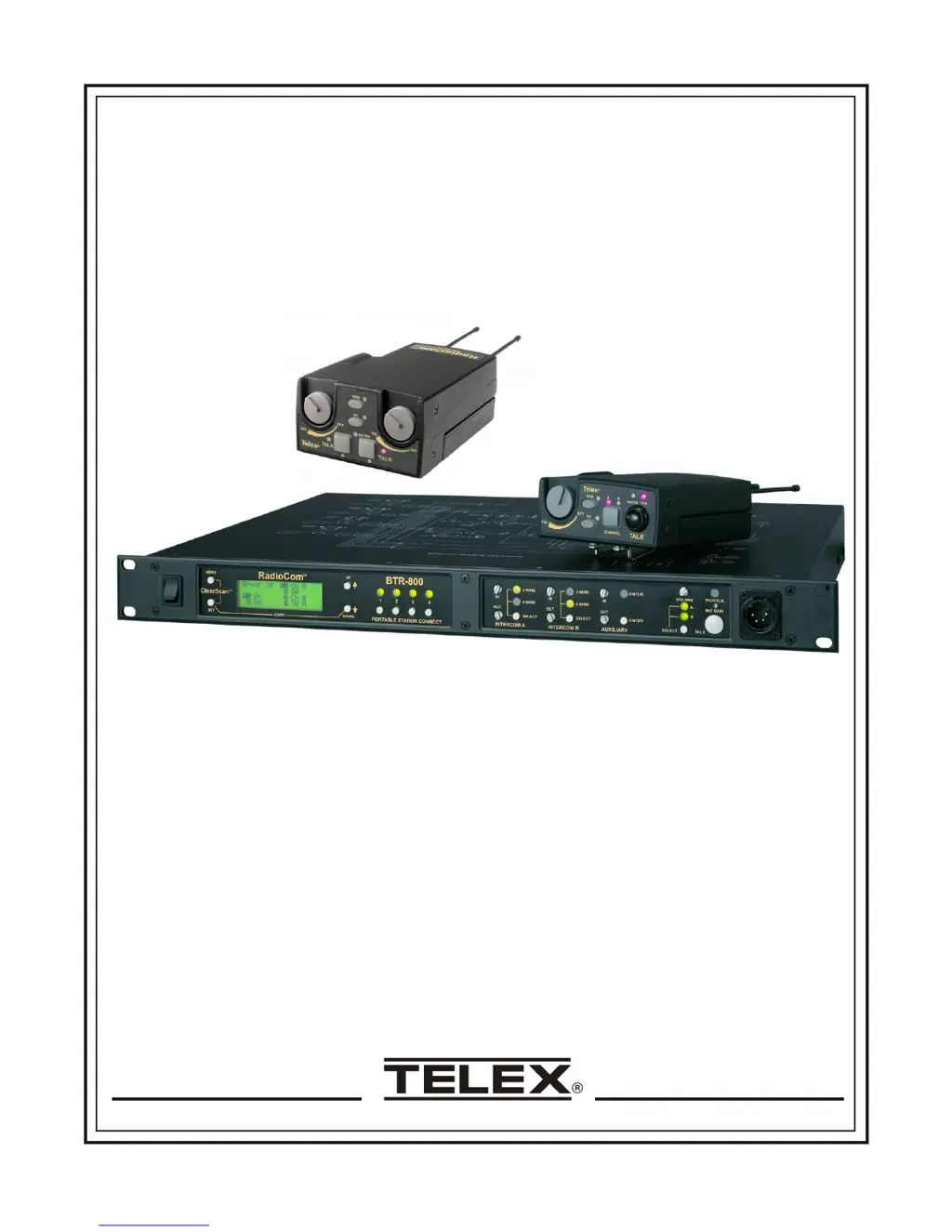
Telex
Op er ating In struc tions
RadioCom
BTR-800, TR-800, TR-825
Pro fes sional
Wire less
In ter com Sys tem

Table of Contents

Questions and Answers

Summary

General Description

System Features

Key features of the BTR-800 system including frequency agility and full-duplex operation.

BTR-800 Base Station Front Panel Controls

Local Headset Wiring Diagram

Illustrates wiring for Telex and RTS unit local headset connections.

BTR-800 Base Station Rear Panel Controls

BTR-800 Base Station Specifications

TR-800 Beltpack Top Panel Controls

TR-800 Beltpack Rear Panel Controls

TR-800 Beltpack Headset Jack Wiring

Illustrates wiring for headset jacks on the TR-800 beltpack.

TR-800 Beltpack Specifications

TR-825 Beltpack Top Panel Controls

TR-825 Beltpack Rear Panel Controls

TR-825 Beltpack Headset Jack Wiring

Illustrates wiring for headset jacks on the TR-825 beltpack.

TR-825 Beltpack Specifications

Initial Equipment Set-Up: Unpacking

Initial Equipment Set-Up: Antenna Connection

Base Station Antenna Placement

Suggestions for optimal positioning of base station antennas for best performance.

Antenna Polarization and Spacing

Details antenna polarization and distance considerations.

Improving Reception and Increasing Range

Base Station Set-up: Location and Power

Base Station Transmit Switches

Explanation of the transmit power and on/off switches on the base station rear panel.

Base Station Set-up: Intercom Configuration

Internal Transmit Switches

Description of internal switches for controlling base station transmitters individually.

Base Station Set-up: Dual Listen Functionality

Parts for Dual Listen Installation

Lists user-installable components and parts to be removed for dual listen.

Base Station Set-up: Auxiliary Input;Output

Internal Auxiliary Input Routing Switch

Details the internal switch that controls routing of auxiliary input audio.

Base Station Set-up: Stage Announce and Relay Contacts

Base Station Set-up: Base Station Link

Beltpack Set-Up: Battery Installation

Beltpack Set-Up: Antenna and Headset Connections

Beltpack Transmit Modes

Explanation of the Push-to-Talk and Push-to-Transmit modes on the beltpack.

Pre-Walk-Thru Checklist

System Operation: Frequency Plan Overview

Factory-Defined and User-Programmable Groups

Details on pre-set and editable frequency groups for system configuration.

System Quick Start Guide

A concise guide to get the base station and beltpacks operating quickly.

Base Station Operation: Controls and Settings

Intercom A and B Operation

How to configure and use the Intercom A and B channels on the base station.

Local Headset Operation

Guide on using the local headset connected to the base station.

Auxiliary Audio Operation

Details on operating the auxiliary audio input and output features of the base station.

Base Station Operation: Display Contrast Adjustment

BTR-800 Base Station Menu Structure

BTR-800 Base Station: Power-Up and Operating Screens

Beltpack Activity Code Definitions

Explanations of status codes displayed on the beltpack LCD.

BTR-800 Base Station: Group and Channel Selection

BTR-800 Base Station: Group and Frequency Selection

BTR-800 Base Station: Frequency Edit for User Groups

BTR-800 Base Station: ClearScan Function

BTR-800 Base Station: Special Key Sequences

TR-800 Beltpack Operation: Basic Controls

Beltpack Audio Channel and Feature Controls

How to select audio channels, stage announce, and wireless talk around on the TR-800 beltpack.

TR-800 Beltpack Menu Structure

TR-800 Beltpack: Power-Up Screens

TR-800 Beltpack: Group and Channel Selection

TR-800 Beltpack: Transmit Frequency Screen

TR-800 Beltpack: Receive 1 Frequency Screen

TR-800 Beltpack: Receive 2 Frequency Screen

TR-800 Beltpack: ClearScan Function

TR-800 Beltpack: Stage Announce and WTA Controls

TR-800 Beltpack: Audio Channel and Talk Button Settings

TR-800 Beltpack: Special Key Sequences

TR-825 Beltpack Menu Structure

TR-825 Beltpack: Power-Up Screens

TR-825 Beltpack: Group and Channel Selection

TR-825 Beltpack: Transmit Frequency Screen

TR-825 Beltpack: Receive 1 Frequency Screen

TR-825 Beltpack: Receive 2 Frequency Screen

TR-825 Beltpack: Audio Output Settings

TR-825 Beltpack: ClearScan Function

TR-825 Beltpack: Stage Announce Enable;Disable

TR-825 Beltpack: Wireless Talk Around Settings

TR-825 Beltpack: Audio Channel A Options

TR-825 Beltpack: Audio Channel B Options

TR-825 Beltpack: Special Key Sequences

System Walk-Thru: Testing the Intercom System

Troubleshooting Common Issues

Tech Tips: Frequency Interaction and Gain

Microphone Gain Adjustment Guidance

Guidance on adjusting microphone gain based on environment and user voice characteristics.

Battery Information and Selection

Intercom Systems Interface Specifications

Accessories and Replacement Parts List

Customer Service and Support Information

Software End-User License Agreement

FCC Licensing and Safety Instructions

Mandatory RF Safety Instructions

Essential safety guidelines for base station installers and users concerning RF exposure.

Limited Warranty Information

Telex RadioCom BTR-800 Specifications

General IconGeneral
BrandTelex
ModelRadioCom BTR-800
CategoryIntercom System
LanguageEnglish

Related product manuals