EasyManua.ls Logo

Telex RadioCom BTR-700 - User Manual

Telex RadioCom BTR-700
65 pages
Print Icon
To Next Page IconTo Next Page
Loading...
Telex
Operating Instructions
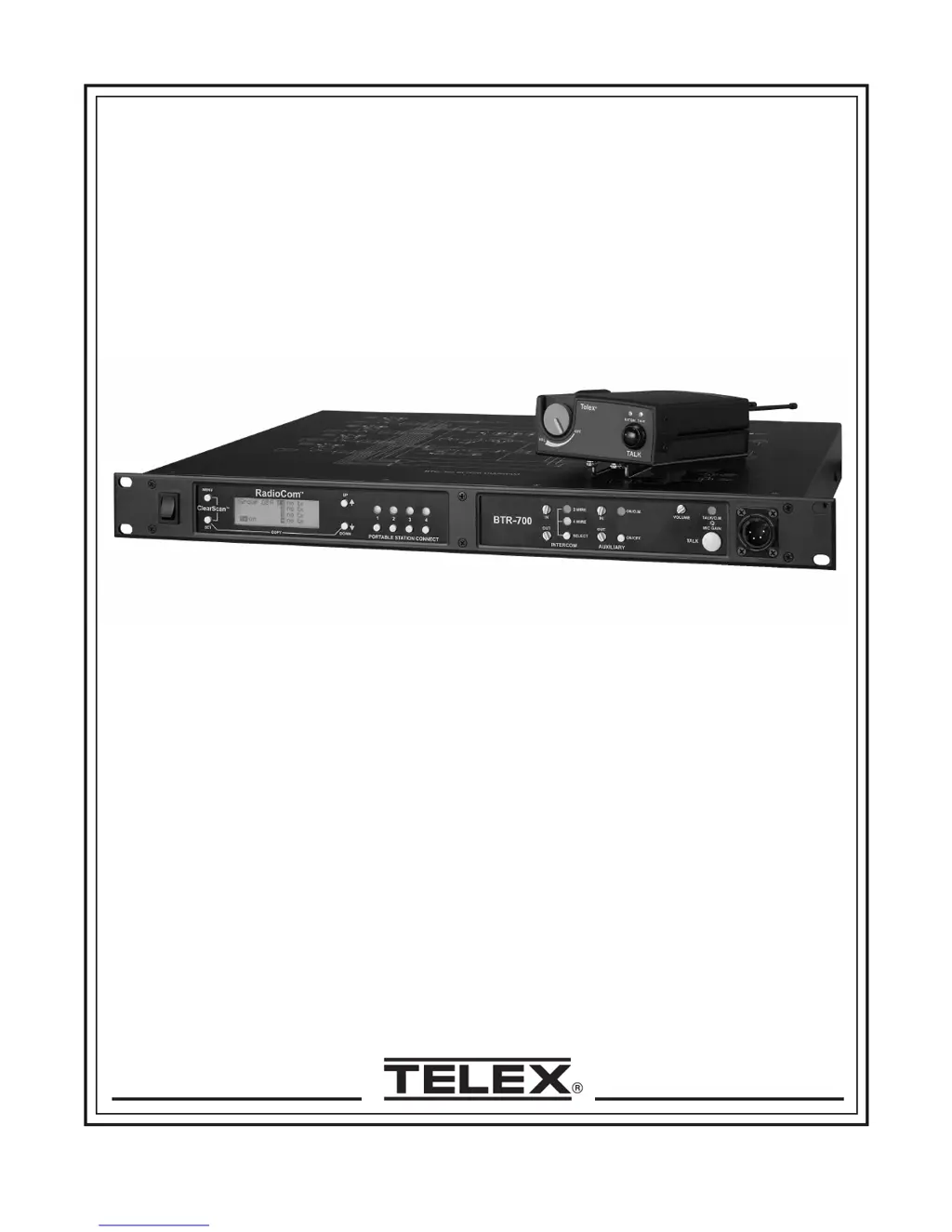
RadioCom
BTR-700, TR-700
Professional
Wireless
Intercom System

Table of Contents

Other manuals for Telex RadioCom BTR-700

Questions and Answers

Summary

Introduction

General Description

Overview of the Telex RadioCom BTR-700 UHF Synthesized Wireless Intercom System's capabilities and performance.

System Features

Key features of the RadioCom BTR-700 system, including frequency agility, duplex operation, and compatibility.

BTR-700 Block Diagram

Visual representation of the BTR-700 base station's internal signal flow and component interconnections.

BTR-700 Base Station

Controls and Connections - Front Panel

Detailed description of the front panel layout, buttons, indicators, and connectors of the BTR-700 base station.

Controls and Connections - Rear Panel

Explanation of the rear panel ports, switches, and connectors for the BTR-700 base station.

BTR-700 Specifications

Technical specifications for the BTR-700 base station, including RF range, power, dimensions, and performance metrics.

TR-700 Beltpack

Controls and Connections - Top Panel

Description of the top panel controls, indicators, and volume knob on the TR-700 beltpack.

Controls and Connections - Rear Panel

Details on the rear panel connectors, switches, and antennas for the TR-700 beltpack.

TR-700 Specifications

Technical specifications for the TR-700 beltpack, including power, dimensions, and performance metrics.

Initial Equipment Set-Up

Unpacking

Contents of the BTR-700 base station and TR-700 beltpack packages upon delivery.

Antenna Connection

Instructions for connecting the 1/2-wave antennas to the base station and 1/4-wave antennas to the beltpack.

Antenna Polarization

Explanation of vertical polarization for antennas and its importance for system performance.

Distance Between Antennas

Guidance on optimal spacing for base station antennas and considerations for antenna placement.

Antenna Placement

Recommendations for positioning antennas for best reception and system range.

Improving Reception and Increasing Range

Tips and methods to enhance signal strength and extend the operating range of the wireless system.

Base Station Set-Up

Step-by-step guide for setting up the BTR-700 base station, including location, power, and switch configurations.

Beltpack Set-Up

Instructions for installing batteries and connecting headsets to the TR-700 beltpack.

Pre-Walk-Thru Checklist

Pre-Walk-Thru Checklist

A checklist to ensure all setup steps are completed before performing a system walk-through.

System Operation

Frequency Plan Overview

Explanation of the system's 36 factory-defined and 12 user-programmable frequency groups and channels.

Factory-Defined Groups

Information on the pre-set frequency groups designed to minimize interference.

User-Programmable Groups

Details on how to create and edit custom frequency groups for personalized system configuration.

System Quick Start

A streamlined guide to get the base station and beltpacks operating quickly.

Base Station Operation

How to operate the BTR-700 base station, including power, headset, intercom, and auxiliary functions.

BTR-700 Menu Structure

Flowchart and page references for navigating the BTR-700 base station's menu system.

Group;Channel Select

How to change the group and select receiver channels on the base station.

Group;Frequency Select

Process for selecting groups and adjusting frequencies for base station receivers.

Frequency Edit

Instructions for editing transmit and receive frequencies for user-programmable groups.

Clear Scan

Using ClearScan™ to automatically find the group with the most interference-free channels.

Special Key Sequences

Special button combinations for lockout, copying groups, and resetting defaults.

System Walk-Thru

System Walk-Thru

Procedure for testing system performance in the intended operating environment.

Troubleshooting

Troubleshooting

Common problems and their solutions for the Telex wireless intercom system.

Tech Tips

Frequency Interaction

Understanding RF channel selection and avoiding interference in wireless communication.

Microphone Gain Adjustment

How to properly set microphone gain for optimal audio quality in different environments.

Battery Information

Battery Information

Guidance on selecting and using alkaline and Nickel-Metal Hydride batteries for wireless transceivers.

Intercom Systems Specifications

RTS Intercom Specifications

Electrical specifications and connector pinouts for interfacing with RTS intercom systems.

AudioCom;Telex Intercom Specifications

Electrical specifications and connector pinouts for interfacing with AudioCom/Telex intercom systems.

Clear-Com Intercom Specifications

Electrical specifications and connector pinouts for interfacing with Clear-Com intercom systems.

Accessories and Replacement Parts

Antenna Models

Information on available antennas for the RadioCom system, including log periodic and wave antennas.

Antenna Cables

Details on special low-loss coaxial antenna cables with TNC connectors.

Base Station Antennas

Specific part numbers and frequency bands for base station 1/2-wave antennas.

Beltpack Antennas

Part numbers, colors, and frequency ranges for TR-700 beltpack 1/4-wave antennas.

Customer Service Information

Customer Service Information

Contact details, warranty service procedures, and shipping instructions for Telex products.

Software License

Software License

End-User License Agreement terms and conditions for the Telex software.

Certification Information

FCC Licensing

Information regarding FCC type acceptance, licensing responsibilities, and RF exposure compliance.

Mandatory Safety Instructions

Essential safety guidelines for base station installers and users concerning antenna installation and RF exposure.

Limited Warranty

Limited Warranty

Terms and conditions of the limited warranty for Telex products in the US and Canada.

Telex RadioCom BTR-700 Specifications

General IconGeneral
BrandTelex
ModelRadioCom BTR-700
CategoryIntercom System
LanguageEnglish

Related product manuals