OC441665
Release 1. 22jan16jh
This document is TELMA’s property. It cannot be either forwarded to an outsider, printed, reproduced or disclosed without TELMA’s authorization. Page
7 / 23
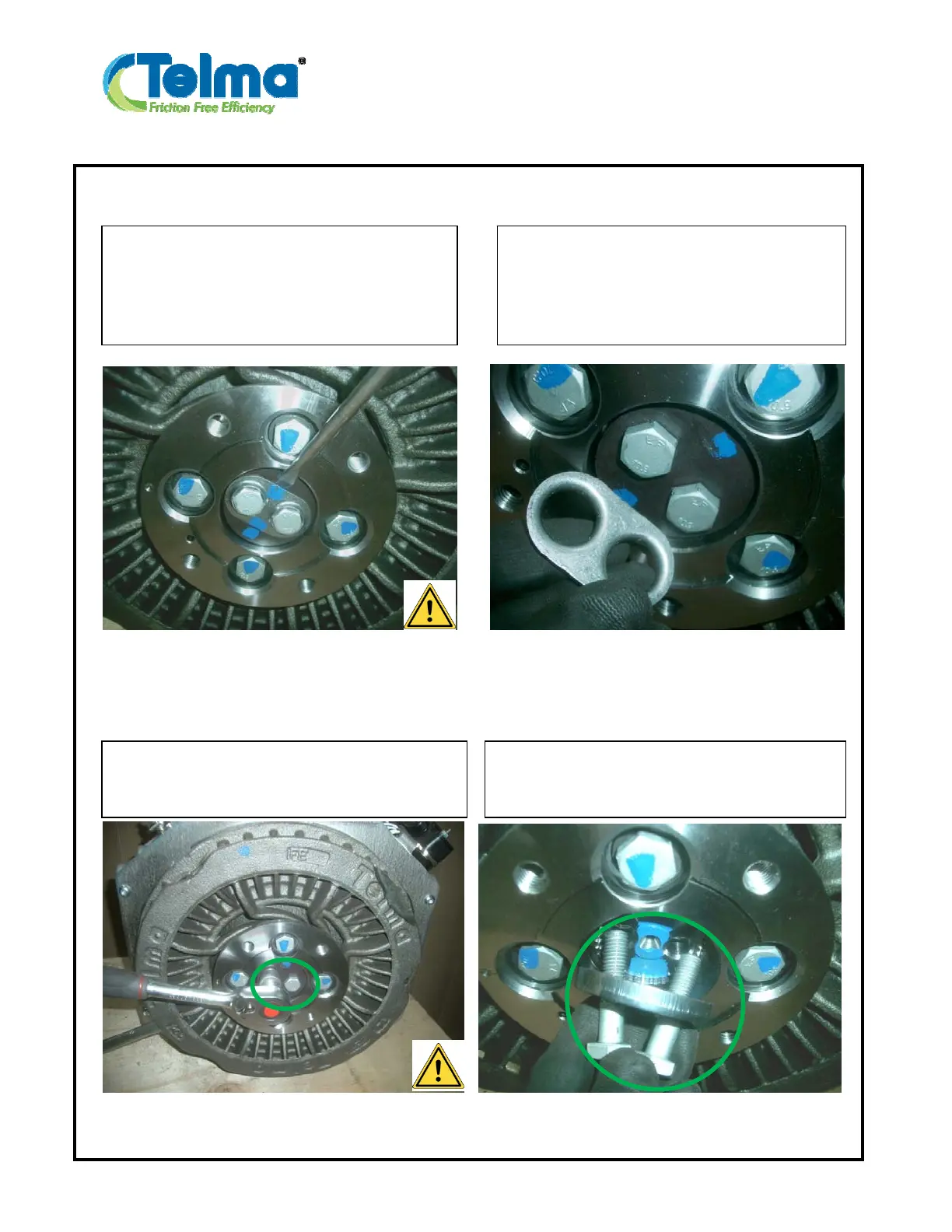
1-E 1-F
1-G 1-H
On a retarder side, remove the lock tab by
using a flat screwdriver and a hammer.
Caution: In order to avoid the springiness,
suppress the stress in the tab by tapping on one
side and by removing on the other).
Remove the lock tab.
Unscrew the 2 end shaft screws.
Use a 17 mm socket and a bar to lock the
rotation of the rotor.
Remove the 2 end shaft screws with the end
shaft plate.



 To Next Page