Add another person to your call and have a 3-Way Chat.
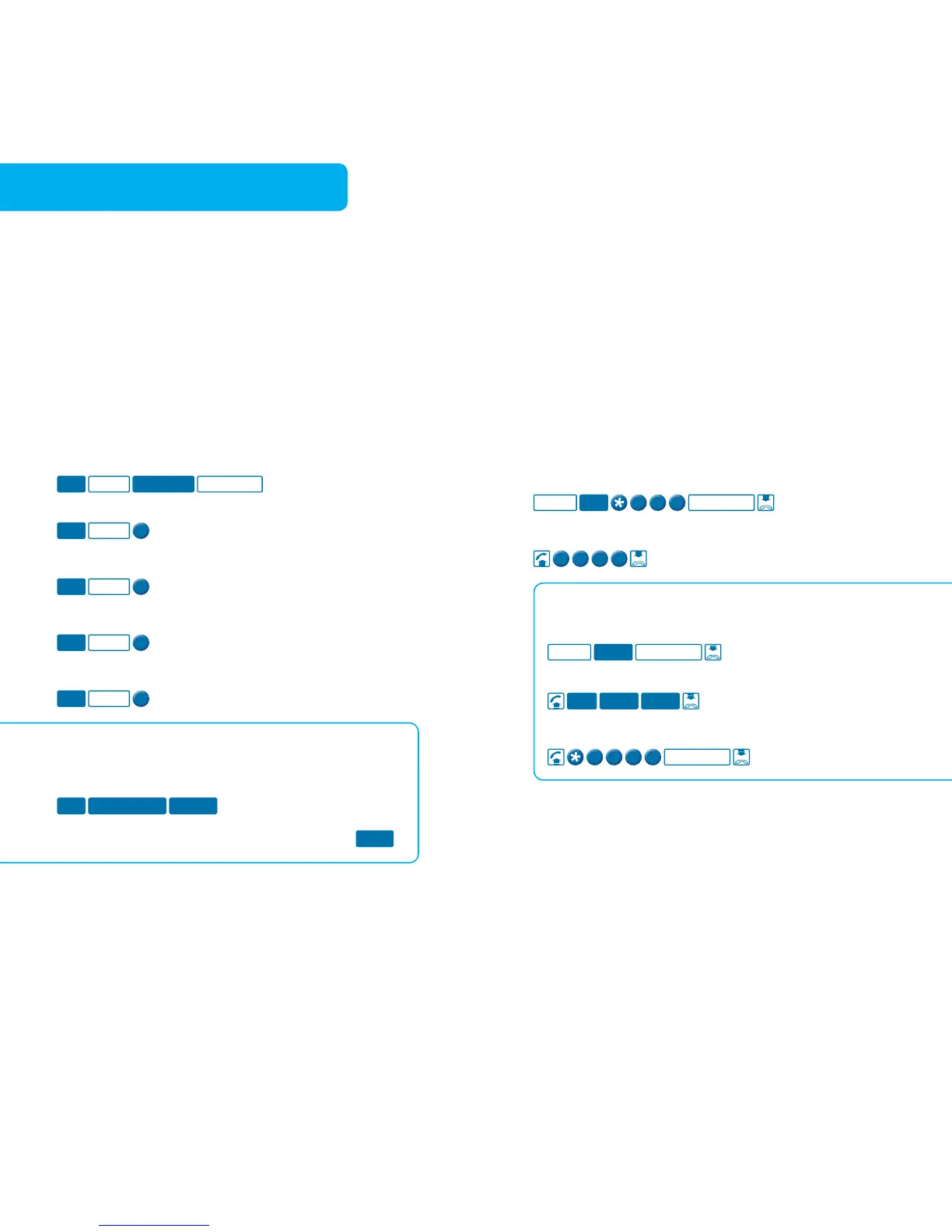
To put existing call on hold and make a new call
To split a 3-Way Chat (this will put one call on hold)
To hang up one call and return to the call on hold
Touchfone T1000S/T1000C Phone
To put an existing call on hold, make a new call
and then create a 3-Way Chat
To split a 3-Way Chat or switch between callers
3-Way Chat is available to use on your phone now.
While you are in a 3-Way Chat your Call Waiting will
not work, but, if set, your Call Forward Immediate or
Busy will still work.
Usage and call charges apply.
Have your call completed when the phone number you
are calling becomes free.
To arrange a call for Call Back
Touchfone T1000S/T1000C Phone
To arrange a call for Call Back
To find out if you have a Call Back arranged
Call Back is available to use on your phone now. The busy
destination will be monitored for 45 minutes. Call Back will
not work for all calls, eg calls to some business numbers,
Operator Assisted Services and international destinations
and to phones on some other carriers’ networks.
A maximum of five Call Back calls can be arranged at any
one time. Call Back requires a tone phone, preferably with
distinctive ring capability.
Usage and call charges apply.



 To Next Page