EasyManua.ls Logo

Telstra TEC-C - Phonebook and Troubleshooting; Phonebook Management; Troubleshooting Common Issues

Telstra TEC-C
8 pages
Print Icon
To Previous Page IconTo Previous Page

Loading...
Most
problems
can
be
fixed
with
a
few
Troubleshooting
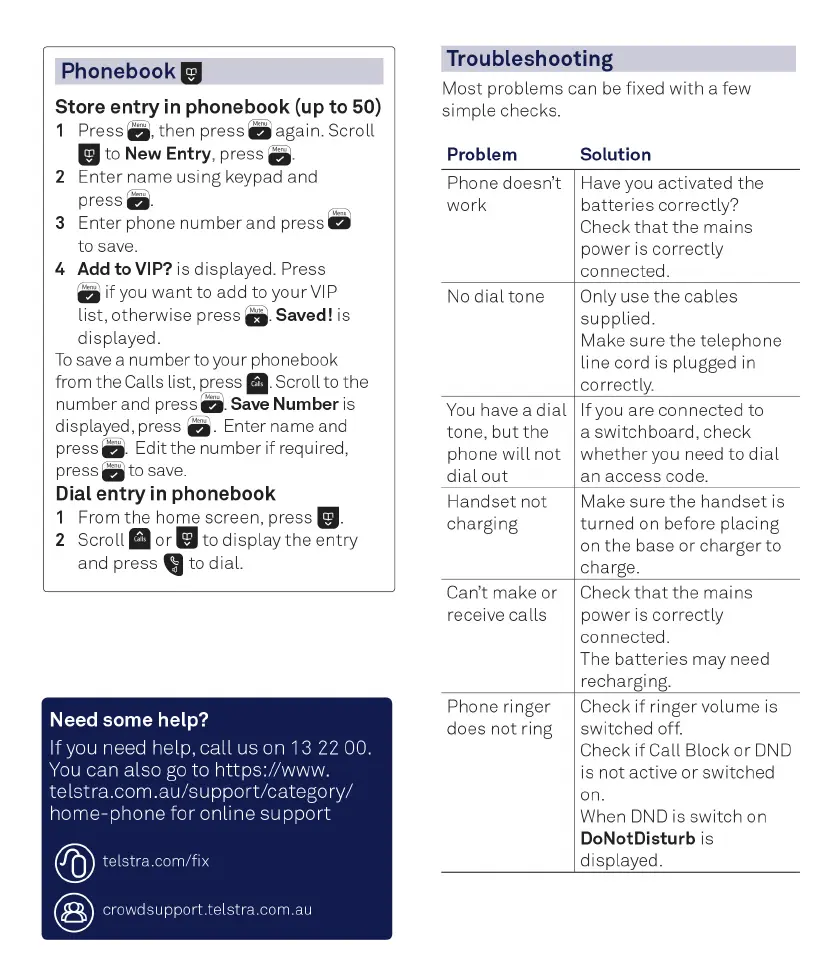
Phonebook
Store
entry
in
phonebook
(up
to
50)
1
Press
.
then
press
mute
again.
Scroll
to
New
Entry,
press
mute
2
Enter
name
using
keypad
and
press
mute
3
Enter
phone
number
and press mute
to
save.
4
Add
to
VIP?
is
displayed.
Press
mute if you want to add to your VIP
list,
otherwise
press
mute Saved! is
displayed.
To
save
a
number
to your phonebook
from
the
Calls
list,
press
calls Scroll to the
numberand
press
mute Save Number is
displayed,
press
mute Enter name and
press
Edit
the number if required,
press
mute to save
Dial
entry
in
phonebook
1
From
the
home
screen,
press
2
Scroll
calls or to display the entry
and
press
to
dial.
Need
some
help?
Ifyou
need
help,
call
us
on
13
22
00.
You
can
also
go
to
https://www
.
telstra.com.au/support/category/
home-phone
for
online
support
telstra.com/fix
crowdsupport.telstra.com.au
simple
checks.
Problem
Solution
Phone
doesn
t
Have
you
activated
the
work
batteries
correctly?
Check
that
the
mains
power
is
correctly
connected.
No
dial
tone
Only
use
the
cables
supplied.
Make
sure
the
telephone
line
cord
is
plugged
in
correctly.
You
have
a
dial
If
you
are
connected
to
tone,
but
the
a
switchboard,
check
phone
will
not
whetheryou
need
to
dial
dial
out
an
access
code.
Handset
not
Make
sure
the
handset
is
charging
turned
on
before
placing
on
the
base
or
charger
to
charge.
Can
t
make
or
Check
that
the
mains
receive
calls
power
is
correctly
connected.
The
batteries
may
need
recharging.
Phone
ringer
Check
if
ringer
volume
is
does
not
ring
switched
off.
Check
if
Call
Block
or
DND
is
not
active
or
switched
on.
When
DND
is
switch
on
DoNotDisturb
is
displayed.

Related product manuals