Need help?
Do you have a question about the Teltonika FM Series and is the answer not in the manual?
This document outlines the process for capturing remote Tacho logs from Teltonika FM series devices, a critical function for fleet management and regulatory compliance. The primary purpose of this guide is to enable users to extract detailed Tacho data, which is essential for monitoring driver activity, vehicle usage, and ensuring adherence to transport regulations. This capability is particularly valuable for fleet managers and support teams who need to diagnose issues, analyze operational patterns, or provide data for audits.
The core functionality revolves around initiating a Tacho log capture remotely from a Teltonika FM series device and streaming this data to a designated computer. This process leverages GPRS connectivity to establish a link between the device and the receiving software, ensuring that log data can be collected efficiently, even when the vehicle is in operation or at a remote location. The system is designed to provide a continuous stream of log data for a specified duration, offering a comprehensive snapshot of the device's activity.
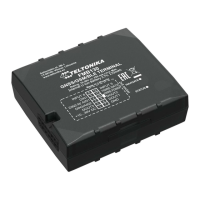
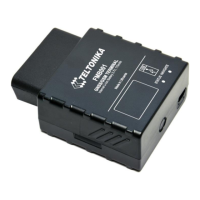
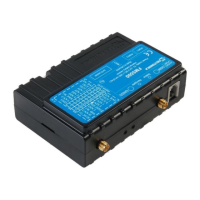
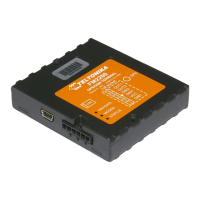
The solution detailed in this guide is compatible with a range of Teltonika FM series devices, including:
This broad compatibility ensures that a wide array of existing Teltonika fleet management installations can benefit from this remote Tacho log capture capability, providing consistent data collection across different device models within a fleet.
The process of capturing Tacho logs from FM series devices is initiated through a specific command, log2srv, combined with the correct device configuration. Once this command is sent, the device establishes a GPRS connection and activates a data link to a specified computer. The Tacho log data then begins to stream to this computer, continuing until a pre-defined time limit is reached. To stop the log streaming immediately, the log2srvstop command can be used. This mechanism allows for flexible control over the log capture duration, enabling users to collect data for specific periods as needed.
Before initiating the log capture, several preparatory steps are necessary to ensure a successful data transfer:
The core of the log capture process involves sending a specific SMS command to the FM device. The command structure varies slightly depending on whether SMS login and password are set on the device.
With SMS Login and Password:
login pass log2srv 1,6,APN,APNusername,APNpassword,IP,port,1200,0
APN: The Operator APN name of the SIM card in the device.APNusername: The Operator APN username of the SIM card.APNpassword: The Operator APN password of the SIM card.IP: The external IP address of the computer where Hercules is running.port: The opened TCP port used in Hercules.1200: This parameter typically defines the duration of the log capture in seconds (20 minutes in this case).0: This parameter is often a placeholder or a default value.Example Command: opa opa log2srv 1,6,banga,,,212.59.13.226,7056,1200,0
Without SMS Login and Password:
If no SMS login and password are set, leave two spaces before the command:
log2srv 1,6,APN,APNusername,APNpassword,IP,port,1200,0
L0G2SRV OK=1, 6, IP, port, 1200, 0. This confirms that the command was received and processed correctly.log2srv command settings are sent, a delay of up to 5 minutes may occur. During this period, the device might not receive any SMS or GPRS commands, and pending SMS messages will be processed only after the timeout.After the log capture begins, an additional command can be sent to force the device to connect to a remote DDD download platform. This is useful for integrating the captured Tacho data with other fleet management systems or for further analysis.
login pass tacho_connect tacho_connectOnce the log is captured, it should be provided to the Teltonika Sales Manager or Support team for further investigation or analysis. This step is crucial for troubleshooting device issues, verifying data integrity, or fulfilling specific data requests.
Users can stop the log capturing process at any time by sending a specific SMS command to the FM device. This provides flexibility and control, allowing users to terminate data collection if sufficient data has been gathered or if an error occurs.
login pass log2srvstop log2srvstopThis comprehensive process ensures that Tacho logs can be reliably captured from Teltonika FM series devices, providing valuable data for fleet management, compliance, and diagnostic purposes. The step-by-step instructions, combined with clear explanations of each parameter and potential issues, empower users to effectively utilize this remote logging capability.
 General
| GNSS | GPS, GLONASS, GALILEO, BEIDOU |
|---|---|
| Tracking sensitivity | -165 dBM |
| Analog Inputs | 1 |
| Operating Temperature | -40 °C to +85 °C |
| Warm start | 25s |
| GSM | GSM/GPRS/EDGE |
| Data transfer | GPRS |
| SMS | Yes |
| Power supply | +10...+30 V DC with overvoltage protection |
| Internal Battery | Yes |
| 1-Wire | Yes |
| Bluetooth | Bluetooth |
| MicroSD | MicroSD card up to 32 GB |
| Inputs/Outputs | 1 Digital Input, 1 Digital Output, 1 Analog Input, 1-Wire® data protocol |
| Communication Interfaces | USB, Bluetooth |
| Hot start | 1s |
| Digital Outputs | 1 |


 To Next Page