EasyManua.ls Logo

Teltonika FMB920 - User Manual

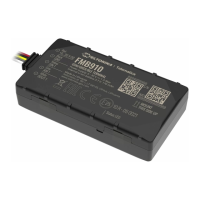
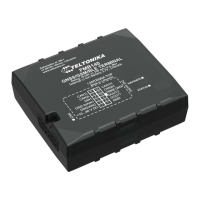
Teltonika FMB920
151 pages
Print Icon
To Next Page IconTo Next Page
Loading...
FMB920 User Manual
V0.27

Table of Contents

Other manuals for Teltonika FMB920

Question and Answer IconNeed help?

Do you have a question about the Teltonika FMB920 and is the answer not in the manual?

Summary

Introduction and Safety

Instructions for Safe Operation

Details safety requirements for operating the FMB920, including power supply and installation.

Connection, Pinout, and Accessories

SIM Card Insertion Procedure

Step-by-step guide on how to correctly insert a SIM card into the FMB920 device.

MicroSD Card Installation

Instructions for adding a MicroSD card to the FMB9XX device for data storage.

Installing FMB920 Drivers

Guide for installing necessary drivers for connecting the FMB920 to a computer.

Operational Basics and Features

Sleep Modes Configuration

Details the GPS Sleep, Deep Sleep, and Online Deep Sleep modes for power saving.

Accelerometer Scenarios

Detecting events like unplugging, towing, and crashes using the accelerometer.

Device Configuration

Using the FMB920 Configurator

Guide to using the FMB920 Configurator software for device setup.

Security Settings

Configuring SIM card security and device keyword protection.

System Settings Configuration

Core system parameters including sleep modes, ignition sources, and navigation settings.

Records and GSM Settings

Configuring data record sorting, GPRS, APN, and GSM operator parameters.

Advanced Features and Diagnostics

Towing and Crash Detection Scenarios

Settings for detecting vehicle towing and detecting impact events.

Bluetooth Connectivity and Pairing

General Bluetooth functionality and pairing procedures for hands-free and OBDII devices.

Connecting OBD II Bluetooth Dongle

Steps to configure and connect an OBD II Bluetooth dongle to the FMB device.

I;O Settings and Operands

Configuring Input/Output properties, priorities, and event generation operands.

SMS Commands and Parameter Lists

SMS Command List Overview

Comprehensive list of commands for device management via SMS.

System Parameters Configuration

Detailed list of system parameters including sleep modes, ignition, and synchronization.

Mounting Recommendations and Installation

Connecting Device Wires

Guidelines for securely connecting the device's wires to the vehicle's electrical system.

Summary

Introduction and Safety

Instructions for Safe Operation

Details safety requirements for operating the FMB920, including power supply and installation.

Connection, Pinout, and Accessories

SIM Card Insertion Procedure

Step-by-step guide on how to correctly insert a SIM card into the FMB920 device.

MicroSD Card Installation

Instructions for adding a MicroSD card to the FMB9XX device for data storage.

Installing FMB920 Drivers

Guide for installing necessary drivers for connecting the FMB920 to a computer.

Operational Basics and Features

Sleep Modes Configuration

Details the GPS Sleep, Deep Sleep, and Online Deep Sleep modes for power saving.

Accelerometer Scenarios

Detecting events like unplugging, towing, and crashes using the accelerometer.

Device Configuration

Using the FMB920 Configurator

Guide to using the FMB920 Configurator software for device setup.

Security Settings

Configuring SIM card security and device keyword protection.

System Settings Configuration

Core system parameters including sleep modes, ignition sources, and navigation settings.

Records and GSM Settings

Configuring data record sorting, GPRS, APN, and GSM operator parameters.

Advanced Features and Diagnostics

Towing and Crash Detection Scenarios

Settings for detecting vehicle towing and detecting impact events.

Bluetooth Connectivity and Pairing

General Bluetooth functionality and pairing procedures for hands-free and OBDII devices.

Connecting OBD II Bluetooth Dongle

Steps to configure and connect an OBD II Bluetooth dongle to the FMB device.

I;O Settings and Operands

Configuring Input/Output properties, priorities, and event generation operands.

SMS Commands and Parameter Lists

SMS Command List Overview

Comprehensive list of commands for device management via SMS.

System Parameters Configuration

Detailed list of system parameters including sleep modes, ignition, and synchronization.

Mounting Recommendations and Installation

Connecting Device Wires

Guidelines for securely connecting the device's wires to the vehicle's electrical system.

Teltonika FMB920 Specifications

General IconGeneral
PurposeCar
Product colorBlack
SIM card slotYes
Channels quantity33 channels
Electronic compass-
GSM bands supported850, 900, 1800, 1900 MHz
International Protection (IP) codeIP54
USB connector typeMicro-USB B
Memory card slot(s)No
Built-in memory capacity0.128 GB
Battery capacity170 mAh
Battery life (max)- h
Operating temperature (T-T)-40 - 85 °C
Weight and Dimensions IconWeight and Dimensions
Depth79 mm
Width43 mm
Height12 mm
Weight54 g

Related product manuals