EasyManua.ls Logo

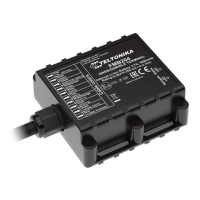
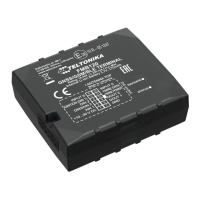
Teltonika FMB010 - User Manual

Teltonika FMB010
90 pages
Print Icon
To Next Page IconTo Next Page
Loading...
FMB010 User Manual
V0.10

Table of Contents

Other manuals for Teltonika FMB010

Question and Answer IconNeed help?

Do you have a question about the Teltonika FMB010 and is the answer not in the manual?

Summary

INTRODUCTION

Attention

General safety and handling warnings for device operation and potential interference.

Instructions of safety

Safe operation guidelines, power supply requirements, and precautions.

BASIC DESCRIPTION

Legal Notice

Copyright, reproduction rights, and manufacturer's right to make changes.

About document

Document scope, architecture, possibilities, and acronyms used.

Basic characteristics

Features of GSM/GPRS, GNSS, hardware, interfaces, and special capabilities.

Technical features

Detailed specifications for LEDs, connectors, power, consumption, temperature, and fuse.

Technical Information about internal battery

Battery specifications and safety warnings for replacement.

Electrical characteristics

Supply voltage and digital input characteristics.

Absolute Maximum Ratings

Maximum allowable voltage ratings for the device.

CONNECTION, PINOUT, ACCESSORIES

How to insert micro SIM card into FMB010 device

Step-by-step guide with illustrations for SIM card insertion.

Installing FMB010 drivers

Software requirements and installation steps for device drivers.

OBD II

Description of the OBD II pinout and its connections.

OPERATIONAL BASICS

Operational principals

How the FMB010 acquires and sends data.

Sleep mode

Introduction to the device's sleep modes.

Deep Sleep mode

Detailed explanation of deep sleep mode.

Online Sleep mode

Explanation of the online sleep mode.

Virtual odometer

How the virtual odometer calculates traveled distance.

Features

Overview of available features for enhanced usability.

Green Driving;Eco Driving Scenario

Monitors driver behavior for harsh driving.

Over Speeding Scenario

Helps prevent exceeding fixed speed limits.

Jamming detection

Indicates when GSM signal jamming occurs.

Trip

Enables extended monitoring of performed trips.

Accelerometer scenarios

Introduction to scenarios based on accelerometer data.

Towing Detection

Informs about car deporting or towing.

Unplug Detection

Generates event when device is unplugged.

Crash Detection

Monitors acceleration for crash events.

Crash Trace operation

Collects acceleration data for crash trace.

CONFIGURATION

Configurator

How to configure the device using the FMB010 Configurator program.

System settings

Overview of configurable system parameters.

System settings

Details on motion detection, static navigation, and time synchronization.

System settings

Configuration options for GNSS satellite systems.

Records settings

Configuration of record sorting and data link timeouts.

GSM settings, GPRS part

Configuration of GPRS context, APN, and server settings.

GSM settings, SMS part

Configuration of SMS login, password, and data sending.

SMS Event Time Zones

Setting time zones for SMS reception.

SMS events

Configuring SMS alerts for triggered events.

SMS events

Example of SMS event message format.

SMS events

Attention note on deep sleep and SMS events.

GSM settings, Operator list

How the operator list affects device modes.

GSM settings, Operator list

Configuration of the operator list.

Features settings

Introduction to various device scenario features.

Features settings

Configuration for Green Driving, Trip, Over Speeding scenarios.

Features settings

Details on ECO/Green Driving parameters and data output.

Features settings

Details on Over Speeding, Excessive Idling, Jamming, Trip scenarios.

Trip settings

Configuration options for the trip feature.

Trip settings

Configuration modes for trip distance counting.

AutoGeofencing settings

Introduction to the AutoGeofencing feature.

AutoGeofencing settings

Configuration parameters for AutoGeofencing.

GPS Fuel Counter

Configuration of fuel consumption parameters.

Scenarios Accelerometer

Details on Towing Detection configuration.

Unplug Detection

Configuration for unplug detection scenario.

Crash detection

Configuration settings for crash detection.

Crash Trace operation

How crash trace operation collects data.

Crash Trace operation

Example of Crash Trace logic.

Bluetooth

Overview of general Bluetooth settings.

How to connect Bluetooth Hands Free adapter to FMB device

Steps to connect a Bluetooth hands-free adapter.

How to connect Bluetooth Hands Free adapter to FMB device

Continuation of steps to connect a Bluetooth hands-free adapter.

Devices log using your mobile phone

How to get device logs via mobile phone.

Devices log using your mobile phone

Instructions for using the Bluetooth Terminal app.

Devices log using your mobile phone

Saving and sharing log files.

How to connect OBD II Bluetooth Dongle to FMB

Instructions for connecting an OBD II Bluetooth dongle.

How to connect OBD II Bluetooth Dongle to FMB

Further details on connecting OBD II dongle.

How to connect OBD II Bluetooth Dongle to FMB

OBD II Bluetooth settings and supported dongles.

Data Acquisition Mode settings

How data acquisition modes function.

Data Acquisition Mode settings

Data Acquisition Mode configuration flow chart.

Data Acquisition Mode settings

Data Acquisition Mode configuration table.

Data Acquisition Mode settings

Data acquisition methods (time, distance, angle, speed).

Connecting to device via Bluetooth

Connecting to the device via Bluetooth.

SMS COMMAND LIST

SMS command list

List of available SMS commands and their descriptions.

SMS command list

Details on various SMS commands like getparam, setparam, flush.

SMS command list

Details on getstatus and getgps commands.

SMS command list

Details on getparam, setparam, flush commands.

SMS command list

Details on setdigout, faultcodes, obdinfo commands.

System parameters

Overview of system parameters.

Sleep Mode (ID=102)

Configuration for sleep modes.

Sleep timeout (ID=103)

Configuration for sleep timeout.

Movement Source (ID=100)

Configuration for motion detection source.

Static Navigation (ID=106)

Configuration for static navigation.

System parameters

Details on GNSS source and ignition settings.

Saving;Sending without time synchronization (ID=107)

Settings for sync-less saving/sending.

GNSS Source (ID=109)

Configuration for GNSS satellite systems.

Ignition settings (ID=101)

Configuration for ignition source.

High voltage level (ID=104)

Setting high voltage level.

Low voltage level (ID=105)

Setting low voltage level.

System parameters

Details on LED indication and records parameters.

Led indication (ID=108)

Enabling/disabling LED indicators.

Records parameters

Overview of records parameters.

Sorting (ID=1002)

Configuration for record sorting order.

Open Link Timeout (ID=1000)

Timeout for keeping server connection open.

Server Response Timeout (ID=1001)

Timeout for server response.

GSM parameters

Overview of GSM parameters.

GPRS content activation (ID=2000)

Enabling/disabling GPRS usage.

APN Name (ID=2001)

Configuration of GPRS Access Point Name.

APN username (ID=2002)

Configuration of APN username.

APN Password (ID=2003)

Configuration of APN password.

Domain (ID=2004)

AVL data destination server IP address.

GSM parameters

Details on server port and protocol.

Target Server Port (ID=2005)

AVL data destination server port number.

Protocol (ID=2006)

GPRS data transport protocol selection.

SMS;Call settings

Overview of SMS/Call settings.

SMS data sending settings (ID=3000)

Allowing binary SMS data sending.

Data send number (ID=3001)

GSM numbers for data SMS.

Authorized phone numbers (ID=4000-4009)

Numbers allowed to send messages to the device.

SMS;Call settings

Details on SMS events and call settings.

SMS Event Predefined Numbers (ID=6000-6009)

Numbers for sending 'Event SMS'.

SMS Login (ID=3003)

User login for module security.

SMS Password (ID=3004)

User password for module security.

Incoming call action (ID=3005)

Action during incoming calls.

Outgoing Call Trigger (ID=3007)

Trigger for hands-free calls.

GSM number index (ID=3008)

Index for predefined GSM numbers.

SMS;Call settings

Operator list configuration.

Operator List (ID=5000-5049)

Defines operator list for operating profile selection.

Data Acquisition Modes parameters

Overview of data acquisition modes.

Home Network GSM operator code “Vehicle on STOP parameters

Parameters for Home Network, Vehicle on STOP.

Min Period (ID=10000)

Time interval to acquire new record.

Min Saved Records (ID=10004)

Minimum records per data packet.

Send Period (ID=10005)

Frequency of sending data to server.

Home Network GSM operator code “Vehicle MOVING parameters

Parameters for Home Network, Vehicle MOVING.

Min Period (ID=10050)

Time interval to acquire new record.

Data Acquisition Modes parameters

Roaming Network, Vehicle MOVING parameters.

Min Distance (ID=10051)

Distance to acquire new record.

Min Angle (ID=10052)

Angle to acquire new record.

Min Speed delta (ID=10053)

Speed difference to acquire new record.

Min Saved Records (ID=10054)

Minimum records per data packet.

Send Period (ID=10055)

Frequency of sending data to server.

Data Acquisition Modes parameters

Roaming Network, Vehicle on STOP parameters.

Min Period (ID=10100)

Time interval to acquire new record.

Min Saved Records (ID=10104)

Minimum records per data packet.

Send Period (ID=10105)

Frequency of sending data to server.

Roaming Network GSM operator code “Vehicle MOVING” parameters

Parameters for Roaming Network, Vehicle MOVING.

Min Period (ID=10150)

Time interval to acquire new record.

Data Acquisition Modes parameters

Roaming Network, Vehicle MOVING parameters.

Min Distance (ID=10151)

Distance to acquire new record.

Min Angle (ID=10152)

Angle to acquire new record.

Min Speed delta (ID=10153)

Speed difference to acquire new record.

Data Acquisition Modes parameters

Unknown Network, Vehicle on STOP parameters.

Min Saved Records (ID=10154)

Minimum records per data packet.

Send Period (ID=10155)

Frequency of sending data to server.

Unknown Network GSM operator code “Vehicle on STOP parameters

Parameters for Unknown Network, Vehicle on STOP.

Min Period (ID=10200)

Time interval to acquire new record.

Min Saved Records (ID=10204)

Minimum records per data packet.

Send Period (ID=10205)

Frequency of sending data to server.

Unknown Network GSM operator code Vehicle MOVING” parameters

Parameters for Unknown Network, Vehicle MOVING.

Min Period (ID=10250)

Time interval to acquire new record.

Data Acquisition Modes parameters

Unknown Network, Vehicle MOVING parameters.

Min Distance (ID=10251)

Distance to acquire new record.

Min Angle (ID=10252)

Angle to acquire new record.

Min Speed (ID=10253)

Speed difference to acquire new record.

Data Acquisition Modes parameters

Unknown Network, Vehicle MOVING parameters.

Min Saved Records (ID=10254)

Minimum records per data packet.

Send Period (ID=10255)

Frequency of sending data to server.

Features Parameters

Overview of feature parameters.

Green driving priority (ID=11000)

Defines priority for green driving scenario.

Max Acceleration Force (ID=11004)

Max allowed acceleration force before event.

Max Braking Force (ID=11005)

Max allowed braking force before event.

Max Cornering (ID=11006)

Max allowed cornering angle before event.

Features Parameters

Details on Eco/Green driving and overspeeding.

Green;Eco driving (ID=11007)

Choose between Eco and Green driving.

Green driving Digital output on duration (ID=11001)

Output ON duration in milliseconds.

Green driving Digital output off duration (ID=11002)

Output OFF duration in milliseconds.

Overspeeding priority (ID=11100)

Defines priority for overspeeding scenario.

Max allowed Speed (ID=11104)

Max allowed speed before overspeeding event.

Features Parameters

Details on overspeeding output and excessive idling.

Overspeeding output control (ID=11103)

Enables/disables overspeeding output control.

Overspeeding Digital output on duration (ID=11101)

Output ON duration in milliseconds.

Overspeeding Digital output off duration (ID=11102)

Output OFF duration in milliseconds.

Excessive idling priority (ID=11200)

Defines priority for excessive idling scenario.

Eventual records (ID=11203)

Disables/enables eventual records with idling.

Excessive idling minimum stop duration (ID=11205)

Minimum idling time before scenario enables.

Features Parameters

Details on excessive idling and jamming.

Excessive idling minimum move duration (ID=11206)

Minimum move time after idling before scenario disables.

Excessive idling output control (ID=11204)

Enables/disables excessive idling output control.

Jamming (ID=11300)

Scenario settings for jamming.

Jamming Eventual records (ID=11303)

Disables/enables eventual records for jamming.

Features Parameters

Details on jamming output control and DOUT.

Jamming Output Control (ID=11304)

Defines if jamming controls digital output.

Jamming DOUT on duration [ms] (ID=11301)

Sets time period for DOUT ON.

Jamming DOUT off duration [ms] (ID=11302)

Sets time period for DOUT OFF.

DOUT control via call (ID=12000)

Disables/enables DOUT control via call.

DOUT deactivation settings (ID=12001)

Enables/disables DOUT deactivation by DIN1.

DOUT duration timeout [s] (ID=12002)

Defines time DOUT will be activated.

Features Parameters

Details on trip priority and AutoGeofencing.

Trip priority priority (ID=11800)

Defines priority for trip scenario.

Start Speed (ID=11803)

Minimum speed to indicate TRIP START.

Ignition Off Timeout (ID=11804)

Timeout to wait for TRIP STOP if ignition is off.

Trip mode (ID=11802)

Configuration for trip distance counting.

AutoGeofencing

Overview of AutoGeofencing.

AutoGeofencing priority (ID=20000)

Defines priority for AutoGeofencing scenario.

Activation Timeout (ID=20003)

AutoGeofencing activation timeout in seconds.

AutoGeofencing

AutoGeofencing deactivation and event generation.

Deactivate by (ID=20005)

Defines AutoGeofence deactivation source.

AutoGeofence event generating (ID=20001)

Generates events on entering/exiting zone.

Radius (ID=20004)

Represents radius of geofence circle.

GPS Fuel counter

Overview of GPS Fuel counter.

City Consumption L;100 km (ID=11900)

Fuel consumption in the city.

GPS Fuel counter

Details on highway and average consumption.

Highway Consumption L;100 km (ID=11901)

Fuel consumption on highway.

Average Speed [km;h] (ID=11905)

Average speed of the vehicle.

Correction coefficient (ID=11906)

Sets the correction coefficient.

Fuel Consumption on Idling [L;h] (ID=11907)

Fuel consumption while idling.

Higher Speeds Add [%] (ID=11908)

Additional percentage for higher speeds.

Highway Consumption every km;h (ID=11909)

Highway consumption per km/h.

Scenarios Accelerometer

Overview of accelerometer scenarios.

Unplug Detection

Settings for unplug detection scenario.

Scenarios Accelerometer

Unplug Detection details and Crash Detection.

Eventual records (ID=11501)

For sending only eventual unplug records.

Unplug detection mode (ID=11502)

Sets unplug detection mode (simple/advanced).

Send sms to (ID=7067)

Enables/disables SMS event sending for unplug.

SMS Text (ID=8067)

Configures unplug SMS event text.

Crash Detection

Settings for crash detection scenario.

Scenario settings (ID=11400)

Sets priority for crash detection.

Duration [ms] (ID=11401)

Duration for crash detection.

Treshold [mG] (ID=11402)

Threshold for crash detection.

Scenarios Accelerometer

Crash Trace and Bluetooth overview.

Crash trace (ID=11406)

Crash trace settings.

Bluetooth

Overview of general Bluetooth settings.

BT Radio (ID=800)

Enables/disables Bluetooth feature.

Local name (ID 801)

Defines visible name of FMBX device.

Local PIN (ID=802)

Lets to configure Bluetooth PIN.

Security mode (ID=803)

Defines Bluetooth security mode.

External MAC (ID=804)

Defines external device MAC for auto connect.

External name (ID=805)

Defines external device name for auto connect.

Bluetooth

External PIN, connection mode, MAC list.

External PIN (ID=806)

Defines external device PIN for auto connect.

Connection mode (ID=807)

Defines connection mode to external devices.

Authorized devices MAC list (ID=830 - 834)

Allows adding authorized device MACs.

I;O parameters

Overview of I/O parameters.

I;O#1 property parameter Ignition (ID=50000)

Defines I/O property value and related settings.

I;O parameters

Details on I/O logic operand and high/low levels.

I;O#1 Logic operand (ID=50001)

Parameter defines eventual record saving.

I;O#1 High level (ID=50002)

Parameter defines high value for triggered I/O.

I;O#1 Low level (ID=50003)

Parameter defines low value for triggered I/O.

Ι;Ο#1 Event only (ID=50004)

Parameter defines if element is sent only when event is generated.

I;O parameters

Details on averaging length and parameter table.

I;O#1 averaging length (ID=50005)

Parameter defines I/O property sample length for averaging.

I\O elements parameters and types.

Table of I/O elements parameters and types.

I\O elements parameters and types.

Table of I/O elements parameters and types.

I\O elements parameters and types.

Table of I/O elements parameters and types.

I\O elements parameters and types.

Table of I/O elements parameters and types.

I\O elements parameters and types.

Table of I/O elements parameters and types.

Spy call functionality

Spy call functionality

How to activate and use spy call functionality.

CHANGE LOG

Summary

INTRODUCTION

Attention

General safety and handling warnings for device operation and potential interference.

Instructions of safety

Safe operation guidelines, power supply requirements, and precautions.

BASIC DESCRIPTION

Legal Notice

Copyright, reproduction rights, and manufacturer's right to make changes.

About document

Document scope, architecture, possibilities, and acronyms used.

Basic characteristics

Features of GSM/GPRS, GNSS, hardware, interfaces, and special capabilities.

Technical features

Detailed specifications for LEDs, connectors, power, consumption, temperature, and fuse.

Technical Information about internal battery

Battery specifications and safety warnings for replacement.

Electrical characteristics

Supply voltage and digital input characteristics.

Absolute Maximum Ratings

Maximum allowable voltage ratings for the device.

CONNECTION, PINOUT, ACCESSORIES

How to insert micro SIM card into FMB010 device

Step-by-step guide with illustrations for SIM card insertion.

Installing FMB010 drivers

Software requirements and installation steps for device drivers.

OBD II

Description of the OBD II pinout and its connections.

OPERATIONAL BASICS

Operational principals

How the FMB010 acquires and sends data.

Sleep mode

Introduction to the device's sleep modes.

Deep Sleep mode

Detailed explanation of deep sleep mode.

Online Sleep mode

Explanation of the online sleep mode.

Virtual odometer

How the virtual odometer calculates traveled distance.

Features

Overview of available features for enhanced usability.

Green Driving;Eco Driving Scenario

Monitors driver behavior for harsh driving.

Over Speeding Scenario

Helps prevent exceeding fixed speed limits.

Jamming detection

Indicates when GSM signal jamming occurs.

Trip

Enables extended monitoring of performed trips.

Accelerometer scenarios

Introduction to scenarios based on accelerometer data.

Towing Detection

Informs about car deporting or towing.

Unplug Detection

Generates event when device is unplugged.

Crash Detection

Monitors acceleration for crash events.

Crash Trace operation

Collects acceleration data for crash trace.

CONFIGURATION

Configurator

How to configure the device using the FMB010 Configurator program.

System settings

Overview of configurable system parameters.

System settings

Details on motion detection, static navigation, and time synchronization.

System settings

Configuration options for GNSS satellite systems.

Records settings

Configuration of record sorting and data link timeouts.

GSM settings, GPRS part

Configuration of GPRS context, APN, and server settings.

GSM settings, SMS part

Configuration of SMS login, password, and data sending.

SMS Event Time Zones

Setting time zones for SMS reception.

SMS events

Configuring SMS alerts for triggered events.

SMS events

Example of SMS event message format.

SMS events

Attention note on deep sleep and SMS events.

GSM settings, Operator list

How the operator list affects device modes.

GSM settings, Operator list

Configuration of the operator list.

Features settings

Introduction to various device scenario features.

Features settings

Configuration for Green Driving, Trip, Over Speeding scenarios.

Features settings

Details on ECO/Green Driving parameters and data output.

Features settings

Details on Over Speeding, Excessive Idling, Jamming, Trip scenarios.

Trip settings

Configuration options for the trip feature.

Trip settings

Configuration modes for trip distance counting.

AutoGeofencing settings

Introduction to the AutoGeofencing feature.

AutoGeofencing settings

Configuration parameters for AutoGeofencing.

GPS Fuel Counter

Configuration of fuel consumption parameters.

Scenarios Accelerometer

Details on Towing Detection configuration.

Unplug Detection

Configuration for unplug detection scenario.

Crash detection

Configuration settings for crash detection.

Crash Trace operation

How crash trace operation collects data.

Crash Trace operation

Example of Crash Trace logic.

Bluetooth

Overview of general Bluetooth settings.

How to connect Bluetooth Hands Free adapter to FMB device

Steps to connect a Bluetooth hands-free adapter.

How to connect Bluetooth Hands Free adapter to FMB device

Continuation of steps to connect a Bluetooth hands-free adapter.

Devices log using your mobile phone

How to get device logs via mobile phone.

Devices log using your mobile phone

Instructions for using the Bluetooth Terminal app.

Devices log using your mobile phone

Saving and sharing log files.

How to connect OBD II Bluetooth Dongle to FMB

Instructions for connecting an OBD II Bluetooth dongle.

How to connect OBD II Bluetooth Dongle to FMB

Further details on connecting OBD II dongle.

How to connect OBD II Bluetooth Dongle to FMB

OBD II Bluetooth settings and supported dongles.

Data Acquisition Mode settings

How data acquisition modes function.

Data Acquisition Mode settings

Data Acquisition Mode configuration flow chart.

Data Acquisition Mode settings

Data Acquisition Mode configuration table.

Data Acquisition Mode settings

Data acquisition methods (time, distance, angle, speed).

Connecting to device via Bluetooth

Connecting to the device via Bluetooth.

SMS COMMAND LIST

SMS command list

List of available SMS commands and their descriptions.

SMS command list

Details on various SMS commands like getparam, setparam, flush.

SMS command list

Details on getstatus and getgps commands.

SMS command list

Details on getparam, setparam, flush commands.

SMS command list

Details on setdigout, faultcodes, obdinfo commands.

System parameters

Overview of system parameters.

Sleep Mode (ID=102)

Configuration for sleep modes.

Sleep timeout (ID=103)

Configuration for sleep timeout.

Movement Source (ID=100)

Configuration for motion detection source.

Static Navigation (ID=106)

Configuration for static navigation.

System parameters

Details on GNSS source and ignition settings.

Saving;Sending without time synchronization (ID=107)

Settings for sync-less saving/sending.

GNSS Source (ID=109)

Configuration for GNSS satellite systems.

Ignition settings (ID=101)

Configuration for ignition source.

High voltage level (ID=104)

Setting high voltage level.

Low voltage level (ID=105)

Setting low voltage level.

System parameters

Details on LED indication and records parameters.

Led indication (ID=108)

Enabling/disabling LED indicators.

Records parameters

Overview of records parameters.

Sorting (ID=1002)

Configuration for record sorting order.

Open Link Timeout (ID=1000)

Timeout for keeping server connection open.

Server Response Timeout (ID=1001)

Timeout for server response.

GSM parameters

Overview of GSM parameters.

GPRS content activation (ID=2000)

Enabling/disabling GPRS usage.

APN Name (ID=2001)

Configuration of GPRS Access Point Name.

APN username (ID=2002)

Configuration of APN username.

APN Password (ID=2003)

Configuration of APN password.

Domain (ID=2004)

AVL data destination server IP address.

GSM parameters

Details on server port and protocol.

Target Server Port (ID=2005)

AVL data destination server port number.

Protocol (ID=2006)

GPRS data transport protocol selection.

SMS;Call settings

Overview of SMS/Call settings.

SMS data sending settings (ID=3000)

Allowing binary SMS data sending.

Data send number (ID=3001)

GSM numbers for data SMS.

Authorized phone numbers (ID=4000-4009)

Numbers allowed to send messages to the device.

SMS;Call settings

Details on SMS events and call settings.

SMS Event Predefined Numbers (ID=6000-6009)

Numbers for sending 'Event SMS'.

SMS Login (ID=3003)

User login for module security.

SMS Password (ID=3004)

User password for module security.

Incoming call action (ID=3005)

Action during incoming calls.

Outgoing Call Trigger (ID=3007)

Trigger for hands-free calls.

GSM number index (ID=3008)

Index for predefined GSM numbers.

SMS;Call settings

Operator list configuration.

Operator List (ID=5000-5049)

Defines operator list for operating profile selection.

Data Acquisition Modes parameters

Overview of data acquisition modes.

Home Network GSM operator code “Vehicle on STOP parameters

Parameters for Home Network, Vehicle on STOP.

Min Period (ID=10000)

Time interval to acquire new record.

Min Saved Records (ID=10004)

Minimum records per data packet.

Send Period (ID=10005)

Frequency of sending data to server.

Home Network GSM operator code “Vehicle MOVING parameters

Parameters for Home Network, Vehicle MOVING.

Min Period (ID=10050)

Time interval to acquire new record.

Data Acquisition Modes parameters

Roaming Network, Vehicle MOVING parameters.

Min Distance (ID=10051)

Distance to acquire new record.

Min Angle (ID=10052)

Angle to acquire new record.

Min Speed delta (ID=10053)

Speed difference to acquire new record.

Min Saved Records (ID=10054)

Minimum records per data packet.

Send Period (ID=10055)

Frequency of sending data to server.

Data Acquisition Modes parameters

Roaming Network, Vehicle on STOP parameters.

Min Period (ID=10100)

Time interval to acquire new record.

Min Saved Records (ID=10104)

Minimum records per data packet.

Send Period (ID=10105)

Frequency of sending data to server.

Roaming Network GSM operator code “Vehicle MOVING” parameters

Parameters for Roaming Network, Vehicle MOVING.

Min Period (ID=10150)

Time interval to acquire new record.

Data Acquisition Modes parameters

Roaming Network, Vehicle MOVING parameters.

Min Distance (ID=10151)

Distance to acquire new record.

Min Angle (ID=10152)

Angle to acquire new record.

Min Speed delta (ID=10153)

Speed difference to acquire new record.

Data Acquisition Modes parameters

Unknown Network, Vehicle on STOP parameters.

Min Saved Records (ID=10154)

Minimum records per data packet.

Send Period (ID=10155)

Frequency of sending data to server.

Unknown Network GSM operator code “Vehicle on STOP parameters

Parameters for Unknown Network, Vehicle on STOP.

Min Period (ID=10200)

Time interval to acquire new record.

Min Saved Records (ID=10204)

Minimum records per data packet.

Send Period (ID=10205)

Frequency of sending data to server.

Unknown Network GSM operator code Vehicle MOVING” parameters

Parameters for Unknown Network, Vehicle MOVING.

Min Period (ID=10250)

Time interval to acquire new record.

Data Acquisition Modes parameters

Unknown Network, Vehicle MOVING parameters.

Min Distance (ID=10251)

Distance to acquire new record.

Min Angle (ID=10252)

Angle to acquire new record.

Min Speed (ID=10253)

Speed difference to acquire new record.

Data Acquisition Modes parameters

Unknown Network, Vehicle MOVING parameters.

Min Saved Records (ID=10254)

Minimum records per data packet.

Send Period (ID=10255)

Frequency of sending data to server.

Features Parameters

Overview of feature parameters.

Green driving priority (ID=11000)

Defines priority for green driving scenario.

Max Acceleration Force (ID=11004)

Max allowed acceleration force before event.

Max Braking Force (ID=11005)

Max allowed braking force before event.

Max Cornering (ID=11006)

Max allowed cornering angle before event.

Features Parameters

Details on Eco/Green driving and overspeeding.

Green;Eco driving (ID=11007)

Choose between Eco and Green driving.

Green driving Digital output on duration (ID=11001)

Output ON duration in milliseconds.

Green driving Digital output off duration (ID=11002)

Output OFF duration in milliseconds.

Overspeeding priority (ID=11100)

Defines priority for overspeeding scenario.

Max allowed Speed (ID=11104)

Max allowed speed before overspeeding event.

Features Parameters

Details on overspeeding output and excessive idling.

Overspeeding output control (ID=11103)

Enables/disables overspeeding output control.

Overspeeding Digital output on duration (ID=11101)

Output ON duration in milliseconds.

Overspeeding Digital output off duration (ID=11102)

Output OFF duration in milliseconds.

Excessive idling priority (ID=11200)

Defines priority for excessive idling scenario.

Eventual records (ID=11203)

Disables/enables eventual records with idling.

Excessive idling minimum stop duration (ID=11205)

Minimum idling time before scenario enables.

Features Parameters

Details on excessive idling and jamming.

Excessive idling minimum move duration (ID=11206)

Minimum move time after idling before scenario disables.

Excessive idling output control (ID=11204)

Enables/disables excessive idling output control.

Jamming (ID=11300)

Scenario settings for jamming.

Jamming Eventual records (ID=11303)

Disables/enables eventual records for jamming.

Features Parameters

Details on jamming output control and DOUT.

Jamming Output Control (ID=11304)

Defines if jamming controls digital output.

Jamming DOUT on duration [ms] (ID=11301)

Sets time period for DOUT ON.

Jamming DOUT off duration [ms] (ID=11302)

Sets time period for DOUT OFF.

DOUT control via call (ID=12000)

Disables/enables DOUT control via call.

DOUT deactivation settings (ID=12001)

Enables/disables DOUT deactivation by DIN1.

DOUT duration timeout [s] (ID=12002)

Defines time DOUT will be activated.

Features Parameters

Details on trip priority and AutoGeofencing.

Trip priority priority (ID=11800)

Defines priority for trip scenario.

Start Speed (ID=11803)

Minimum speed to indicate TRIP START.

Ignition Off Timeout (ID=11804)

Timeout to wait for TRIP STOP if ignition is off.

Trip mode (ID=11802)

Configuration for trip distance counting.

AutoGeofencing

Overview of AutoGeofencing.

AutoGeofencing priority (ID=20000)

Defines priority for AutoGeofencing scenario.

Activation Timeout (ID=20003)

AutoGeofencing activation timeout in seconds.

AutoGeofencing

AutoGeofencing deactivation and event generation.

Deactivate by (ID=20005)

Defines AutoGeofence deactivation source.

AutoGeofence event generating (ID=20001)

Generates events on entering/exiting zone.

Radius (ID=20004)

Represents radius of geofence circle.

GPS Fuel counter

Overview of GPS Fuel counter.

City Consumption L;100 km (ID=11900)

Fuel consumption in the city.

GPS Fuel counter

Details on highway and average consumption.

Highway Consumption L;100 km (ID=11901)

Fuel consumption on highway.

Average Speed [km;h] (ID=11905)

Average speed of the vehicle.

Correction coefficient (ID=11906)

Sets the correction coefficient.

Fuel Consumption on Idling [L;h] (ID=11907)

Fuel consumption while idling.

Higher Speeds Add [%] (ID=11908)

Additional percentage for higher speeds.

Highway Consumption every km;h (ID=11909)

Highway consumption per km/h.

Scenarios Accelerometer

Overview of accelerometer scenarios.

Unplug Detection

Settings for unplug detection scenario.

Scenarios Accelerometer

Unplug Detection details and Crash Detection.

Eventual records (ID=11501)

For sending only eventual unplug records.

Unplug detection mode (ID=11502)

Sets unplug detection mode (simple/advanced).

Send sms to (ID=7067)

Enables/disables SMS event sending for unplug.

SMS Text (ID=8067)

Configures unplug SMS event text.

Crash Detection

Settings for crash detection scenario.

Scenario settings (ID=11400)

Sets priority for crash detection.

Duration [ms] (ID=11401)

Duration for crash detection.

Treshold [mG] (ID=11402)

Threshold for crash detection.

Scenarios Accelerometer

Crash Trace and Bluetooth overview.

Crash trace (ID=11406)

Crash trace settings.

Bluetooth

Overview of general Bluetooth settings.

BT Radio (ID=800)

Enables/disables Bluetooth feature.

Local name (ID 801)

Defines visible name of FMBX device.

Local PIN (ID=802)

Lets to configure Bluetooth PIN.

Security mode (ID=803)

Defines Bluetooth security mode.

External MAC (ID=804)

Defines external device MAC for auto connect.

External name (ID=805)

Defines external device name for auto connect.

Bluetooth

External PIN, connection mode, MAC list.

External PIN (ID=806)

Defines external device PIN for auto connect.

Connection mode (ID=807)

Defines connection mode to external devices.

Authorized devices MAC list (ID=830 - 834)

Allows adding authorized device MACs.

I;O parameters

Overview of I/O parameters.

I;O#1 property parameter Ignition (ID=50000)

Defines I/O property value and related settings.

I;O parameters

Details on I/O logic operand and high/low levels.

I;O#1 Logic operand (ID=50001)

Parameter defines eventual record saving.

I;O#1 High level (ID=50002)

Parameter defines high value for triggered I/O.

I;O#1 Low level (ID=50003)

Parameter defines low value for triggered I/O.

Ι;Ο#1 Event only (ID=50004)

Parameter defines if element is sent only when event is generated.

I;O parameters

Details on averaging length and parameter table.

I;O#1 averaging length (ID=50005)

Parameter defines I/O property sample length for averaging.

I\O elements parameters and types.

Table of I/O elements parameters and types.

I\O elements parameters and types.

Table of I/O elements parameters and types.

I\O elements parameters and types.

Table of I/O elements parameters and types.

I\O elements parameters and types.

Table of I/O elements parameters and types.

I\O elements parameters and types.

Table of I/O elements parameters and types.

Spy call functionality

Spy call functionality

How to activate and use spy call functionality.

CHANGE LOG

Teltonika FMB010 Specifications

General IconGeneral
GNSSGPS, GLONASS, GALILEO, BEIDOU
Tracking sensitivity-165 dBm
Position Accuracy2.5 m
Hot start1 s
2G bands850/900/1800/1900 MHz
SMSYes
AccelerometerYes
GPS Channels72
Assisted GPSYes
Cellular Connectivity2G
Wi-FiNo
Battery BackupYes
IP RatingIP54
Data transferTCP/UDP
Power supply range9 - 30 V DC
Internal BatteryYes
Operating temperature-40 °C to +85 °C
ScenarioVehicle tracking, personal tracking, asset tracking
GPS Chipsetu-blox
AntennaInternal
SIMMini-SIM
Inputs/OutputsDigital inputs, analog input
CertificationsCE, FCC

Related product manuals