41
5.1.13 Bluetooth
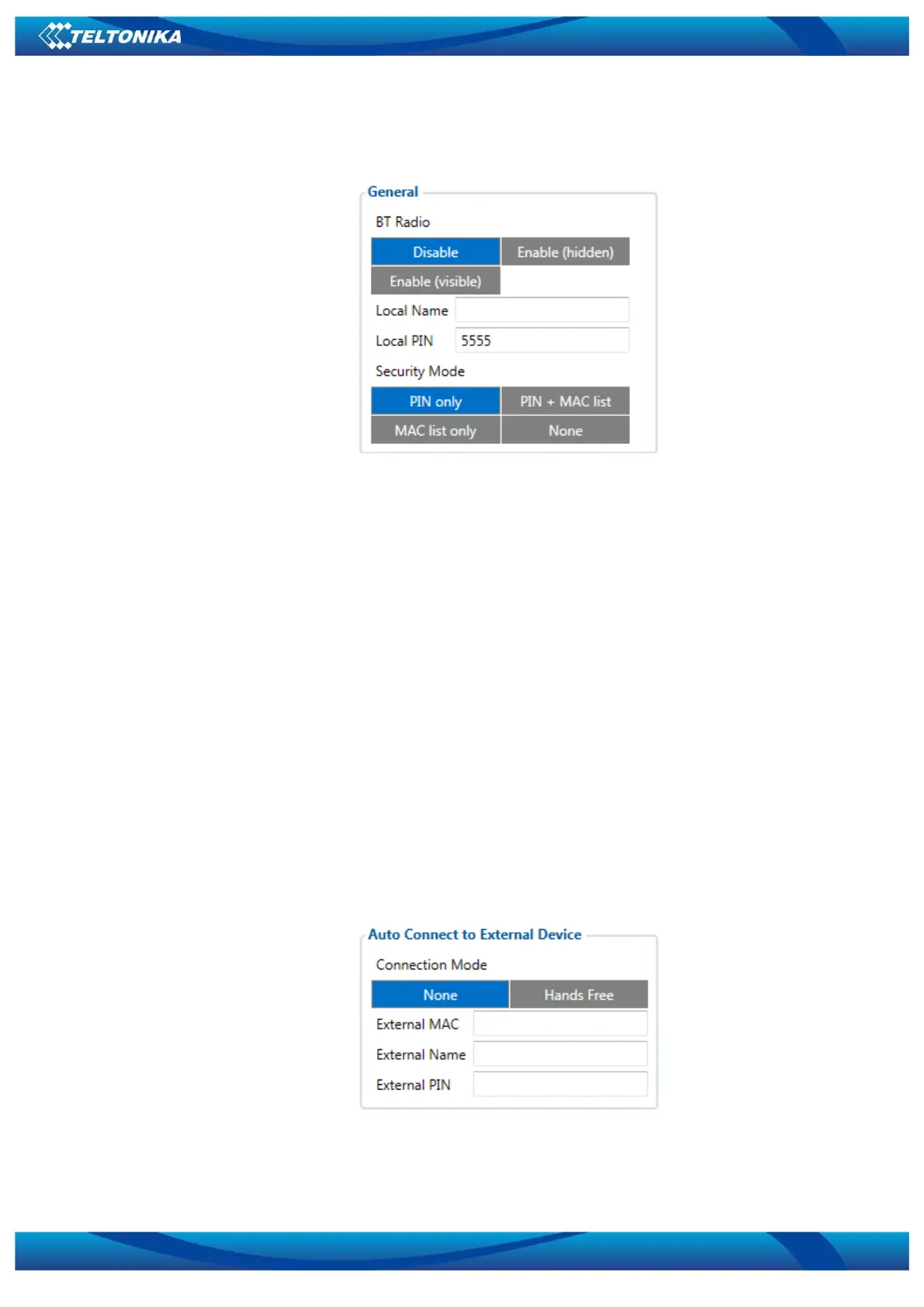
General
Figure 11 General Bluetooth settings
BT Radio determines state determines Bluetooth status, possible values:
a) Disable – Bluetooth is off;
b) Enable (hidden) – Bluetooth is on, device automatically connects to defined MAC, but is
invisible for external devices which want to pair with it.
c) Enable (visible) – Bluetooth is on and visible for external devices.
Local name can be set according to your needs. If this field is empty, name will be
automatically generated:
FMBxx_<imei last chars>
Local PIN - PIN code which will be used when external device will try to pair with FMB010.
Security mode possible options:
a) PIN only – only pin is used when external device tries to connect to FMB010.
b) PIN+MAC list – PIN is used, also external device’s MAC address needs to be in
Authorized MAC list
c) MAC list only – connection to FMB010 is possible only if external device MAC is in
Authorized MAC list.
d) None – no security enabled.
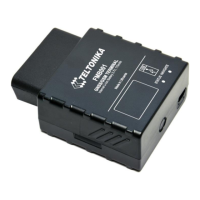
Auto Connect to External Device
Figure 12 Auto connection to external devices
Here you can enter details of external Bluetooth headset for hands free communication.
External MAC – MAC of your Bluetooth headset.



 To Next Page