Need help?
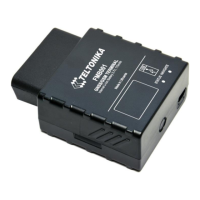
Do you have a question about the Teltonika FMB001 and is the answer not in the manual?
Device warnings and precautions for safe operation and handling.
Guidelines for safe operation, power supply details, and handling precautions.
Copyright, reproduction, and manufacturer rights for the document.
Document scope, architecture, possibilities, and terms used.
Details GSM/GPRS/GNSS, hardware, interface, and special features of the device.
Specifies technical details like LEDs, connectors, power supply, and environmental specs.
Provides technical specifications for the internal rechargeable battery.
Lists electrical specifications for supply voltage and digital input.
Step-by-step guide for inserting a micro SIM card and SD card.
Requirements and steps for installing device drivers on a PC.
Details the OBD II pinout and its description.
Explains the behavior and meaning of the navigation and status LEDs.
Explains how the FMB001 acquires and sends records using GNSS and GSM.
Details the different sleep modes (Sleep, Deep Sleep, Online Sleep, Ultra Deep Sleep) for power saving.
Describes the virtual odometer feature for tracking distance.
Introduces various features like Green Driving, Over Speeding, and Trip monitoring.
Monitors acceleration, braking, and cornering for driver behavior analysis.
Helps prevent exceeding fixed speed and inspects driver behavior.
Informs about stationary periods with engine on and detects GSM jamming.
Monitors performed trips, logging start/stop points and total distance.
Details scenarios like Excessive Idling, Towing, Unplug, and Crash detection.
Detects towing, unplugging, and monitors acceleration for crash events.
Collects acceleration data for detailed crash analysis.
Describes Bluetooth functionality in master and slave modes.
Information on using the FMB001 Configurator program for settings.
Details the Status tab in the Configurator, including device info and data tabs.
Accessing device logs and accelerometer data via the Configurator.
Covers keyword configuration via SMS/GPRS and TCP.
Introduces system settings, including sleep and ignition sources.
Configures GPRS parameters like APN, server IP, and backup server modes.
Covers SMS login, password, and phone number settings.
Manages roaming and operator blacklist settings for GSM connectivity.
Introduces the availability of four different scenarios in the Features window.
Configures eco/green driving parameters like acceleration, braking, and cornering.
Explains the process of accelerometer auto-calibration for device mounting.
Configures scenarios for over speeding, jamming, and GPS fuel counting.
Details scenarios like Excessive Idling, Towing, Unplug, and Crash detection.
Configures geofence zones based on last known position after movement stops.
Configures up to 50 geofence zones and events for border crossing.
Configures trip scenarios, start speed, and odometer calculation.
General Bluetooth settings, local name, PIN, and security modes.
Steps to connect the mobile phone and configure Hands Free adapter via Bluetooth.
Instructions for accessing device logs via a mobile phone using Bluetooth.
Configuration for BLE sensors, update frequency, and power level.
Defines how records are saved and sent based on GSM operator and movement.
Enables OBD functionality and explains I/O property configuration.
Lists available SMS commands and their responses.
Configures device sleep modes and movement/ignition detection sources.
Configures GPRS, APN, domain, port, and protocol for network connection.
Manages SMS/call settings, authorized numbers, and event configurations.
Defines record saving and sending based on network and vehicle movement.
Configures driving scenarios like Green Driving, Overspeeding, and their priorities.
Configures scenarios for Excessive Idling, Jamming, and Geofencing.
Manages Bluetooth settings, security, and BLE sensor connections.
Defines I/O properties for Ignition, Movement, and other inputs/outputs.
Lists and describes OBD II parameters and their data types.
Declaration of conformity with relevant European directives.
Records changes and version updates made to the document.

 To Next Page


 General