44
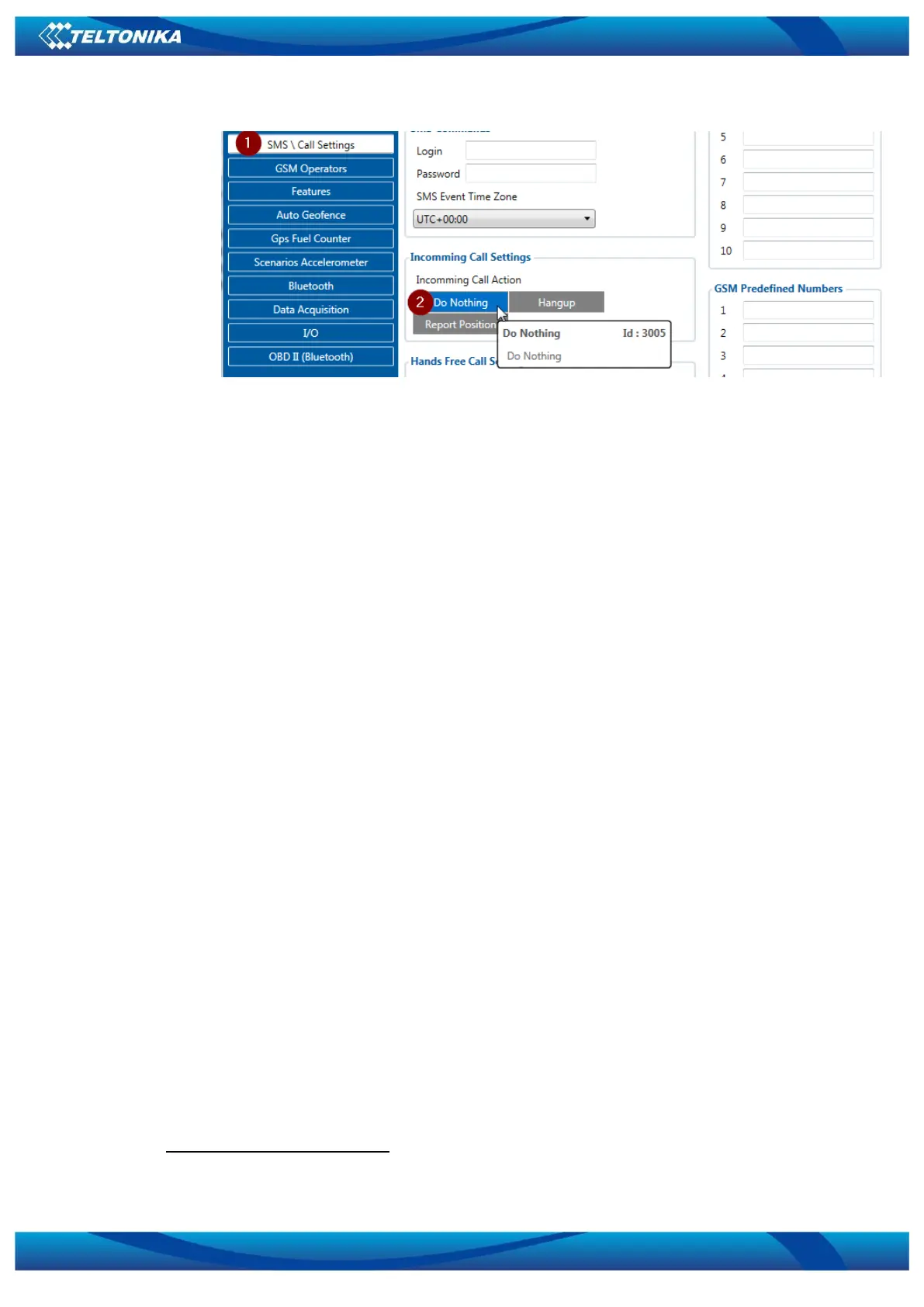
Figure 3. Incomming Call Action settings.
10. After all these steps press „Save to device“ to save configuration (Figure 2.9).
11. Now you can disconnect FMB device from a PC or stay connected if you want to make
further changes to configuration.
Connecting Bluetooth Hands Free adapter
After this configuration you could connect your Hands Free device to FMB device. Turn on
Hands Free device then turn on its Bluetooth connection for pairing following your model
instructions
. Hands Free adapter should make a special sound in ear from speaker or its led
identification should change to inform about successful connection
. To check if adapter is
successfully connected, call to FMB device, Hands Free device should start ringing. If you later
restart FMB device it will automatically connect to this adapter.
5.1.13.2 Device’s log using your mobile phone.
When FMB device starts, automatically Bluetooth is ON too. Take your mobile phone, go to
settings>Bluetooth and turn it on. Scan for near by devices, find you device in list, distinguish
device by last IMEI numbers on device module. Press pair, wait until device will ask to enter
pairing password, type: 5555. Paired device will show up in paired device list. Now download
from play store/app store terminal for Bluetooth. E.g BlueTerm. Run app, click find>connect to
your paired device. Now we need to send command to FMB0XX through Bluetooth terminal,
type: .log:1
Device will respond Debug enabled and FMB0XX log will how up. Do not forget to start
save log file to mobile phone.
Hands Free device Bluetooth connection pairing instructions depends on specific model.
Hands Free device notification about paired Bluetooth connection depends on specific model.



 To Next Page