33
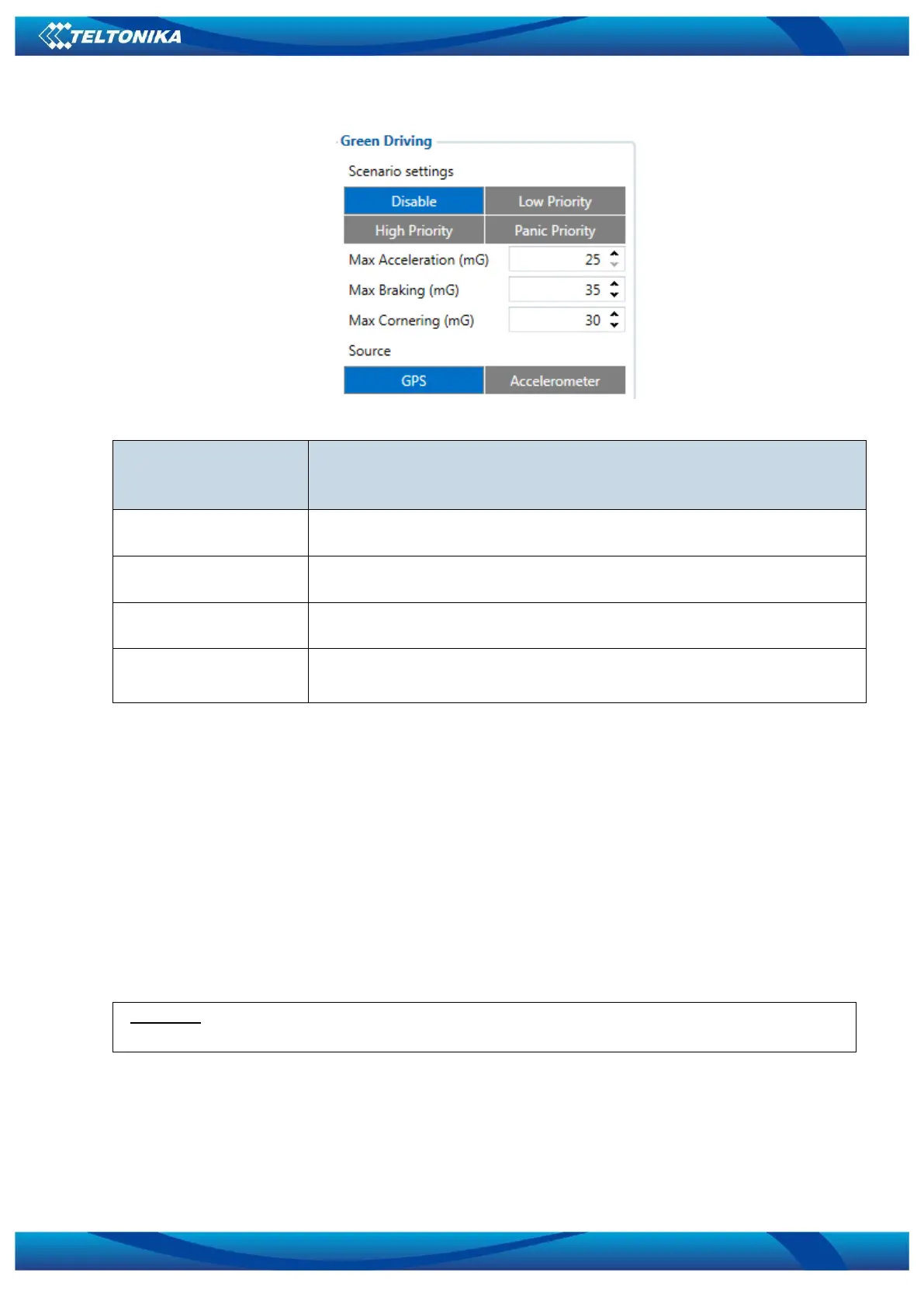
ECO driving/Green driving configuration parameters
ECO driving/Green
driving configuration
parameter name
ECO driving/Green
driving
Enable/Disable ECO driving/Green driving functionality
Value which can be reached while accelerating without triggering harsh
acceleration event.
Value which can be reached while braking without triggering harsh
braking event.
Value which can be reached while cornering without triggering harsh
cornering event.
Data Output.
ECO driving/Green driving functionality generates events on three cases. If vehicles:
Acceleration exceeds defined parameter value
Deceleration (braking) exceeds defined value
Cornering force exceeds defined value
Program continously monitors and process data from accelerometer than decides
whether harsh event is detected or not. If any of three cases are satisfied event is
generated. Record is saved and sent to server (FMB001 must be configured properly).
Event value is multiplied by 10 before sending/saving record to get more precision
when displaying data*.
Digital output No.1 is activated for a period of time to warn driver. Output on-time
should/can be configured separately for each case.
*Example. If acceleration harsh event of 3.55 m/s2 detected. Record with value 3.55*10 = 35.5
≈ 36 will be saved ant sent to server.
Auto Calibaration
1. Vehicle stopped
2. Road is straight
3. Send SMS "auto_calibrate"
4. Acceleraate to > 30 km/h for 5 sec.



 To Next Page