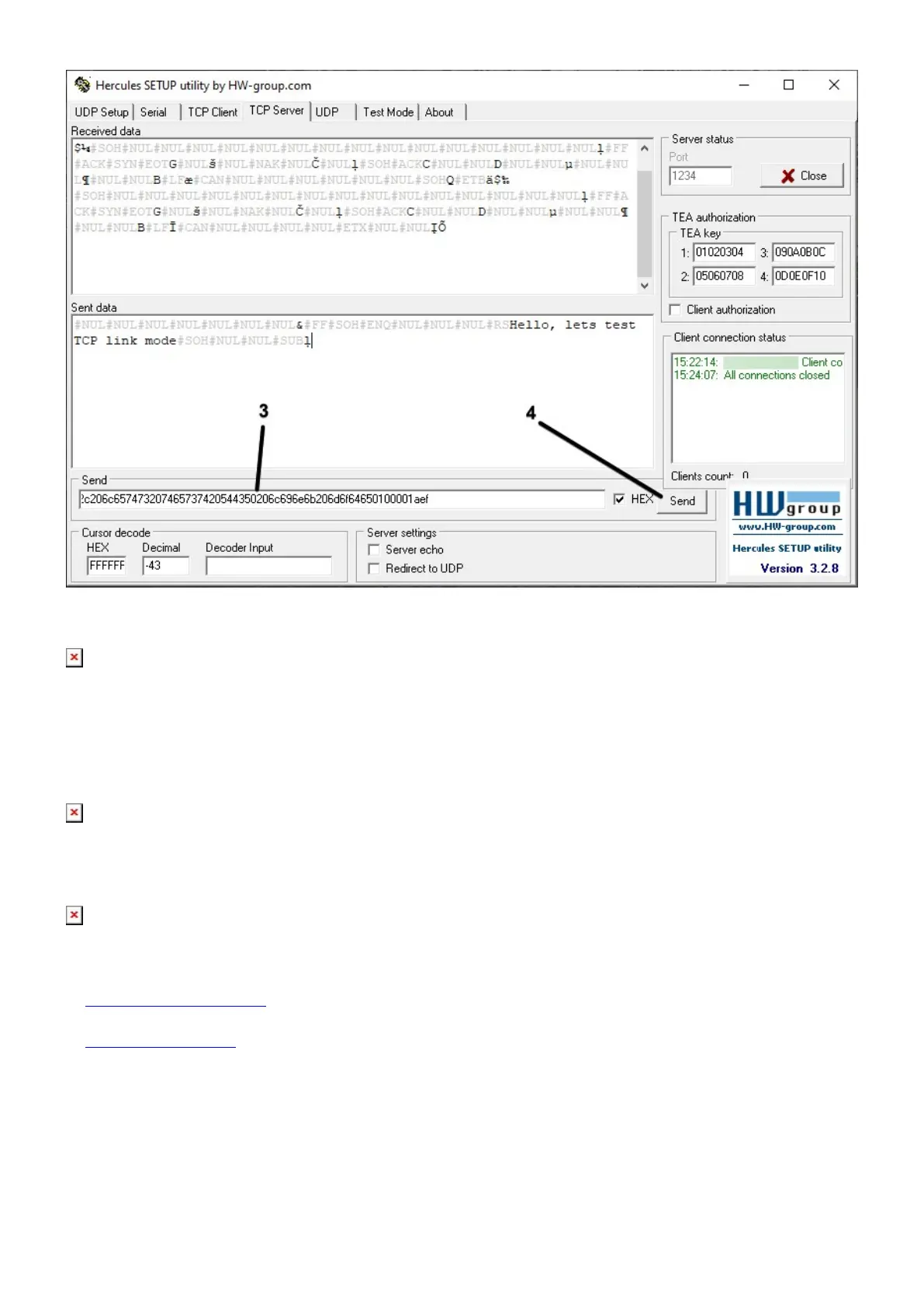
On terminal you should now receive message:
Step 5. Sending from external device to server over Terminal
For testing data sending from external device to server, enter text you want to send on Terminal and
press send.
You can check if data is received to server in Hercules. Sample text: Hello, lets test TCP link mode.
Please keep in mind, that special chars (ASCII Names) needs to be marked.
Links for download
1. Hercules SETUP utility
2. Terminal download



 To Previous Page