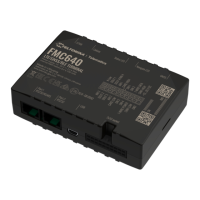
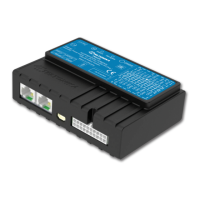
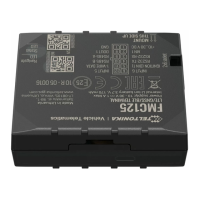
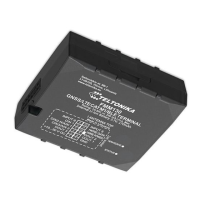
The FMA110 is a versatile terminal equipped with GPS and GSM connectivity, designed for tracking and monitoring remote objects. It excels in applications requiring precise location data and offers additional inputs and outputs for controlling and monitoring external devices. The device also features a USB port for logging status and configuring settings.
Technical Specifications:
GSM / GPRS Features:
- Quad-band support: Operates on GSM 850 / 900 / 1800 / 1900 MHz frequencies.
- GPRS Multi-Slot Class 12: Achieves speeds up to 240 kbps.
- GPRS Mobile Station Class B.
- SMS: Supports text and data SMS.
GNSS Features:
- Tracking: 33 tracking channels and 99 acquisition channels.
- Sensitivity: Up to -165 dBm.
- Start-up times: Hot start < 1s, Warm start < 25s, Cold start < 35s.
- Protocol: NMEA -183.
- Supported systems: GPS, GLONASS, GALILEO, BEIDOU, SBAS, QZSS, DGPS, AGPS.
- Accuracy: < 3m.
Hardware Features:
- Processor: Cortex®-M3.
- Memory: 1 MB internal Flash memory.
- Sensors: Built-in accelerometer.
Interface Features:
- Power supply: 10 ÷ 30V DC.
- USB port: Mini USB type B.
- Digital inputs: 3.
- Analog inputs: 1.
- Digital outputs: 2 open collector.
- 1-Wire®: Supports temperature sensors and iButton devices.
- LEDs: Indicators for device status.
Electrical Characteristics:
- Supply Voltage (Recommended Operating Conditions): 10-30V.
- Digital Output (Open Drain): Drain current (OFF) 120 uA, Drain current (ON) 300 mA, Static Drain-Source resistance (ON) 300 mOhm.
- Digital Input: Input resistance 15 kOhm, Input Voltage (Recommended Operating Conditions) 0-Supply voltage V, Input Voltage threshold (DIN1) 7.5 V, Input Voltage threshold (DIN2, DIN3) 2.5 V.
- Analog Input (Range 1): Input Voltage (Recommended Operating Conditions) 0-10V, Input resistance 120 kOhm, Measurement error 1.43%, Additional error ±12 mV.
- Analog Input (Range 2): Input Voltage (Recommended Operating Conditions) 0-30V, Input resistance 146.7 kOhm, Measurement error 1.75%, Additional error ±36 mV.
- Output Supply Voltage 1-Wire: Supply Voltage 3.3-3.6V, Output inner resistance 7 Ohm, Output current (Uout > 3.0V) 30 mA, Short circuit current (Uout = 0) 130 mA.
- Overvoltage Protection: Protection turns on at 34V, device turns off; Maximum voltage <70V; Maximum voltage impulse 90V for 5 milliseconds.
- Energy Consumption (at 12V, no battery charging): GPRS 120 mA r.m.s Max., Nominal average 65 mA r.m.s, GNSS Sleep average 28 mA, Deep Sleep average less than 5 mA.
- Operating Temperature: -25°C to +55°C.
- Storage Temperature: -40°C to +70°C.
- Storage Relative Humidity: 5% to 95% (non-condensing).
- Internal Fuse: 3A, 125V.
Usage Features:
Data Acquisition Modes:
The FMA110 offers highly configurable data acquisition modes, allowing users to define how records are saved and sent. These modes include Home, Roaming, and Unknown, which switch based on the current GSM operator.
- Time-based: Records are acquired at defined time intervals.
- Distance-based: Records are acquired when the distance traveled exceeds a specified value.
- Angle-based: Records are acquired when the change in angle exceeds a defined value (operational when speed is >10km/h).
- Speed-based: Records are acquired when the speed difference exceeds a defined value.
Sleep Modes:
- Sleep Mode: After a configurable timeout in STOP mode, the device enters sleep, turning off the GPS module and reducing power consumption. Only event records are saved with the last known coordinate.
- Deep Sleep Mode: Further reduces power consumption by setting the GPS receiver to sleep and highly reducing GSM/GPRS module power. Records are saved with the last known coordinate and sent to the AVL server. Average power consumption in always online Deep Sleep is about 3.6 mA.
Scenarios:
The FMA110 supports five customizable scenarios to enhance usability and driver monitoring:
- Green Driving: Monitors accelerating force, braking force, and cornering angles using GPS or accelerometer. Can control digital outputs to alert the driver. Harsh acceleration and braking are monitored when ignition is ON and vehicle speed is above 10km/h. Harsh cornering is monitored when ignition is ON and vehicle speed is above 30km/h.
- Over Speeding: Helps prevent exceeding fixed speed limits and can control digital outputs to alert the driver.
- Jamming Detection: Detects radio jamming and can alert the driver via digital outputs. Jamming can be deactivated with an iButton.
- Immobilizer: Allows vehicle usage only with an authorized iButton. Can control digital outputs to alert the driver and supports an iButton list for up to 500 unique authorized users.
- iButton Detect: Activates a configured digital output for 500ms when an iButton is read.
Trip Feature:
Enables extended monitoring of trips, logging start and stop points, and viewing driven distance. An event is generated when a trip starts and finishes.
Geofencing:
Supports 5 configurable Geofence zones and can generate events when a defined zone border is crossed.
- Frame Border: An additional border around the Geofence zone to prevent false event recording due to GPS errors when the object is near the border.
- Auto Geofencing: Automatically creates a geofence around the vehicle's last known position after movement stops and an activation timeout has passed. Can be deactivated by ignition or iButton.
Virtual Odometer:
Calculates traveled distance using GPS signals. The odometer value is continuously saved to flash memory every 30 seconds and does not reset after power loss. It can be set manually via configurator or SMS/GPRS commands.
1-Wire® Devices:
Supports connection of 1-Wire® thermometers (DS1820, DS18S20, DS18B20) and iButton types (DS1990, DS1991, etc.) for various monitoring and authorization purposes.
CAN Adapters (LV-CAN200 and ALL-CAN300):
- LV-CAN200: Used for listening to data from light vehicles.
- ALL-CAN300: Used for listening to data from various transport types, including light vehicles, trucks, buses, and agricultural machinery.
- SIMPLE-CAN: A contactless CAN-BUS reader that automatically sets CAN L/H polarity and adjusts signal level and speed.
SMS Events:
Allows the FMA110 to send configured SMS messages when specific events are triggered, such as Green Driving, OverSpeeding, Authorized Driving, Immobilizer, Trip start/stop, Geofence, AutoGeofence, or I/O events.
Maintenance Features:
Firmware Update:
Firmware can be updated via USB cable using the "Firmware Updater" software. The process involves connecting the device, selecting the COM port, and initiating the update.
Configuration:
- FMA110 Configurator: A software tool for configuring device settings via USB. It offers two modes: Recommended Configuration (predefined settings, requires only network parameters) and Advanced Configuration (more detailed control).
- SMS Commands: The device can be configured remotely using SMS commands, protected by a login and password.
- Parameter List: A comprehensive list of parameters with their IDs, value types, and dependencies for detailed configuration.
Record Storage:
The FMA110 can store up to 3500 data records in its internal flash memory when GSM or GPRS is unavailable. Older records are deleted to make room for new ones if memory is full.
Debug Mode:
Allows transmitting the device's current state to a PC via USB for error detection and troubleshooting. NMEA data can also be logged directly.
Safety Instructions:
- Do not disassemble the device.
- Ensure proper insulation of power supply cables.
- Only qualified personnel should connect the device.
- Firmly fasten the device in its predefined location.
- Use a second-class PC with an autonomous power supply for programming.
- Protect the device from water and humidity.
- Avoid installation/handling during lightning storms.
- Use only provided USB cables for connection.
- Disconnect vehicle power supply jumpers before connecting device cables.
- Disconnect the 2x5 connection before dismounting the device.
- Mount the device in a limited access zone.
- All related devices must meet EN 60950-1 standards.
Mounting Recommendations:
- Place the FMA110 with the sticker on top, avoiding metal surfaces.
- Keep it away from car radio, speakers, or alarm systems.
- Mount it as horizontally as possible, firmly fixed to a surface or cables.
- Avoid heat-emitting or moving parts.
- Insert the SIM card while the connector is unplugged.
- Connect power supply wires to low impedance points, ideally battery terminals or main power cable in the fuse box.
- Ensure the ignition wire is a real ignition wire, not an ACC wire.
- Connect the ground wire to the vehicle frame or metal parts fixed to the frame, ensuring good contact.
- Recommended deviation from the horizontal axis of the vehicle is max 3-5°.
- Recommended deviation from the longitudinal axis of the vehicle is ±2°.

 Need help?
 General

 To Next Page