https://wiki.teltonika-networks.com/view/QSG_RUT361
QSG RUT361
Main Page > RUT Routers > RUT361 > QSG RUT361
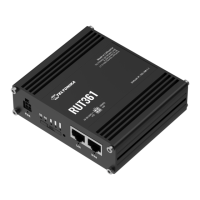
This Wiki page contains the online version of the Quick Start Guide (QSG) for the RUT361 LTE
Router. Here you will find an overview of the various components on the front and back of a
RUT361 device, hardware installation instructions, first login information, device specifications, and
general safety information. It is highly recommended to acquaint yourself with the Quick Start Guide
before using the device. You can also locate a printed version of the Quick Start Guide in the
packaging box of your device.
Contents
• 1 Safety information
- 1.1 General
- 1.2 RF exposure
- 1.3 Operating conditions
- 1.4 Faulty and damaged products
- 1.5 Electrical safety
- 1.6 Product handling
• 2 Front view
• 3 Back view
• 4 Connectors
• 5 Video Quick Start Guide
• 6 Hardware installation
• 7 Configure your computer LAN (Windows)
• 8 Configure your computer Wi-Fi (Windows)
• 9 Login to device
• 10 SIM card recommendations
Safety information
Before starting operating the device, please review recommendations and precautions to minimize
the possibility of accidents. Safety precautions presented are supplementary and subject to the local
safety regulations. When various operations are executed on the device, the user must fully follow
the safety instructions and recommendations provided with the device.
General
Radio specifications
RF Technologies 3G, 4G, WiFi
Max RF power 26 dBm@WCDMA, 25 dBm@LTE, 23 dBm@WiFi
Bundled accessories specifications*
Power adapter Input: 0.6A@100-240 VAC, Output: 12 VDC, 1.5A, 4-pin plug

 Need help?
 General





 To Next Page