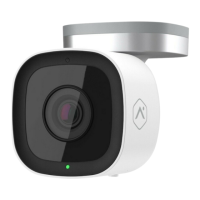
Indoor Wi-Fi
Security Camera
Installation
Guide
ADC-V523
Before You Start
You’ll need:
Optional
Smartphone or Tablet
2.5 Mbps Upload Wi-Fi
Drill
6mm (1/4 inch) Drill Bit
What’s in the box?
Indoor Camera
ADC-V523
Mounting Plate
Power Supply
Wall ScrewsWall Anchors
For additional instructions and tips,
visit telus.com/IndoorCamera or
scan the QR code.
Screwdriver Pencil
Select a Location
1
NOTE
For wall mounting installation steps see Step 8.
No Wi-Fi?
If you are unable to nd a location with adequate Wi-Fi
coverage, please contact TELUS for assistance.
The Indoor Camera requires a minimum of 2.5 Mbps
upload speed to operate. In a browser on your
smartphone visit telus.com/speedtest to determine
the Internet speed at your chosen location.
Check Your Wi-Fi Speed at Location
2

 Need help?
 General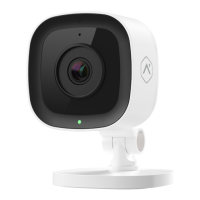

 To Next Page