Forgot your SmartHome Security log in?
Learn how you can recover it.
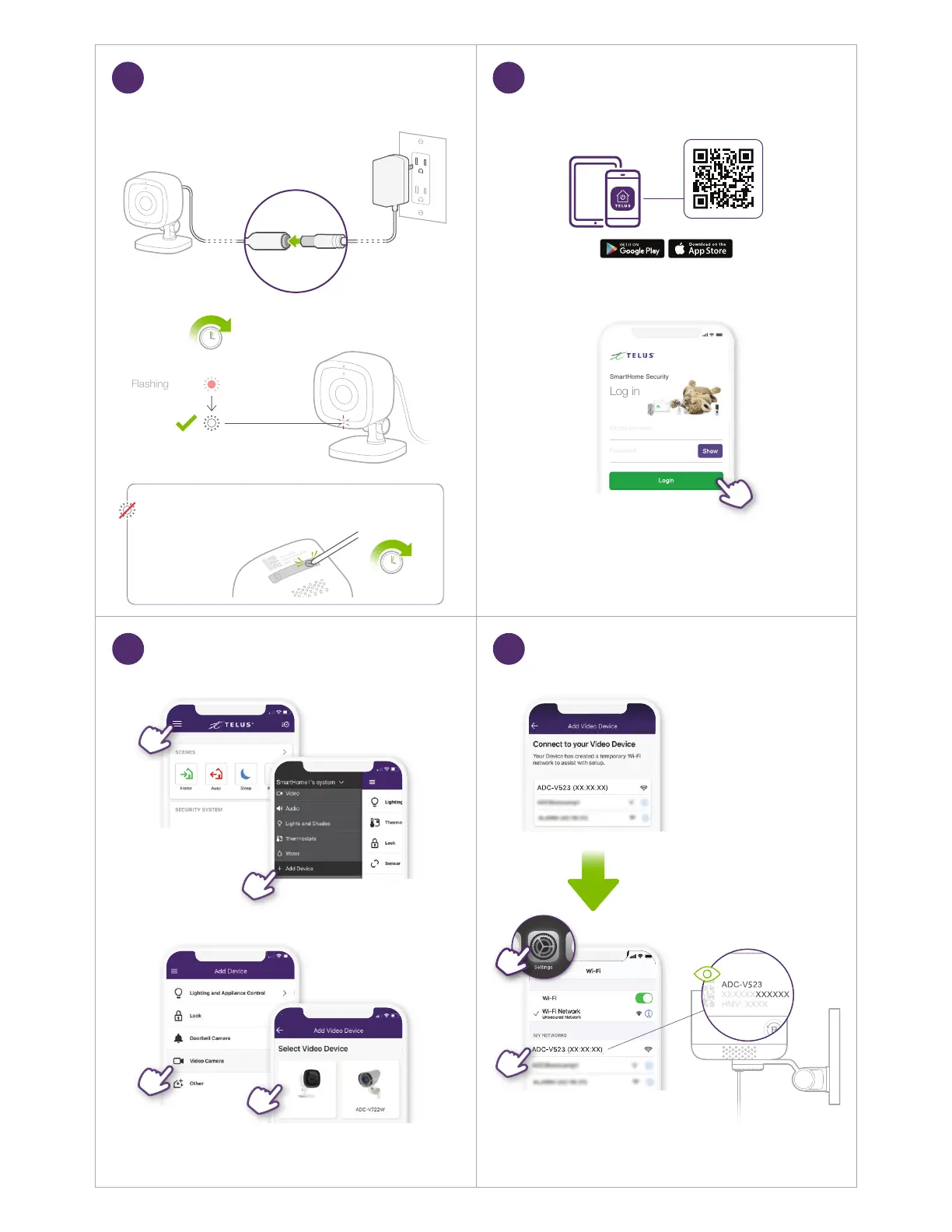
Turn on Camera
3
Download the TELUS SmartHome app,
then log in with your My TELUS credentials.
LED not ashing white?
Press and hold the WPS/RESET button on the bottom of the
device until the light starts ashing white.
6 seconds
Get the TELUS SmartHome App
4
Flashing
15 seconds
SmartHome1’s system
Add Camera to Your Account Connect to Camera’s
Temporary Wi-Fi Network
5 6
ADC-V523


 To Next Page