Page 9 of 44
UL61010-1, CSA 22.2 No.61010-1-12, EN61010-1 ( IEC1010-1 )
IP66 for Panel (In process), IP20 for terminals and housing. All indoor use.
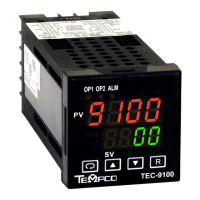
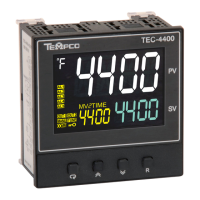
1.4 Keys and Displays
KEYPAD OPERATION
SCROLL KEY:
This key is used to scroll through a menu to select a parameter to be viewed or adjusted.
UP KEY:
This key is used to increase the value of the selected parameter.
DOWN KEY:
This key is used to decrease the value of the selected parameter.
RESET KEY:
This key is used to:
1. Revert the display to the home screen.
2. Reset a latching alarm once the alarm condition is removed.
3. Stop manual control mode, Auto-Tuning mode or calibration mode.
4. Clear an Auto-Tuning or communication error message.
5. Restart the dwell timer when the dwell timer has timed out.
6. Enter the manual control menu if failure mode occurs.
ENTER KEY: Press and hold for 5 seconds or longer to:
1. Enter the setup menu. The display will show .
2. Enter manual control mode. Press and hold for 6.2 seconds, then let go, to select manual control
mode. The display will show .
3. Enter Auto-Tuning mode. Press and hold for 7.4 seconds, then let go to select Auto-Tuning
mode. The display will show .
4. Perform calibration of a selected parameter during the calibration procedure. Press and hold for
8.6 seconds, then let go to select calibration mode.
During power-up, the upper display will show PROG and the lower display will show the
Firmware version for 6 seconds.


 To Next Page