Upgrade Kit Installation
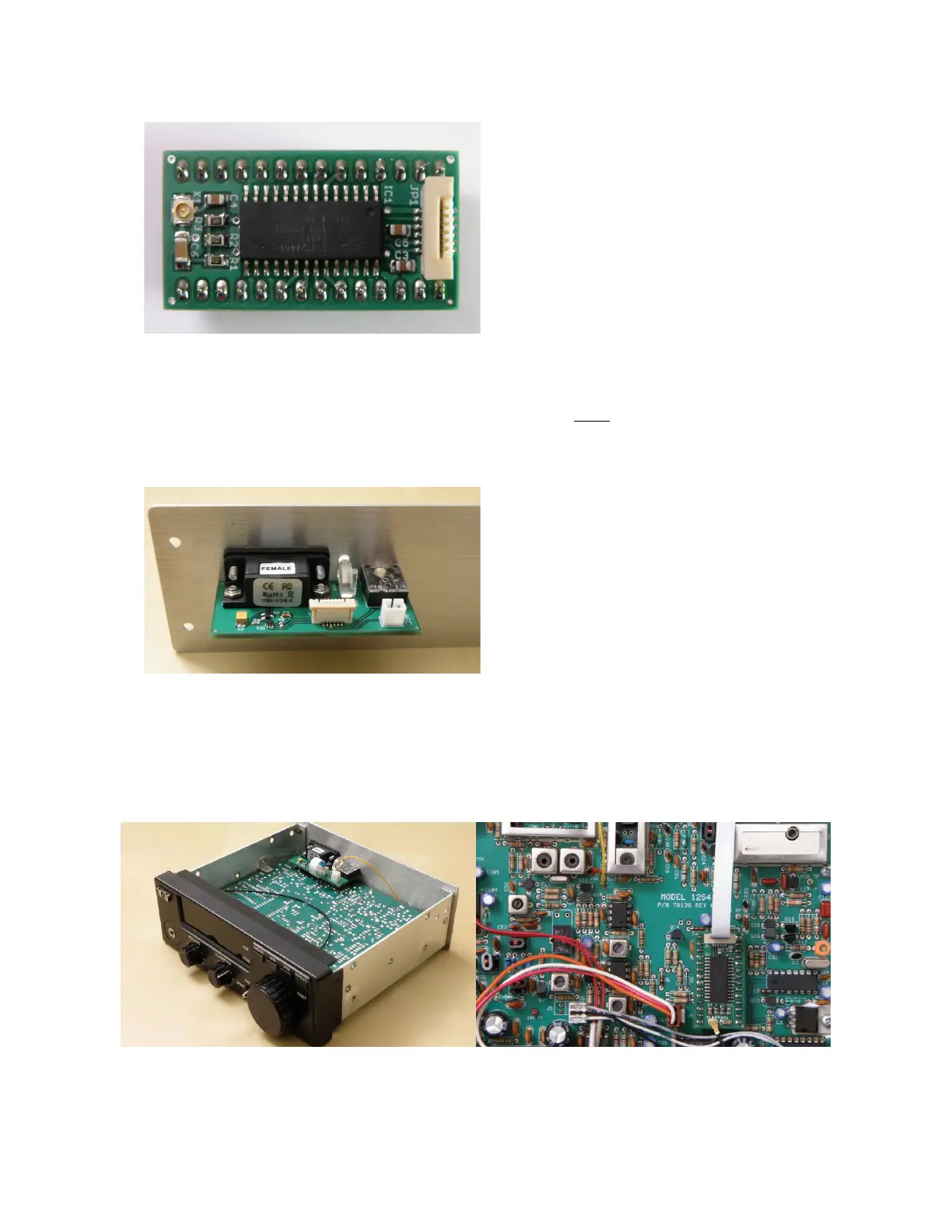
The processor daughter board is pre-
assembled and ready to place on the radio's
main circuit board. Carefully remove the
PIC processor, if already installed. Next
take the coax cable supplied with the kit
and snap into connector X1 on the daughter
board so that the cable is pointing away
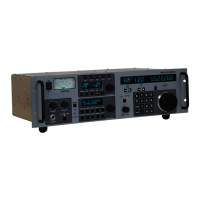
from the processor. Feed the cable's free
end around the front of the radio main
board where it can be later soldered to the
audio amplifier chip input pin (see
installation photos below). Line up the pins 1 to 1 from the main board's processor socket to the
daughter board header and press the new board in place. The section of the daughter board that
holds the JP1 flex cable connector must be pointed to the back of the radio. Do not install or if
installed remove the 9 Volt battery for the original PIC processor supplied from Ten-Tec. It is
not required.
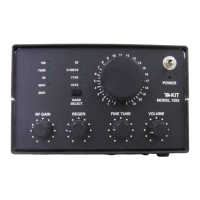
An auxiliary communication interface
circuit board is mounted to a new rear
aluminum panel as an assembly. To install
the new assembly first remove the speaker
from the radio by removing the four flat
head black screws and unplugging the
speaker wire connector from the main radio
board. The original rear aluminum panel on
the radio is then removed and replaced with
the auxiliary board and panel assembly.
Before screwing on the new rear panel to the radio chassis insert and lock in the flex cable. The
blue part of the flex cable is inserted facing the moveable part of the flex cable connector. Feed
flex cable under the auxiliary board and behind the main radio board. The other end of the flex
cable is then inserted into the connector on the processor daughter board.



 To Next Page