8 SMS message
This mobile Wi-Fi supports sending, receiving and deleting SMS messages on the web UI.
8.1.1 Send SMS messages
Send SMS messages to a new phone number
Step 1 Log in to the web UI of the mobile Wi-Fi, and navigate to Message.
Step 2
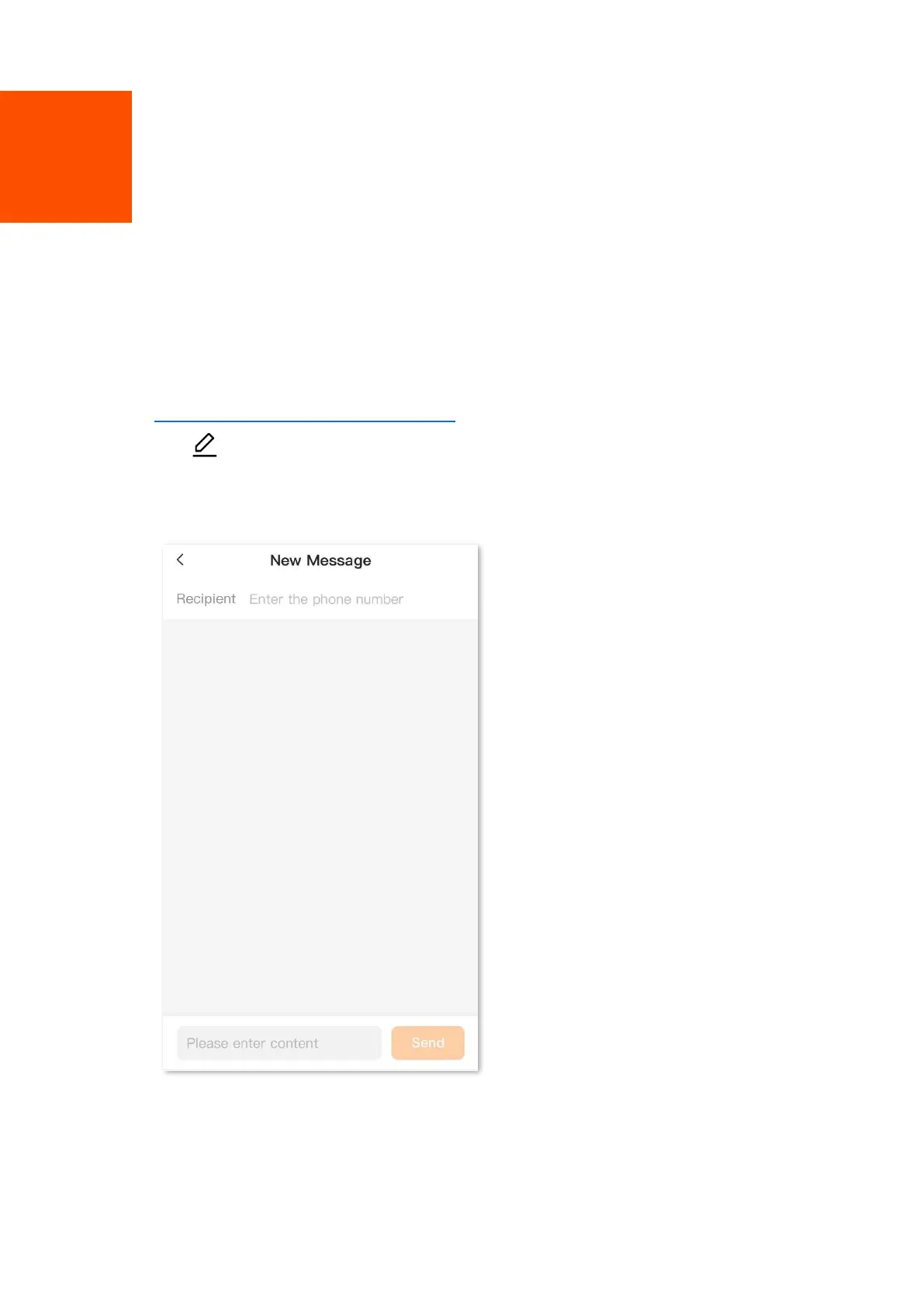
Tap in the upper right corner.
Step 3 Enter the phone number in the Recipient column.
Step 4 Enter the message content in the column at the bottom.
Step 5 Tap Send in the lower right corner.
---End


 To Next Page