2
When using electrical appliances, basic safety precautions should always
be followed to reduce the risk of re, electric shock and injury to persons or
property.
Read all inructions before using the appliance and retain for future reference.
• Check that the voltage indicated on the rating plate corresponds with that of the
local network before connecting the appliance to the mains power supply.
• Do not operate this appliance with a damaged plug or cord, after a malfunction or
after being dropped or damaged in any way.
• Check the product before use for any damage. Should you notice any damage on
the cable or casing, do not use.
• This appliance contained no user-serviceable parts. All repairs should only be
carried out by a qualied engineer. Improper repairs may place the user at risk of
harm.
• Do not block or obruct the cooling fan vent opening.
• Avoid severe impacts or rough handling that leads to damage.
• Do not discharge atic electricity.
• This appliance can be used by children aged from 8 years and above and persons
with reduced physical, sensory, or mental capabilities or lack of experience and
knowledge if they have been given supervision or inruction concerning use of the
appliance in a safe way and underand the hazards involved.
• Children should be supervised to ensure that they do not play with the appliance.
• Always disconnect from the mains when the product is not in use or before
cleaning.
• Do not use the appliance for any purpose other than that for which it is designed.
• Do not operate or ore in an environment of high humidity or where moiure may
enter the product as this can reduce insulation and lead to electric shock.
PRODUCT OVERVIEW
Main Features
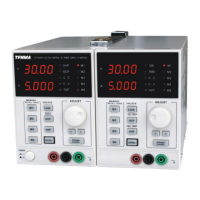
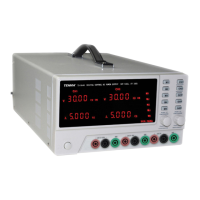
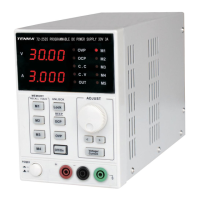
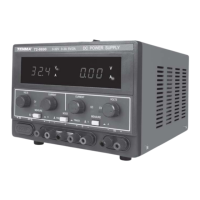
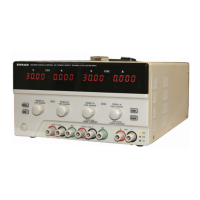
• High accuracy/resolution 0-30V DC power supply
• Low noise cooling fan controlled by heatsink temperature
• Conant voltage/conant current
• Digital panel control - 4 digit display
• Software calibration
• Button lock function
• Output ON/OFF control
• Standard interfaces: USB, RS232 & LAN
WHAT’S INCLUDED
• Power Supply Unit
• Mains power lead
• User Manual


 To Next Page