Page <4>
V1.027/05/21
Newark.com/exclusive-brands
Farnell.com/exclusive-brands
Element14.com/exclusive-brands
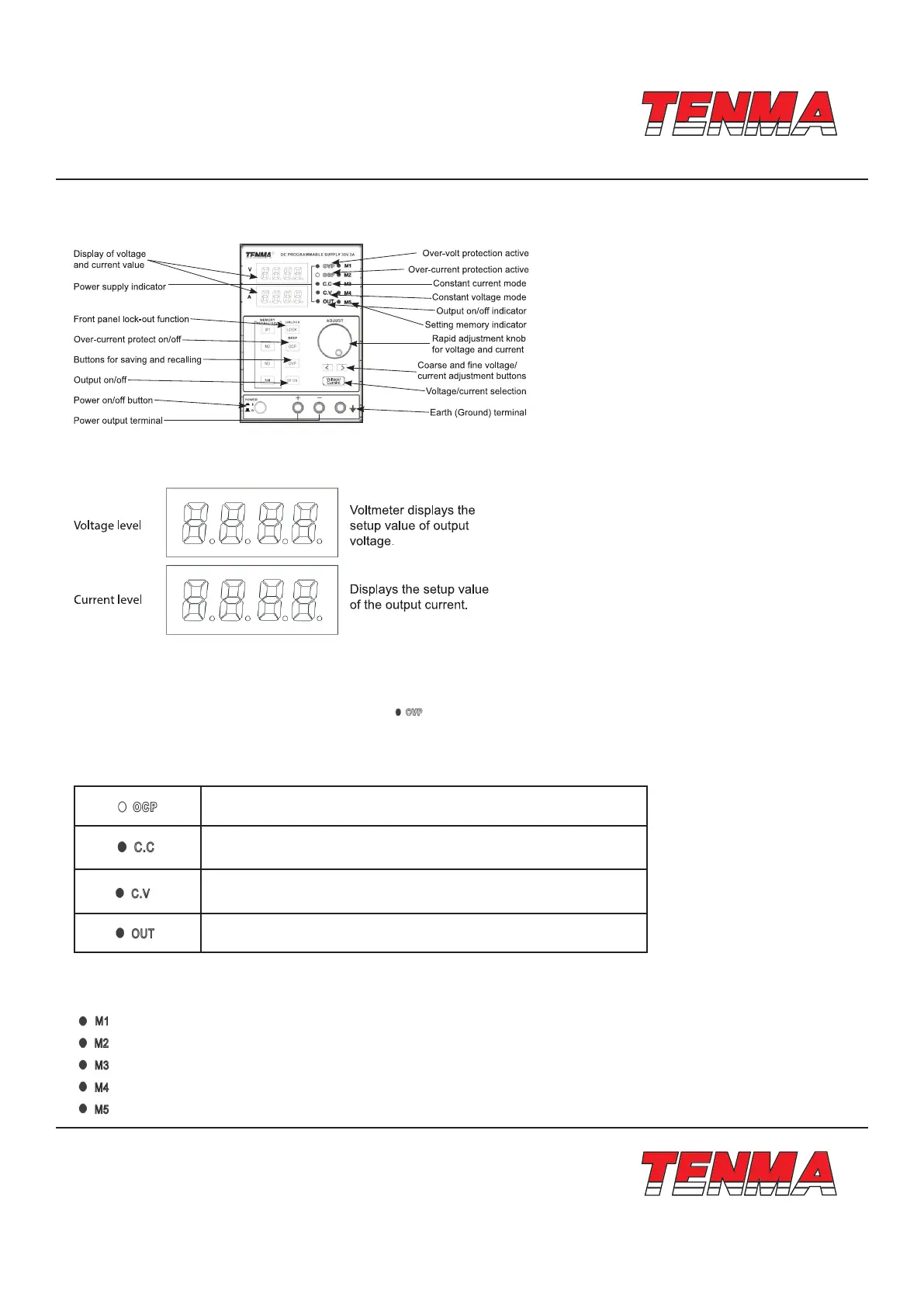
Front Panel Overview
Display
Condition Indication
• OVP is the indicator of overvoltage protection.
• When the overvoltage function is turned on the “ ” indicator lights up.
• When the output voltage is higher than the protection setup value, due to unexpected conditions, the output cuts o and
the OVP indicator ickers.
• Press the OVP key again and the power supply will recover.
OCP is OCP indicator. When overcurrent function is turned on, the
OCP indicator light turns on.
C.C is the constant current indicator. When the power supply is in the
mode of constant current, the light will be on.
C.V is the constant voltage indicator. When the power supply is in the
mode of constant voltage, the light will be on.
OUT is output indicator. If the light is on then there is a voltage output
in the output terminal.
Storage Indication
• Indication of saving and recalling ve setups stored internally.



 To Next Page