EasyManua.ls Logo

Tennant M17 - User Manual

Tennant M17
156 pages
Print Icon
To Next Page IconTo Next Page
Loading...
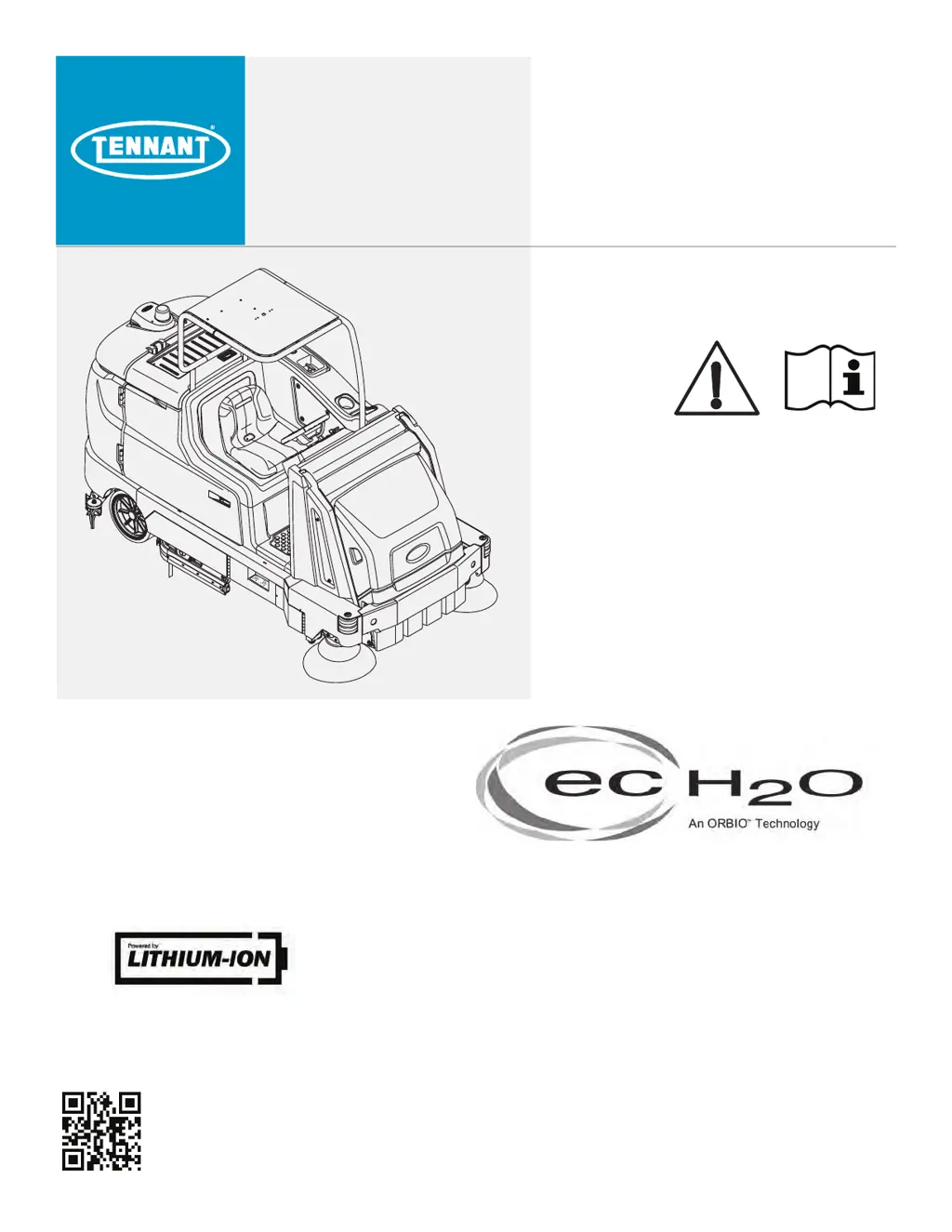
M17
(Battery)
Sweeper Scrubber
Operator Manual
9017351
Rev. 06 (12-2019)
*9017351*
North America / International
For the latest Parts Manuals and other
language Operator Manuals, visit:
www.tennantco.com/manuals
ES
®
Extended Scrub System
Tennant True
®
Parts
IRIS
®
a Tennant Technology
Pro-Panel™ Controls
Insta-Fit™ Adapter

Table of Contents

Other manuals for Tennant M17

Questions and Answers

  • M
    Megan ScottSep 8, 2025
    What to do if Tennant Scrubber has poor scrubbing performance?
    • D
      Danielle BensonSep 8, 2025
      If your Tennant Scrubber isn't scrubbing well, try these steps: remove any debris from the brushes; contact a Tennant representative for recommendations regarding detergent or brushes pads; replace the scrub brushes or pads if they're worn; reduce the scrub brush down pressure if it's excessive; level the scrub head if the brush pressure is uneven; empty the debris trough if it's full; replace the belts if there are broken brush drive belts on the cylindrical scrub head; charge the battery until the charger automatically turns off if the battery charge is low.
  • K
    kathleen50Aug 23, 2025
    Why Tennant M17 machine will not operate?
    • K
      Karen CastroAug 23, 2025
      Your Tennant Scrubber might not be operating due to several reasons: the emergency stop button may be activated (reset it); there may be a machine fault detected (refer to FAULT INDICATORS or WARNING CODES); the battery may be discharged (charge it); the battery cables may be loose (tighten them); the battery may be faulty (replace it); the key switch or control board may be faulty (contact a Tennant service representative).
  • M
    Misty PhillipsAug 25, 2025
    Why is my Tennant M17 leaving trailing water?
    • P
      pattersonlarryAug 26, 2025
      If your Tennant Scrubber is leaving water behind, it could be due to: * Worn squeegee blades. Rotate or replace them. * The squeegee may be out of adjustment. Adjust the squeegee. * The squeegee assembly might be clogged. Clean the squeegee assembly. * A vacuum hose could be loose. Secure the vacuum hose connections. * The vacuum hose may be damaged. Replace the vacuum hose. Also, check for debris caught on the squeegee and remove it. Ensure the tank cover is completely closed, and replace any torn seals on the recovery tank.
  • A
    Amy RamirezAug 27, 2025
    What to do if Tennant Scrubber has trailing water and poor water pickup?
    • M
      Mitchell FrancisAug 27, 2025
      If your Tennant Scrubber is leaving water behind, here's what you can do: * Rotate or replace the squeegee blades if they are worn. * Adjust the squeegee if it's out of adjustment. * Clean the squeegee assembly if it's clogged. * Secure any loose vacuum hose connections, and replace the vacuum hose if it's damaged. * Clean the vacuum fan inlet filter if it's dirty. * Remove any debris caught on the squeegee. * Reconnect or replace the vacuum hose if it's disconnected or damaged. * Check for obstructions if the tank cover isn't completely closed. * Replace the seals on the recovery tank if they are torn.
  • M
    Mrs. Jeanne GonzalezAug 27, 2025
    What to do if my Tennant M17 Scrubber machine will not operate?
    • L
      Lauren JonesAug 28, 2025
      If your Tennant Scrubber isn't operating, there are several potential causes: * The emergency stop button may be activated. Reset it to see if that resolves the issue. * The battery may be discharged. Charge the battery. * There might be loose battery cables. Tighten them. * The battery may be faulty. Replace the battery. If these steps don't work, there may be a machine fault detected. See FAULT INDICATORS or WARNING CODES.
  • M
    Michael BrownSep 22, 2025
    What to do if ec-H2O Tennant Scrubber has warning and fault indicator light solid red?
    • T
      Tamara PetersonSep 22, 2025
      If the warning and fault indicator light on your ec-H2O Tennant Scrubber is solid red, it could mean the module is clogged (contact a Tennant service representative) or the solution pump is defective (replace the solution pump).
  • S
    seanreevesSep 16, 2025
    Why Tennant M17 Scrubber has poor sweeping performance?
    • A
      Alicia SinghSep 16, 2025
      If your Tennant Scrubber's sweeping performance is poor, it could be due to worn brush bristles (replace them), debris caught in the main brush drive mechanism (remove it), a main and/or side brush drive failure (contact a Tennant service representative), a full hopper (empty it), worn or damaged hopper lip skirts (replace them), or the wrong sweeping brush being used (contact a Tennant service representative).
  • F
    franciscomooreSep 18, 2025
    What to do if ec-H2O Tennant Scrubber has warning and fault indicator light blinking red?
    • B
      bonnie57Sep 18, 2025
      If the warning and fault indicator light on your ec-H2O Tennant Scrubber is blinking red, it indicates mineral deposit build-up in the module. You should flush the module.
  • J
    juliachristianSep 7, 2025
    What to do if ES System does not function on Tennant M17?
    • J
      Jean WhiteSep 7, 2025
      If the ES system on your Tennant Scrubber isn't functioning, try these steps: * Ensure the ES button is turned on. Turn on ES button. * The ES sensor in the tank may be dirty or not correctly positioned. Clean or reposition the sensor. * Water level in recovery tank too low. Fill recovery tank approximately half full. * Water level in solution tank too low. Fill solution tank.
  • D
    dylan40Sep 4, 2025
    What to do if my Tennant M17 Scrubber has excessive dusting?
    • D
      David WilliamsSep 4, 2025
      If your Tennant Scrubber is producing excessive dust, consider these solutions: * Brush skirts and dust seals may be worn, damaged, or out of adjustment. Replace or adjust them. * The hopper dust filter could be clogged. Shake and/or replace the dust filter. * The sweep vacuum fan seal might be damaged. Replace the vacuum fan seal. * The Thermo-Sentry tripped. Allow Thermo-Sentry to cool. * The sweeping vacuum fan off. Turn on vacuum fan. * The Perma-Filter clogged. Clean Perma-Filter.

Summary

SAFETY

IMPORTANT SAFETY INSTRUCTIONS

Critical safety guidelines for operating and servicing the machine.

OPERATION

MACHINE COMPONENTS

Identification of major parts and components of the machine.

CONTROL PANELS AND SYMBOLS

Overview of standard and pro-panel controls, instruments, and symbols.

OPERATING THE MACHINE

How to operate the machine, including controls, modes, and basic functions.

MACHINE PREPARATION AND STARTUP

Steps before operating, including checklists and starting procedures.

CLEANING MODES AND FEATURES

Details on filling tanks, ec-H2O, ES, brush pressure, and solution flow.

CLEANING PROCEDURES

Step-by-step guides for scrubbing, sweeping, and double scrubbing.

HOPPER AND TANK MANAGEMENT

Procedures for emptying the hopper and draining/cleaning tanks.

FAULTS AND ALERTS

Information on machine faults, alerts, and error codes.

OPTIONAL FEATURES OPERATION

How to use optional features like spray nozzle, HP washer, and wet vacuum wand.

MACHINE TROUBLESHOOTING

Common problems and their solutions for the machine.

MAINTENANCE

MAINTENANCE CHART

Schedule and responsibilities for routine maintenance tasks.

LUBRICATION AND FLUIDS

Guidelines for lubricating components and managing hydraulic fluid.

BATTERY MAINTENANCE

Information and procedures for battery care, charging, and watering systems.

CIRCUIT PROTECTION AND MOTORS

Details on circuit breakers, fuses, relays, and electric motor inspections.

BRUSH AND SQUEEGEE MAINTENANCE

Procedures for maintaining, replacing, and adjusting brushes and squeegees.

BELTS AND BRAKES

Maintenance checks for belts and brake systems.

MACHINE TRANSPORT AND JACKING

Procedures for safely transporting and jacking the machine.

SYSTEM FLUSHING AND STORAGE

Procedures for flushing systems and preparing the machine for storage.

SPECIFICATIONS

GENERAL MACHINE DIMENSIONS AND CAPACITIES

Detailed physical dimensions and fluid capacities of the machine.

MACHINE PERFORMANCE AND POWER

Performance data, power types, and battery specifications.

SUPERVISOR CONTROLS

SUPERVISOR MODE ACCESS

Steps to access and log into the supervisor mode.

SETTING CONFIGURATIONS

How to adjust screen lock, profiles, date/time, and camera settings.

USER MANAGEMENT AND LOGIN

Enabling/disabling login, managing users, and programming zone controls.

CHECKLIST MANAGEMENT

How to enable/disable and set up the pre-operation checklist.

BATTERY TYPE AND EXPORTING

Changing battery type and exporting checklists.

Tennant M17 Specifications

General IconGeneral
BrandTennant
ModelM17
CategoryScrubber
LanguageEnglish

Related product manuals