Telephoning with convenience
47
Viewing Charges
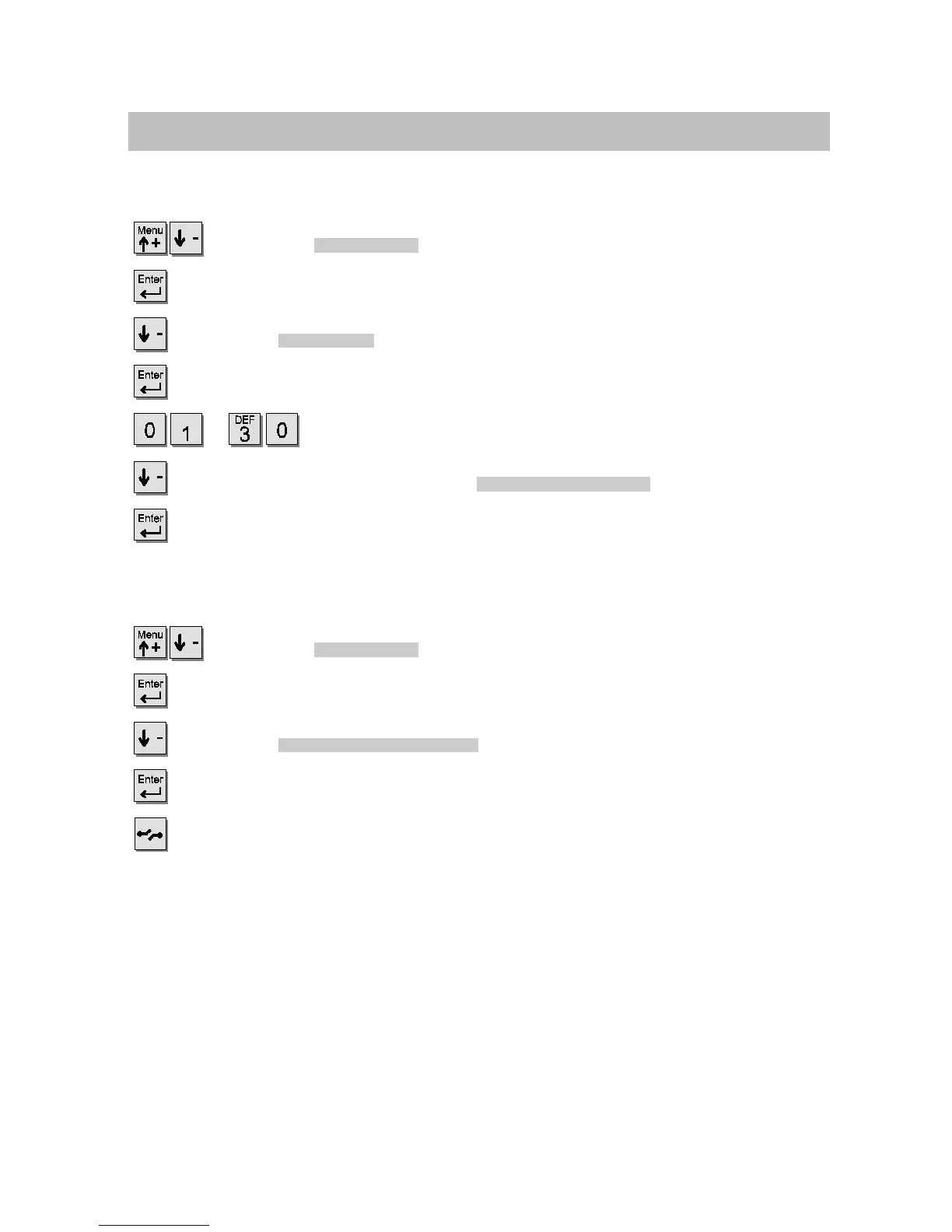
Viewing and, if necessary, resetting the charges for a line
Scroll to the
Call Charges
menu item.
Confirm your selection.
Scroll to the
Total lines
menu item.
Confirm your selection.
...
Enter the number of the line. The call charges are displayed.
If necessary, scroll to the menu item
Reset charge counter
.
Confirm your selection, if necessary.
Switching between Euro and the local currency
Scroll to the
Call Charges
menu item.
Confirm your selection.
Scroll to the
Euro <-> local currency
menu item.
Switch between Euro and the national currency.
Store the new setting.



 To Next Page