TX-1 Series Instrument www.tensitron.com pg. 12
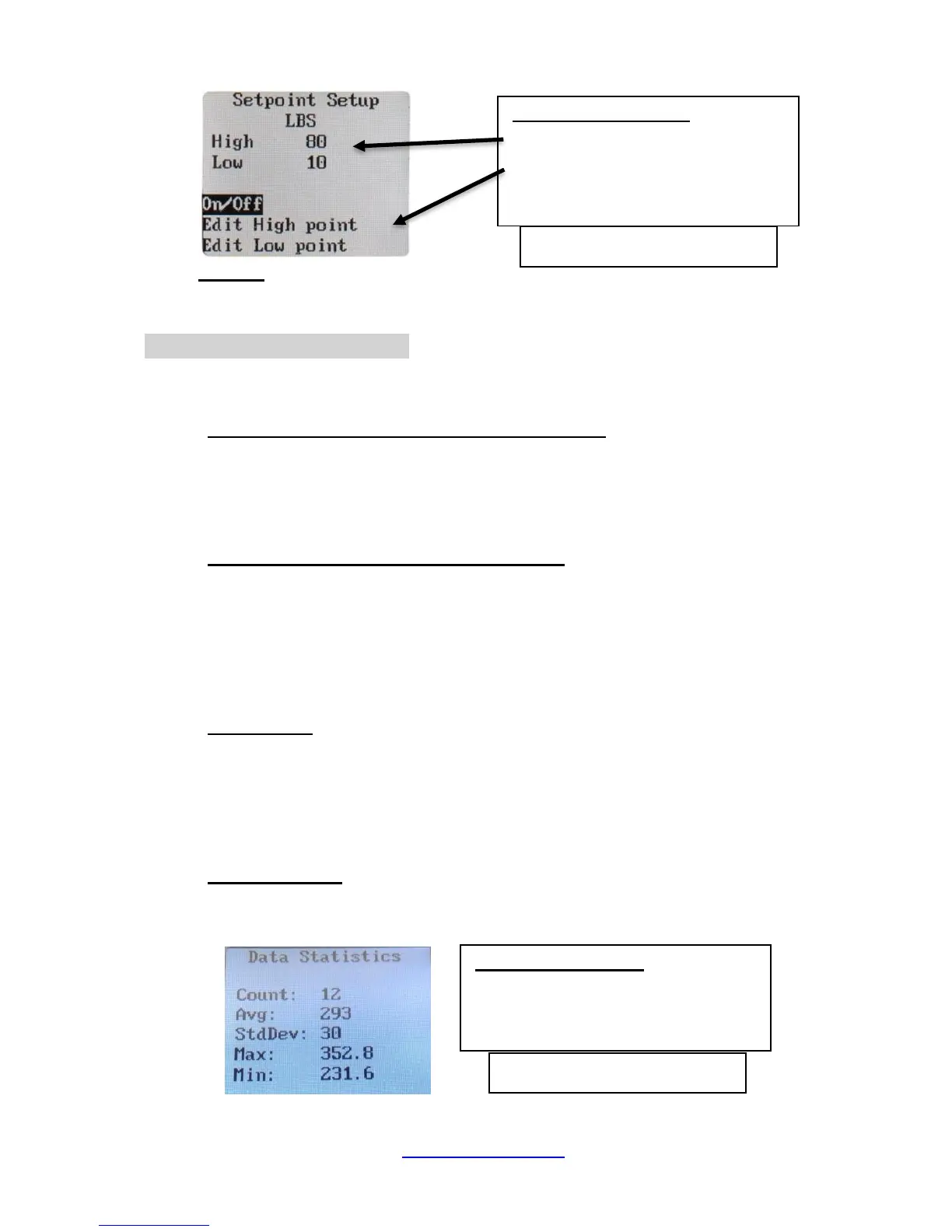
▪ Follow and enter the prompts to turn this feature on or off, or to edit
your high and low values. (See Figure 7.)
o Version
Press this button to determine the instrument’s model and what level of
firmware is downloaded to the instrument.
• DATA LOGGING Screen
Each time the instrument’s STORE button is pressed, a log of that material
tension will be stored in memory for later review.
o Logging Rate (when logging Continuous Data)
To adjust the rate at which the tension readings are logged:
▪ Scroll to DATA LOGGING and press ENTER.
▪ Scroll to LOGGING RATE and press ENTER
▪ Select 1, 2, or 5 Hz and press ENTER.
o Duration (when logging Continuous Data)
To adjust the duration that tension readings are logged:
▪ Scroll to DATA LOGGING and press ENTER.
▪ Scroll to DURATION and press ENTER
▪ Use the Up and Down arrows to change the Duration that you want
data stored and press ENTER. (Minimum: 10 seconds; Maximum:
100 seconds)
o Select Mode
To change the mode that tension readings are logged:
▪ Scroll to DATA LOGGING and press ENTER.
▪ Scroll to SELECT MODE and press ENTER
▪ Use the Up and Down arrows to select either CONTINUOUS or
SINGLE POINT data collection.
o View Data Stats
This feature allows the operator to view the basic statistics of the logged
data (Count, Average, Min/Max, and Standard Deviation). (See Figure 8.)



 To Next Page