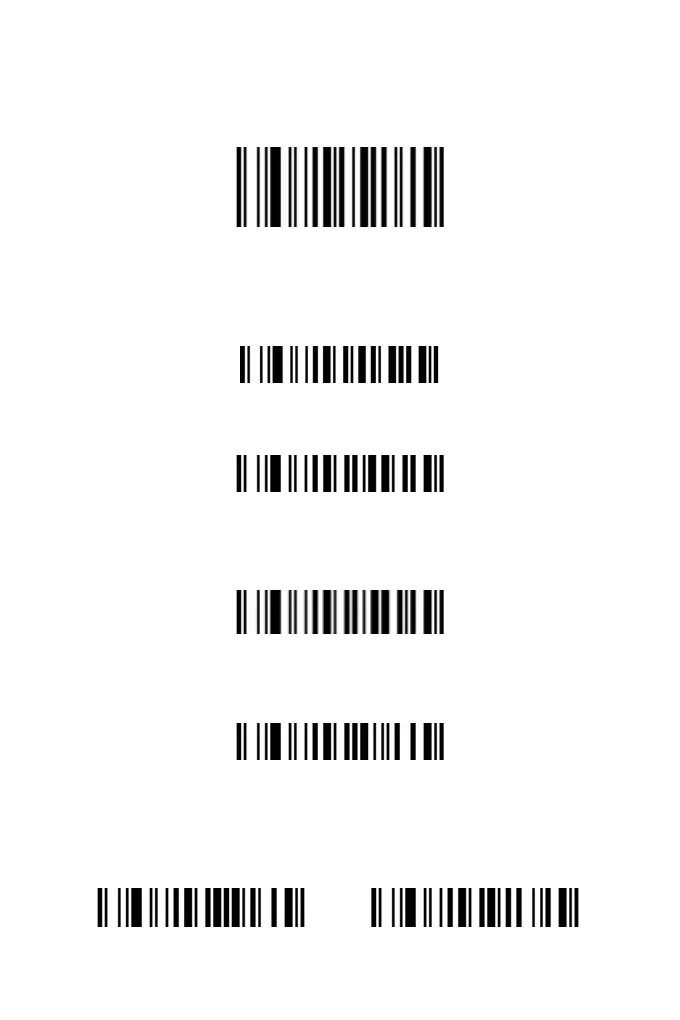
Restore Factory Default
If the scanner fails to operate due to improper configurations or
other reasons, scan this barcode to restore it to factory settings.
Restore Factory Default
Scanning Mode Setting
Trigger Mode: Hold the trigger button to scan, then release the
trigger to end the scan. The red scan light will only show up when
you press the button.
Trigger Mode
Delay Mode: After reading a barcode, if the key has not been
released, you can continue scanning.
Delay Mode
Single-Click Mode: The difference between single-click mode
and normal manual mode is that you only need to click the button
to read the barcode, instead of pressing the button continuously.
Single-Click Mode
Continuous Scanning Mode: Scan barcodes automatically
without pulling the trigger button, as the scanner works
continuously.
Continuous Scanning Mode
Automatic Scanning Mode with Smart Stand: When the
scanner is placed on the bracket, the scanner will automatically
turn on the automatic sensing function within a few seconds. After
leaving the bracket, the scanner will automatically return to the
trigger mode within a few seconds.
Smart Stand Mode ON Smart Stand Mode OFF
1



 To Next Page