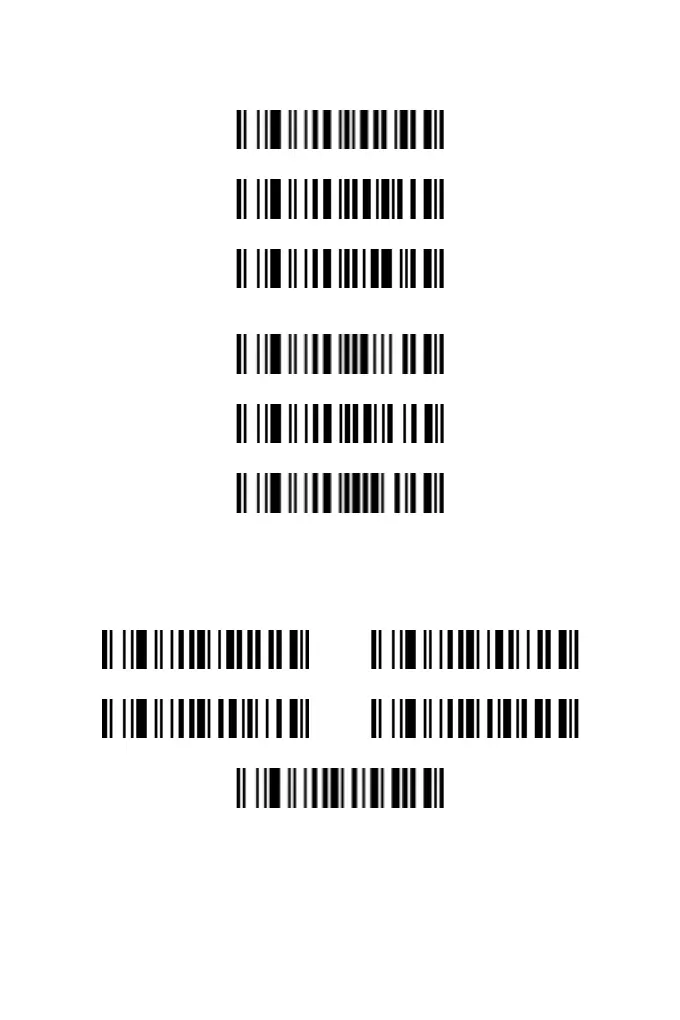
Volume Setting
High
Low
Off
Tune Setting
High
Medium
Low
USB Device Type
The default is "HID Emulation Keyboard". Since most devices
have integrated USB HID device drivers, there is no need to install
additional software to use this scanner.
HID Emulation Keyboard Simulate RS232 Serial Port
IBM Table Top USB IBM Hand-Held USB
USB OPOS Hand-Held
Note: If you want to use the USB interface to emulate the serial
port, you need to install the Virtual COM Driver provided by the
manufacturer
2



 To Next Page