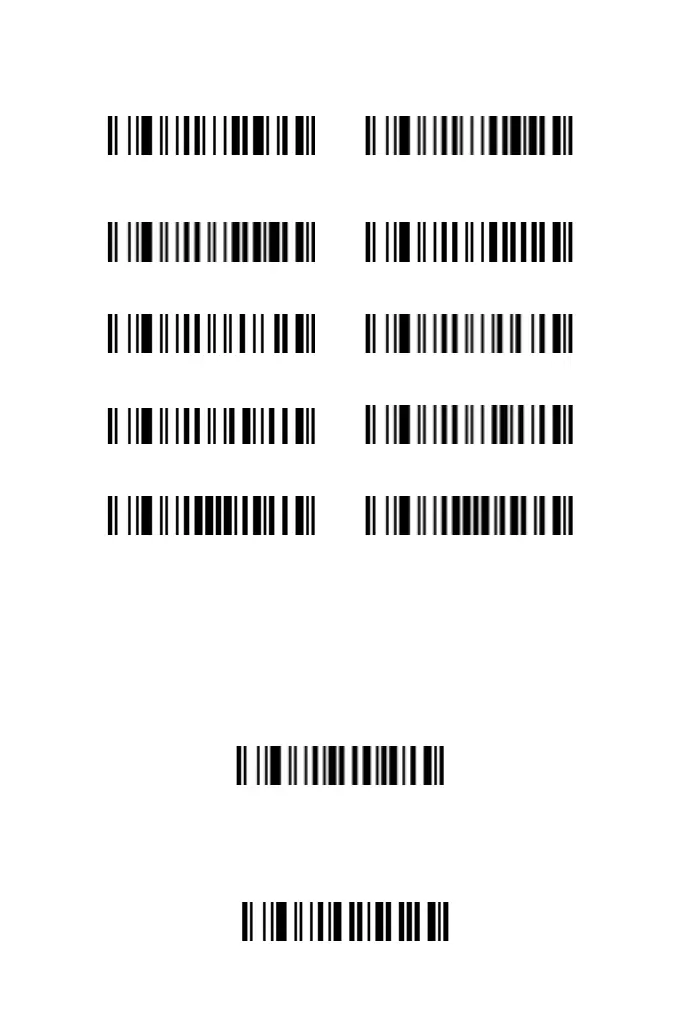
MSI/Plessey
On Off
GS1 Data Bar
On Off
GS1 DataBar Limited
On Off
GS1 Data Bar Expanded
On Off
Reversed Barcode
On Off
Prex and Sufx Setting
Add Prex
The prefix setting includes two components: one is whether to
enable the prefix character, and the other is the content of the
prefix character. The prefix of the barcode can be any ASCII
character ranging from 0 to 8 digits. Please set and enable the
prefix as follows:
1. Start setting prefix.
Start setting prefix
2. According to the content to be added, refer to the "ASCII Code
Character Table" and scan the corresponding setting codes to the
custom the preffix. Each character corresponds to 2 hexadecimal
numbers, for example, "AB" corresponds to "41 42".
4
5



 To Next Page