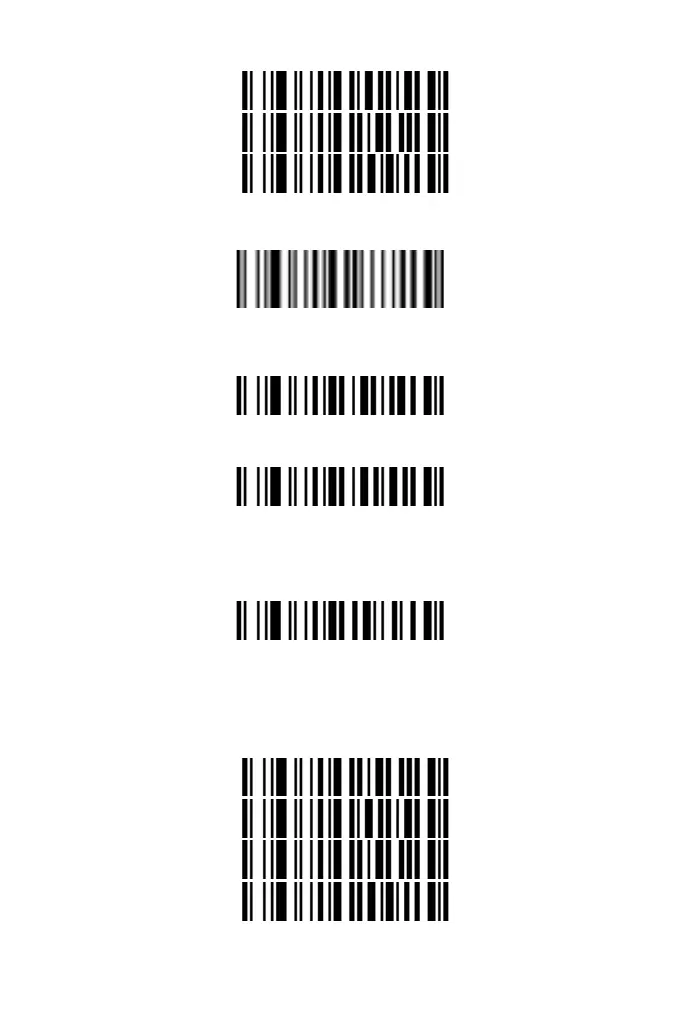
1
4
2
3. Scan the "End Parameter Input" setting. If you hear "Du-Di", the
setup has successed.
End Parameter Input
4. Scan the “Enable Prefix” setting barcode to complete adding
prefix.
Enable Prefix
Clear Added Prex
Clear Added Prefix
Add Sufx
Please set and enable the suffix as follows:
1. Scan the barcode "Start setting suffix".
Start setting suffix
2. According to the content to be added, refer to the "ASCII Code
Character Table" and scan the corresponding setting codes to the
custom the suffix. Each character corresponds to 2 hexadecimal
numbers, for example, "AB" corresponds to "41 42".
4
1
4
2
3. Scan the "End Parameter Input" setting. If you hear "Du-Di", the
6



 To Next Page