Need help?
Do you have a question about the Teradek Bolt 4K and is the answer not in the manual?
Connect power, video, attach antennas, and pair devices.
Navigating transmitter/receiver menus and mounting options.
Using the Bolt App for management and accessing support articles.
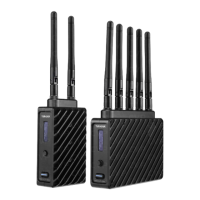
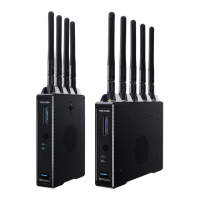
Overview of Bolt 4K system components and receiver antenna configuration.
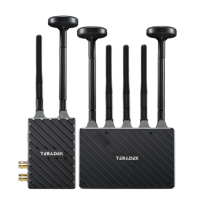
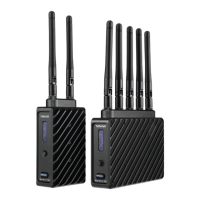
Overview of Bolt 4K LT system components and receiver antenna configuration.
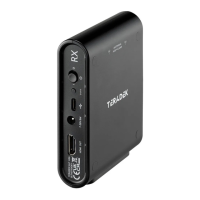
Details on the Bolt 4K Monitor Module (TX/RX) and Bolt Panel Antenna v.4.
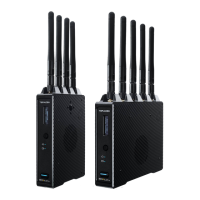
Specifics of the Bolt 4K LT-HDMI model, including device operation tips.
Configuring Band, Frequency, Bandwidth, and Broadcast Mode.
Methods for pairing/unpairing via front panel, monitor, Bolt App, and Bolt Manager.
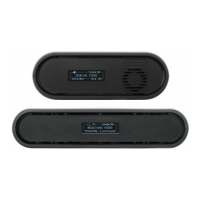
Controls OLED display rotation, dimming, OSD visibility, and color indicators.
Configures output resolution, frame rates, continuous output, and applies 3D LUTs.
Utilize SDI Eye Pattern, Signal Quality Graph, Spectrum Analyzer, and Antenna Test.
Manage keypad lock, power-on format, audio, Bluetooth, background color, and resets.
Access device info, firmware versions, and regulatory compliance details.
Configure devices with Bolt Manager and apply 3D LUTs via Color Processing.
Steps to load and install firmware updates using Bolt Manager.
View current status, network, range, quality, and other parameters.
Best practices for V, H, and H+V antenna configurations for optimal signal.
Table detailing selectable frequencies and regional availability.
Details Bolt 4K's 6GHz support by region and regulatory approvals.
Safety instructions, RF module approvals, and exposure compliance statements.
Detailed specs for Bolt 4K, LT, Monitor Module, and Panel Antenna.
Addresses 4K to HD conversion, compatibility, metadata passthrough, and cable issues.
Information on receiver linking capacity and A/C power adapter requirements.
Steps to upgrade for 6GHz mode: new antennas, firmware, and enabling the feature.
 General
| Resolution | Up to 4Kp30 |
|---|---|
| Frequency | 5 GHz |
| Encryption | AES-256 |
| Latency | <1ms |
| Supported Inputs/Outputs | HDMI |
| Video Input | HDMI |
| Video Output | HDMI |
| Operating Temperature | 0 to 40 °C |
| Video Format | 4K UHD |

 To Next Page