WIRED PAIRING VIA BOLT MANAGER
Connect both the transmitter and receiver(s) to your computer (Windows/Mac) via
Open Bolt Manager, select the
Select the devices you want to pair, then click the
Manager will indicate whether or not Pairing is successful.
Connect the transmitter to your computer (Windows/Mac) via USB.
Open Bolt Manager, select the
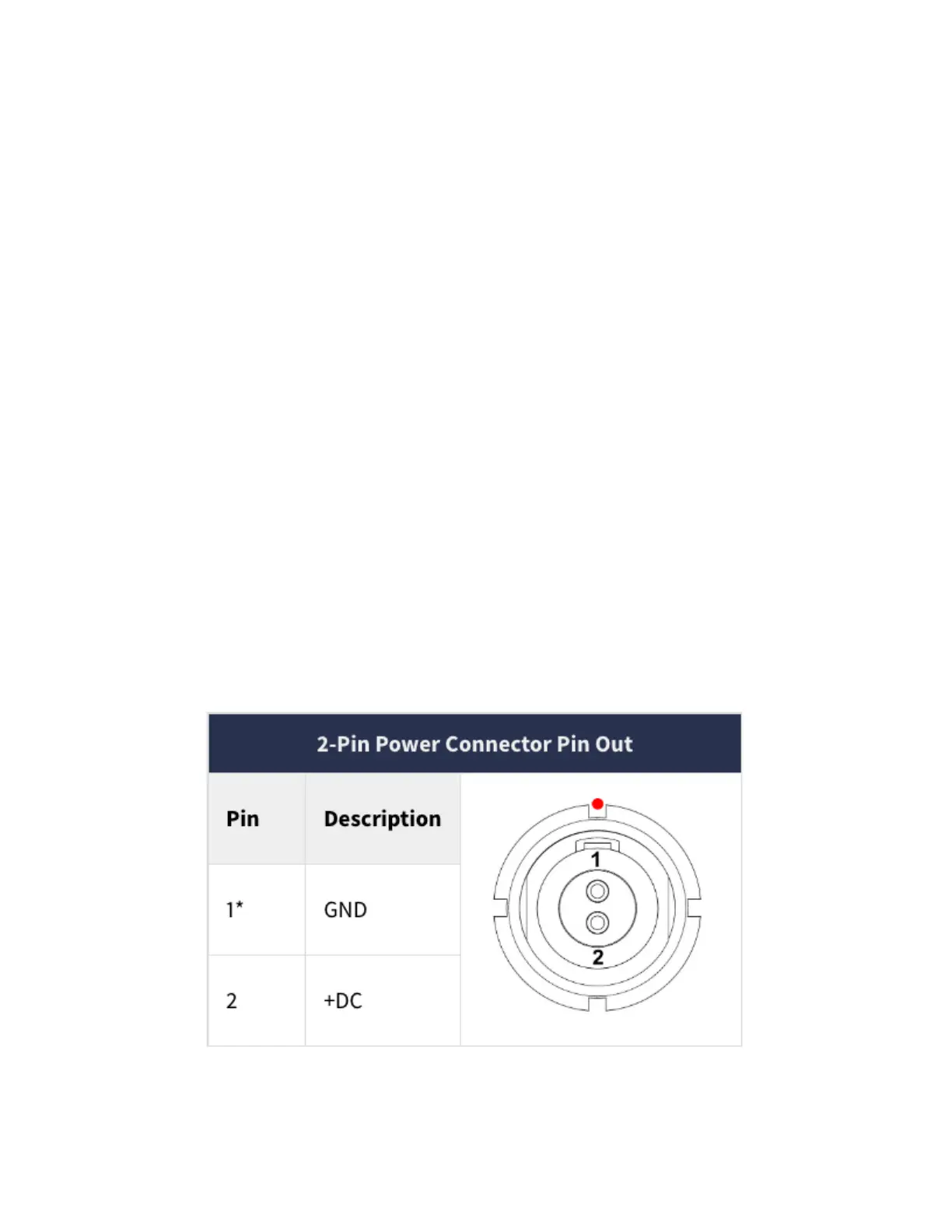
Bolt devices use a locking 2-pin power connector similar to the 0B 302 series LEMO
* Pin 1 is closest to the red dot on the connector.
Bolt 6 LT Quick Start Guide | Bolt 6 | Teradek User Guide
https://guide.teradek.com/a/1604143-bolt-6-lt-quick-start-guide



 To Next Page