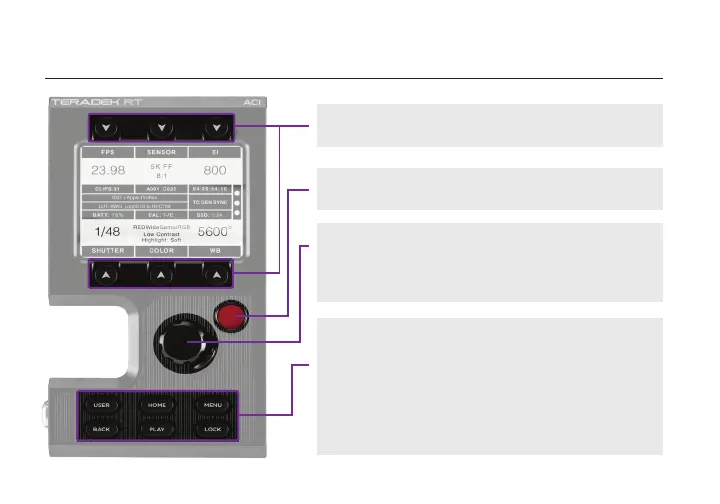
Menu Jog Wheel
Navigate the menus and congure the user menu
options. Push the jog wheel to conrm or open
selection.
Record Button
Start or stop recording.
BUTTON OPERATION
Home Screen Buttons
Access primary camera capture parameters.
Control/Menu Buttons
USER:
BACK:
HOME:
PLAY:
MENU:
LOCK:
Access or congure the user menu options
Return to the previous screen
Return to the home screen
Replay footage
Access advanced menus
Activate/deactivate all buttons
4


 To Next Page