6
USER MENU CONFIGURATION
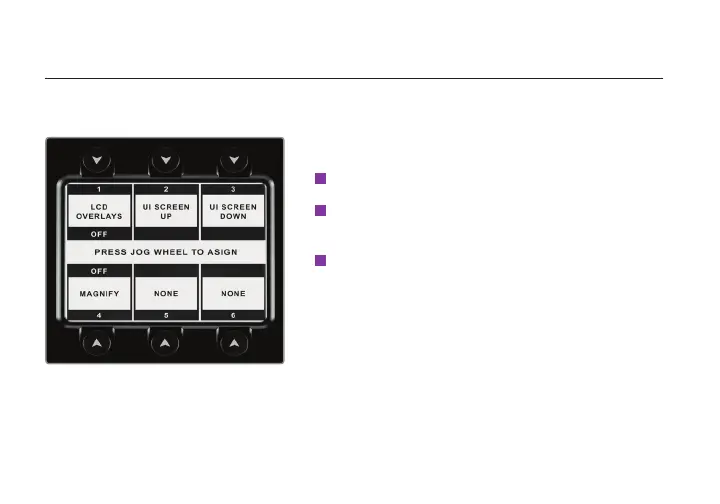
ACI is equipped with a congurable user menu interface. Press the USER button to display the user
menu, then use the Jog wheel to assign camera functions to any of the six menu buttons.
Press the Jog wheel to display the command buttons
and corresponding functions (if congured).
1
2
Press the USER button to open the user menu.
To congure or change a button command, use the jog
wheel to scroll through the list of buttons, then select
the highlighted option by pressing the jog wheel.
3
To congure the User menu:


 To Next Page