2
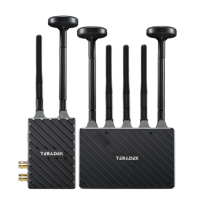
Connect the output from your video source to the HDMI input on the transmitter. Connect the
HDMI output from the Spark 4K receiver to the video input on your monitor.
1
POWER AND CONNECT
Connect power to both the Spark 4K transmitter (USB-C) and receiver (USB-C/DC adapter), then
move the power switches on both the transmitter and receiver to the ON ( I ) position. Video appears
within a few seconds.
• Test the power cable polarity with ONLY the power cable connected to Spark 4K. Do not connect
video cables.
• Check the power cable for shorts and proper grounding.
CUSTOM/THIRD PARTY POWER CABLES
3
NOTE: Spark 4K transmitters can draw power from the internal battery (if charged), or by using either
the included USB-C PD adapter or another USB-C PD source. When the power source is disconnected,
and if the transmitter’s internal battery has charge, a solid battery icon will display on the front panel. If
the battery is depleted, the battery icon will be empty. Spark 4K receivers can use either the included
DC adapter, or a USB-C PD source.


 To Next Page