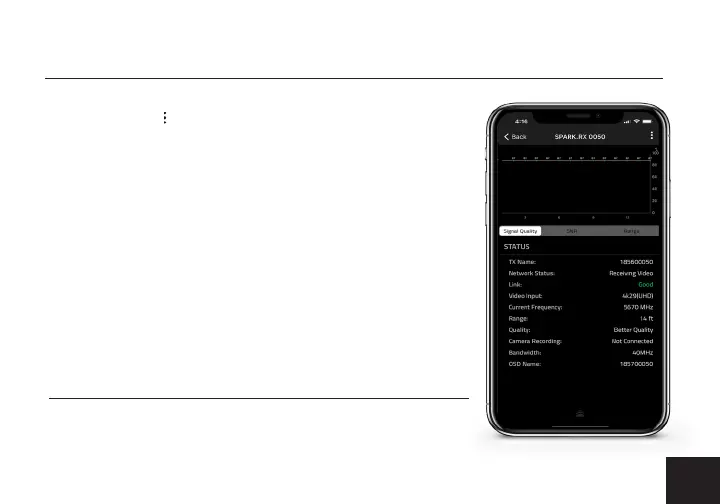
• SNR (Signal to Noise Ratio) - Compare the signal power level
to the noise power level from the attached antennas.
• Range (Quality/Range Analyzer) - Displays the transmission
distance between the transmitter and receiver.
• Status - Displays the paired TX name, Network Status, Link status,
Video Input, Current Frequency, Range, Quality, Camera Recording,
Bandwidth, and OSD Name.
RECEIVER STATUS DISPLAY
• Settings - Tap the button at the top of the display to monitor
and/or customize the transmitter’s settings, perform a rmware
upgrade, or to register your Spark 4K.
LAUNCHPAD DESKTOP APP
To update your device’s main rmware, you must use the
Launchpad desktop app. Download the Launchpad desktop app
for Mac or Windows at teradek.com/pages/downloads.
• Signal Quality - Determine the quality and reliability of the
signal being received.
5


 To Next Page