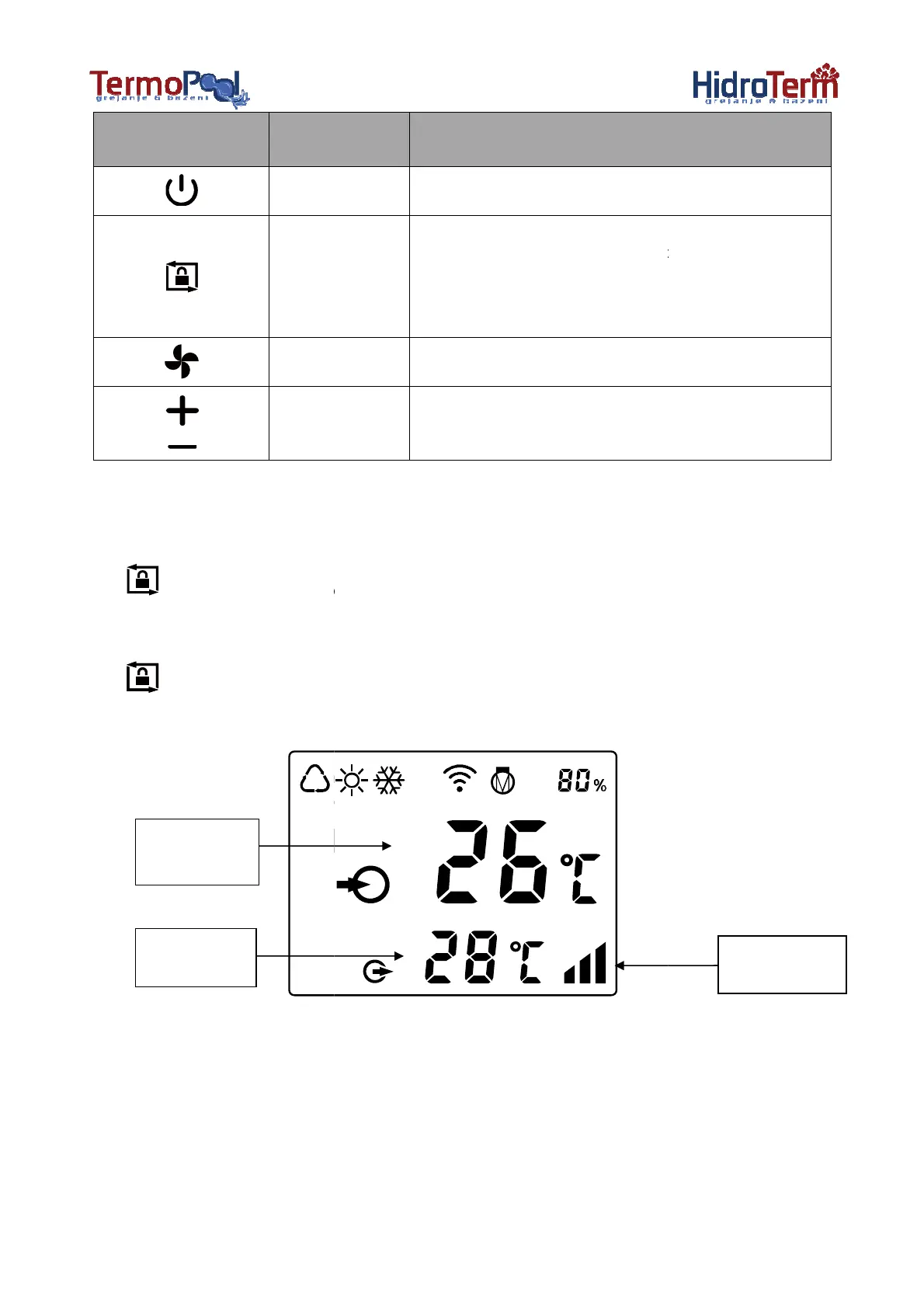
Symbol
Note:
① Screen lock:
a.
If no operation in 30 seconds, screen will be
b.
When HP is off, screen will be dark and “0%” will be displayed.
c. Press
for 3 seconds to lock screen and it will be dark
② Screen unlock:
a. Press
for 3 seconds to unlock screen and it will be lit up.
b. Only after screen is unlocked,
any other buttons can be functioned.
Water inlet
temperature
Water outlet
temperature
5
Function
Power On/Off
1. Press it for 3 seconds to
2.
After screen is unlocked, press it to select mode
Auto (12~40℃)
Heating (18~40℃)
Cooling (12~30℃)
Select Smart/Silence mode
Adjust set temperature
If no operation in 30 seconds, screen will be
locked.
When HP is off, screen will be dark and “0%” will be displayed.
for 3 seconds to lock screen and it will be dark
for 3 seconds to unlock screen and it will be lit up.
any other buttons can be functioned.
screen.
After screen is unlocked, press it to select mode
.
Smart/Silence



 To Next Page