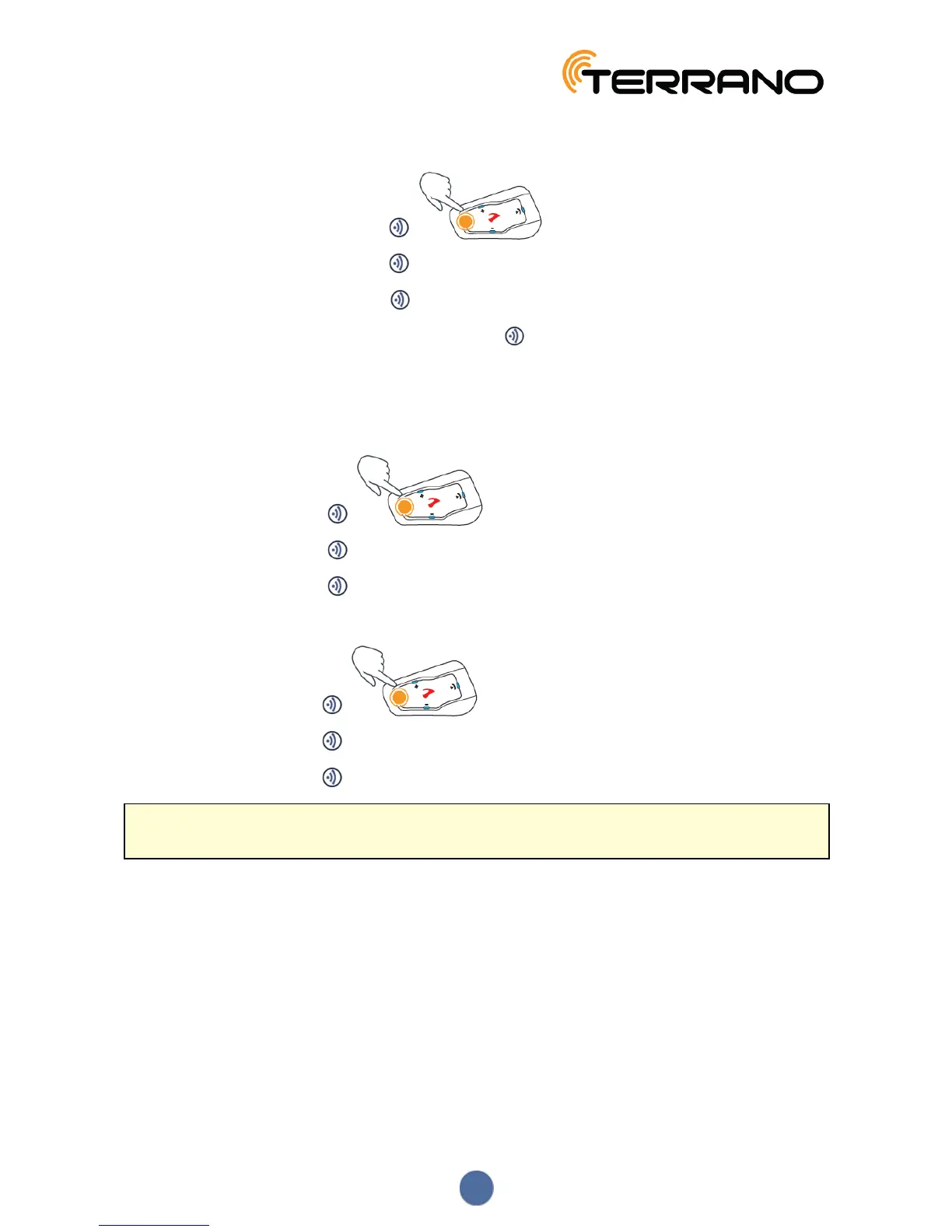
To end a Bluetooth intercom call:
● To disconnect rider on channel A, tap .
● To disconnect rider on channel B, tap 2 times.
● To disconnect rider on channel C, tap 3 times.
● To end all active Bluetooth intercom connections, press for 2 seconds.
4.2.3.3 HOLDING A MOBILE/BLUETOOTH INTERCOM CONFERENCE CALL
You can hold a conference call between a mobile call and a Bluetooth intercom (single channel) call.
To add a Bluetooth intercom call to the current mobile call:
● To add Rider 1 to a call, tap .
● To add Rider 2 to a call, tap twice.
● To add Rider 3 to a call, tap three times.
To disconnect the Bluetooth intercom conference call from the mobile call:
● To disconnect Rider 1, tap .
● To disconnect Rider 2, tap twice.
● To disconnect Rider 3, tap three times.
After disconnecting the Bluetooth intercom call, you can continue talking on the mobile call. Similarly, if you
first disconnect the mobile call, you can continue talking on the Bluetooth intercom call.
4.2.3.4 BLUETOOTH INTERCOM BUSY SIGNAL
A busy signal is heard when you attempt a Bluetooth intercom call when the other rider is in a:
● Phone call
● Bluetooth intercom call with Channels A and B
13


 To Next Page