UPDATE
Thanks to the advanced software technology: Future changes to existing standards and
new functions developed for the PHASE 26 USB System can be integrated simply by
updating the device's “firmware”, without having to replace or change any hardware.
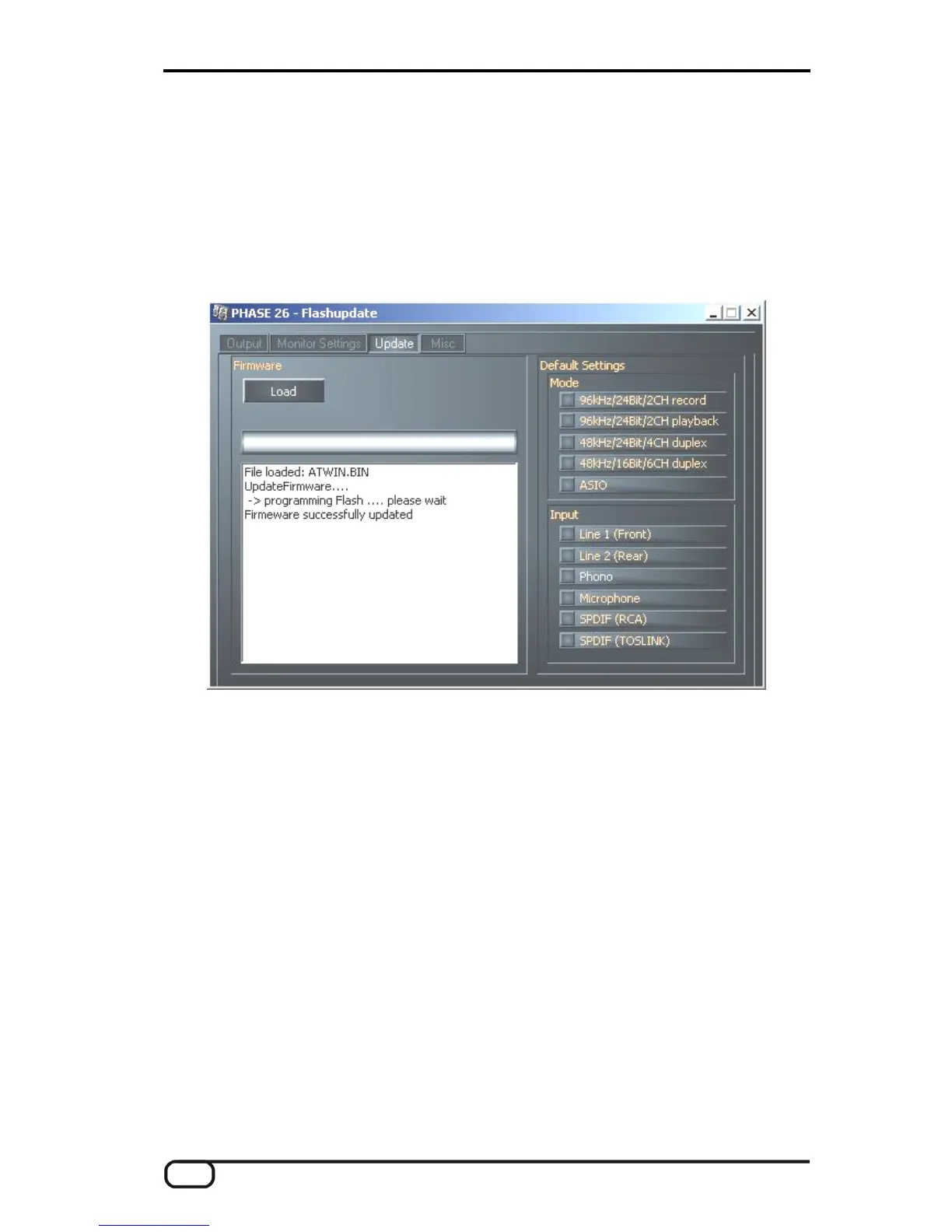
The Update page is enabled only when the PHASE 26 USB System is in flash-update
mode. For instructions on switching to this mode and upgrading your firmware, refer to
the chapter entitled “Updating the firmware (Windows).”, Ü page 16.
The Update page of the PHASE 26 USB ControlPanel
Default Settings
The PHASE 26 USB System stores your settings in the device. Additionally, you can set
defaults for the operating mode and input channel in the “Default Settings” field.
38 PHASE 26 USB (English)


 To Next Page