14). READ key : Recall and Read Manual memorized data.
15). TIME key :
Press this key to turn on or off the time display.
In the setting modes, press this key to move the
flickering cursor to left position.
16).
℃
/
℉
key :
Press this key to change the temperature units.
In the setting modes, press this key to move the
flickering cursor to right position.
17). DEW key :
Press this key to select the ambient temperature or
dew point temperature displays.
In the READ mode, press this key to increase the
select memory location.
In the data setting mode, press this key to increase the
setting value.
18). WET key :
Press this key to select the ambient temperature or wet
bulb temperature displays.
In the READ mode, press this key to decrease the
select memory location.
In the data setting mode, press this key to decrease
the setting value.
19). Temperature / Humidity sensor probe.
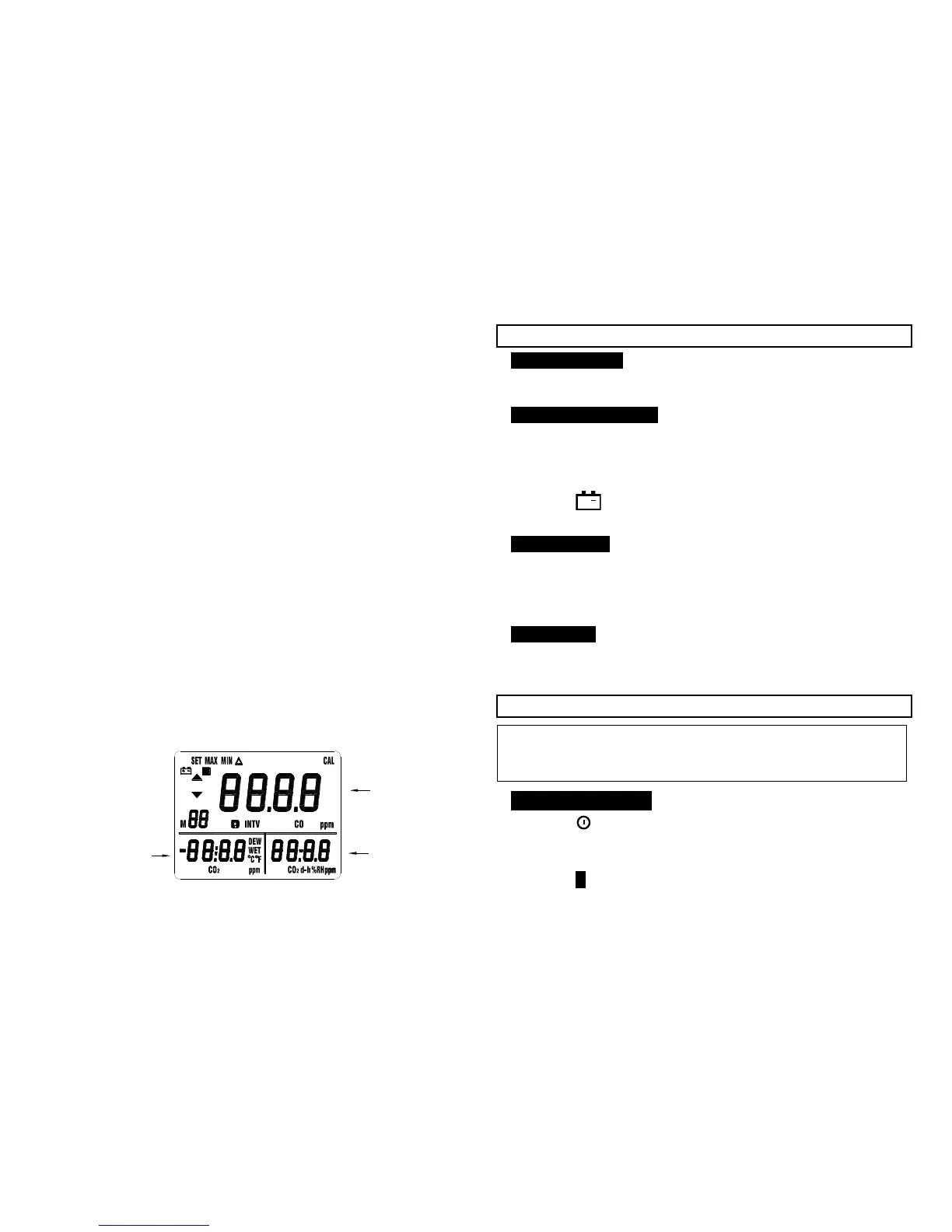
second display
R
Err
m:s
ALM
Third display
2
Main display
-6-
V. BEFORE OPERATION
5-1 Power Supply
The meter can be powered by two ways : Six AAA-size
alkaline batteries or the AC adapter.
5-2 Install the Batteries
Insert six AAA-size batteries as indicated by the diagram
located on the inside of the battery compartment.
The meter is designed to operate only with alkaline batteries.
When the battery voltage drop below the operating voltage,
the “
” indicator will be displayed, it indicates the
batteries need to be changed.
5-3 AC Adapter
The AC adapter allows you to power the meter from a wall
outlet.
When using the AC adapter, the batteries (if installed) will
be bypassed. The AC adapter is not a battery charger.
5-4 Gas Inlet
Always ensures that the meter gas inlet connector and gas
exhaust are not blocked and open to the atmosphere.
VI. OPERATION
Note
Do not hold the instrument close to your face. CO
2
exhaled
by humans will affect the accuracy of the reading.
6-1 CO
2
Measurement
1. Press key to turn on the meter, LCD will shows 30
seconds count up then display CO
2
measured values.
(Warm-up time: 30 sec.)
2. Press “H HOLD” key to freeze and unfreeze the data reading.
-7-



 To Next Page