BASIC SEWING
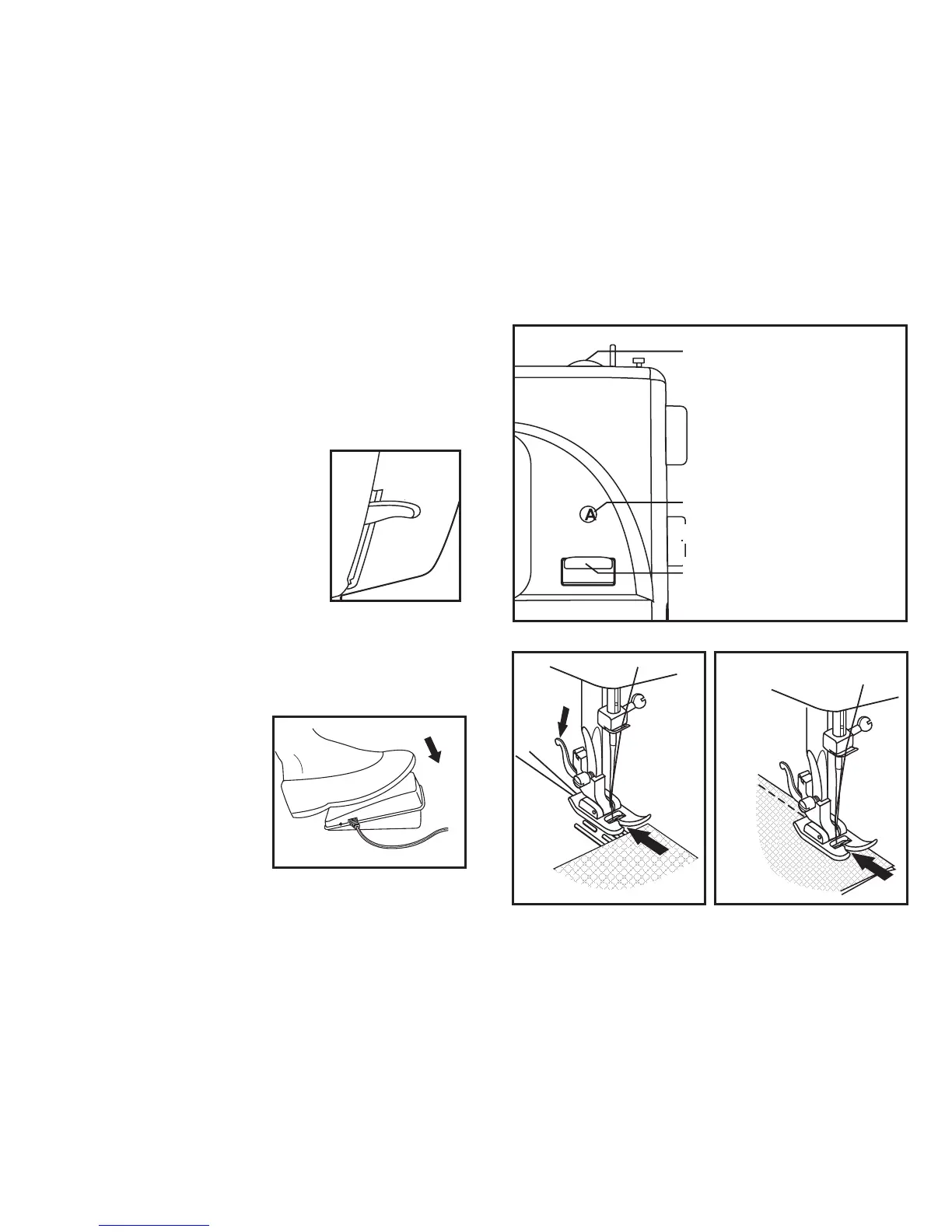
Basic Machine Setting (Figure 1)
Set the Stitch Length Dial to 2. This provides a small/medium stitch length
Set the Pattern Selector Dial to display A in the Stitch Display Window. This sets the
needle to centre stitch position.
Raise the Presser Foot
Inserting the Fabric (Figure 2)
Lay the uper and lower threads to the rear of the presser foot
Insert the fabric under the presser foot and line it up carefully
Stitching the Fabric (Figure 3)
Switch the machine on.
Lower the presser foot onto the fabric.
Press the foot pedal to start the machine.
Keeping a steady pressure on the foot pedal,
guide the fabric through the machine with a
steady hand.
STITCH LENGTH DIAL
1
2
3
STITCH DISPLAY WINDOW
PATTERN SELECTOR DIAL
REVERSE SEWING SWITCH


 To Next Page