18
Viewing photos:
If you have selected JPEG (photo) les -
Use • //ENTER to navigate through the folders on the disc until you reach the
photo les you want to view.
To move up the folder ‘tree’, select the top folder marked ‘•
..’
Skip:
To skip to the next or previous photo, press • } or {.
The photo will be displayed and the slideshow will pause.
Press • /, twice to re-start the slideshow.
File information:
Press DISPLAY during playback to display more information about the le playing.•
Zoom and pan:
Press ZOOM repeatedly to zoom into the photo, then zoom out.•
The zoom settings are - • 2X g 3X g 4X g1/2X g1/3X g 1/4X gNormal
When zoom is set you can press the • buttons to pan the zoomed area
around the photo.
Slideshow repeat:
Press the REPEAT button repeatedly to step through the repeat mode options for the •
slideshow.
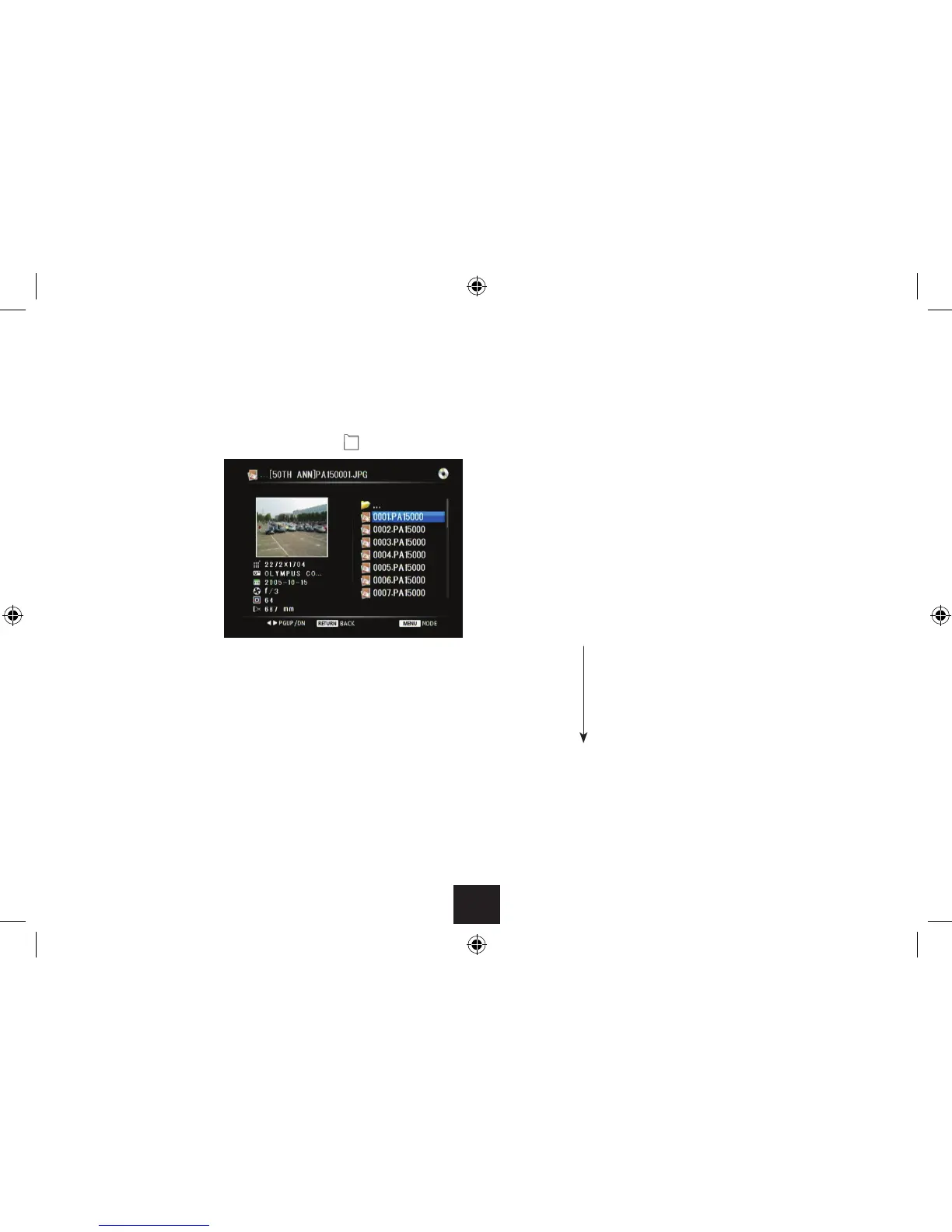
When you reach a folder of
photos, a preview screen will
be displayed with a list of photo
les.
Press • / to browse the photos in the folder.
Press OK to select and view the highlighted photo full-screen.•
The photo will be displayed.
Photo slideshow:
If there are more photo les in the folder, a slideshow will start of the photos in the
folder.
Press • /, to pause the slideshow.
Press • /, to re-start the slideshow.
Press the • . button to stop the slideshow and return to the preview screen.
Repeat 1 (repeat the current photo)
Repeat dir (repeat the folder)
Repeat all (repeat all les on the disc)
Repeat o



 To Next Page