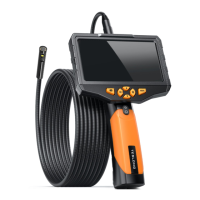
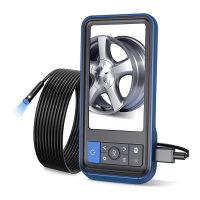
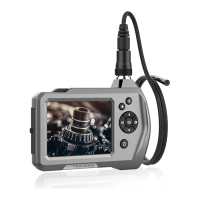
The Teslong Wi-Fi Endoscope Camera is a portable, hand-held, multifunctional inspection camera system designed for various applications, including automotive, plumbing, construction, and outdoor exploration. It features an ultra-small 8.5mm diameter camera with a high-quality 2.0 Megapixel CMOS digital sensor, offering crystal clear output and 720p HD video recording. The device utilizes a powerful wireless module to provide a stable Wi-Fi connection, allowing users to view videos, capture images (JPG), and record videos (AVI) on iPhones, iPads, Android devices, and PCs via a bundled application.
Technical Specifications:
- Network Standard: IEEE 802.11 b/g/n
- Antenna: Built-in IPEX antenna
- Operating Frequency: 2.4GHz
- Data Rate: 802.11 b/g/n: up to 150Mbps
- Camera Diameter: 8.5mm
- Shaft Diameter: 7.0 mm
- Image Sensor: 2.0 Megapixel CMOS
- Video Resolution: 800x600, 1024x768, 1280x720
- Viewing Angle: 60°
- Depth of Field: 60mm—100mm
- Camera Light Source: 6 adjustable high-intensity LEDs
- IP Code: IP67 (indicating dust-tight and protection against immersion in water up to 1 meter for 30 minutes)
- LED Flashlight: 1W CREE LED
- Operating Temperature: 32° to 113°F (0° to 45°C)
- Power Source: 4 x AA battery
- Max Battery Life: 2-3 hours
- Certifications: CE, RoHS
Usage Features:
The device is designed for ease of use across multiple platforms:
- PC Users: Connect to the "WiFi_Endoscope" SSID (password: 00000000), copy and run "Smart Camera.exe" from the bundled CD, and select "IP Camera: Wifi Endoscope" in the settings to view live video. The software allows for recording video, taking photos, selecting device, setting resolution, and managing camera settings, photos, and videos. It also provides options to change the Wi-Fi name and password.
- iPhone and iPad Users: Search for "WiFi Endoscope" on the iTunes Store, install the app, and connect to the "WiFi_Endoscope" SSID (password: 00000000) in Wi-Fi settings. Run the app and click the play button to view live video. The app includes a photo and video album for captured media.
- Android Smartphone Users: Search for "WiFi Endoscope" on the Google Play Store, install the app, and connect to the "WiFi_Endoscope" SSID (password: 00000000) in Wi-Fi settings. Run the app and select "Wifi Endoscope" to view live video. Users are advised not to select the "Check for Internet service" checkbox in advanced Wi-Fi settings. The app features options to take photos and record videos.
- Other Platform Users: Devices running other platforms with HTML5 support can access the video stream via an Internet browser. After connecting to the Wi-Fi Endoscope, navigate to
http://192.168.1.1 and press "Preview Camera" to view the live video. Alternatively, users can directly access the stream at http://192.168.1.1:8080/stream_simple.html.
Wi-Fi Bridge Function:
The Wi-Fi Bridge function allows users to connect the endoscope to the internet simultaneously. To use this feature:
- Connect a PC or smartphone to the Wi-Fi Endoscope.
- Open an internet browser and go to
http://192.168.1.1.
- Navigate to the "Network—WiFi Bridge" menu.
- Click "Scan" to find other Wi-Fi signals, then click "Join" to connect to an access point (a Wi-Fi password may be required).
- Click "Save & Apply" to save the settings.
Once configured, the Wi-Fi Endoscope can be used with internet access.
Device Components:
The device includes:
- Phone Holder
- LED Adjust wheel
- Battery compartment
- Camera
- Flashlight
- Flashlight On/Off switch
- String
- Probe connector
- Support for Phone holder
- Reset button (press and hold for 10 seconds to reset device)
- Power On/Off button with an LED indicator (blue for On, red for low battery voltage).
Preparation for Use:
- Open the battery compartment and insert 4 AA batteries, ensuring correct polarity. Alkaline or rechargeable Ni-MH batteries are recommended for longer working time.
- Press the Power On/Off button to turn on the device.
- Fit the phone holder to the support if using with a smartphone.
Maintenance and Troubleshooting:
- No image or defects, noise in the image:
- Check if the probe is correctly connected to the handle body.
- Verify battery polarity.
- Replace exhausted batteries.
- LED lights are dim or blink: Indicates low battery.
- Device not functioning normally: Shut down the device and turn it on again.
- Forgot password: Use a pin to press and hold the reset key for 7 seconds. The default password is 00000000.
- Multiple Wi-Fi Endoscope devices: If using multiple devices simultaneously, ensure each has a different SSID, or change them manually to avoid interference.
- Keep the tool dry, clean, and free from oil, water, gas, or other corrosive materials.
- Not intended for use by persons with limited physical, sensory, or mental capabilities.
- Keep bystanders and children away during operation.
- Maintain proper footing and balance; do not overreach.
- This appliance is not intended for medical use or personal inspection.
Electronic equipment should not be disposed of with domestic waste but must be handled according to applicable statutory provisions.
The Teslong Wi-Fi Endoscope Camera is a robust and versatile tool, offering high-definition visual inspection capabilities with convenient wireless connectivity across various operating systems.

 Need help?
 General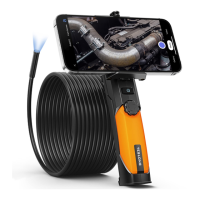

 To Next Page