Wi-Fi Bridge function
Other info
13
Users can connect to internet with” Wi-Fi Bridge” function.
You can connect to other Wi-Fi access point which has internet
access and use Wi-Fi Endoscope at same time.
Connect your PC or Smartphone to this Wi-Fi Endoscope
Open an internet browser and go to: http://192.168.1.1
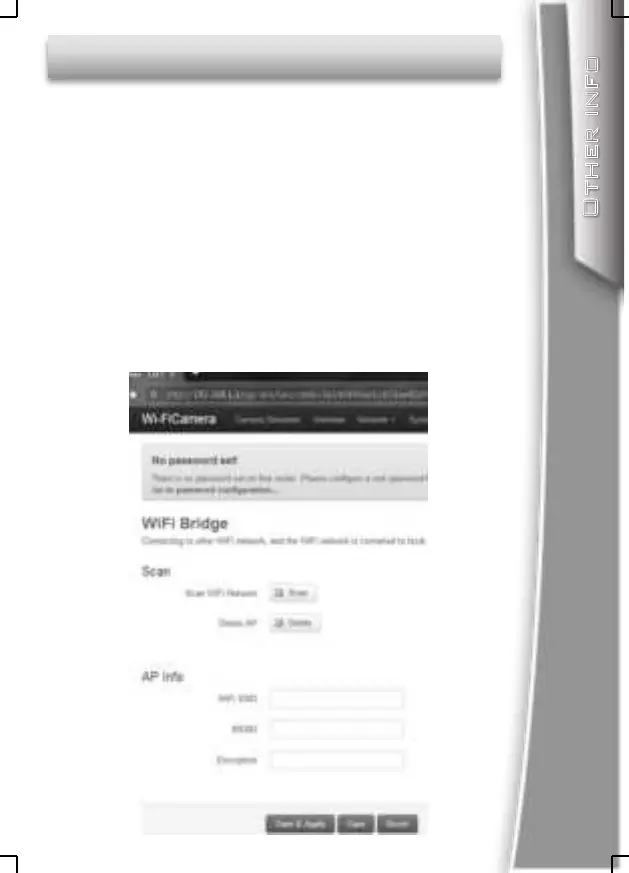
Enter: Network—WiFi Bridge menu, you will see a webpage
as below.
Click ”Scan” button to search other Wi-Fi signal in your
area, then click” Join” button to establish connection with
the access point(Wi-Fi password may required).click
“Save & Apply” button to save the setting.
Now you can use the Wi-Fi Endoscope with internet access.


 To Next Page