PC users
PC USERS
9
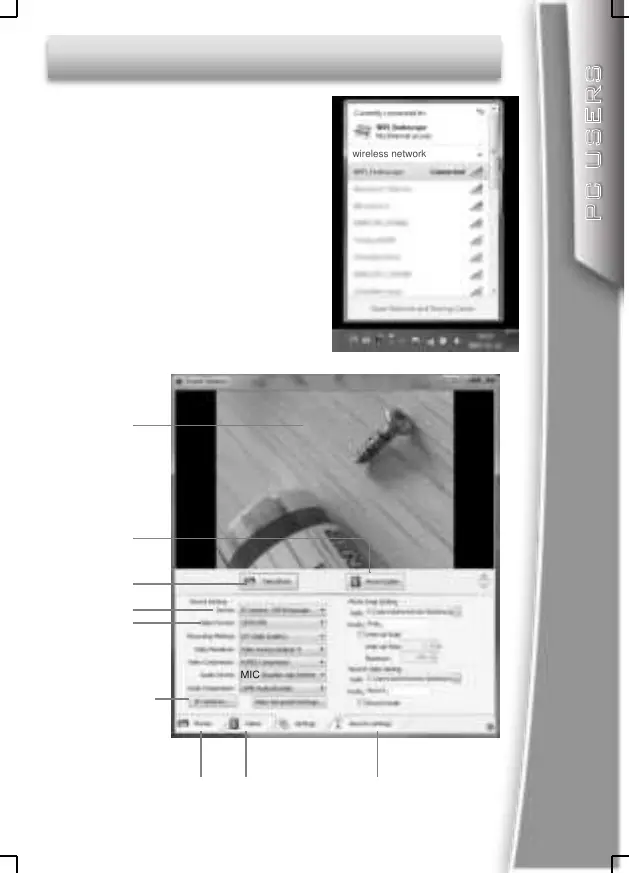
Search the Wi-Fi signal on your PC
SSID is “ WiFi_Endoscope”
Connect your PC to the Wi-Fi
Endoscope.
Password is 00000000
Copy the software:
”Smart Camera.exe” from the
bundled CD to your PC and run.
Enter “Settings” menu and Select
” IP Camera: Wifi Endoscope”
in the device menu, then you can
see the live video in Preview area.
Preview area
Record video
Take photo
Select device
Set resolution
Camera settings
Photo and Video
Album
Change Wi-Fi name
and password
wireless network
MIC


 To Next Page