12
5 Removable Batteries
The device comes with two removable battery packs. It can operate from either or both of
these batteries as well as directly from the AC adapter.
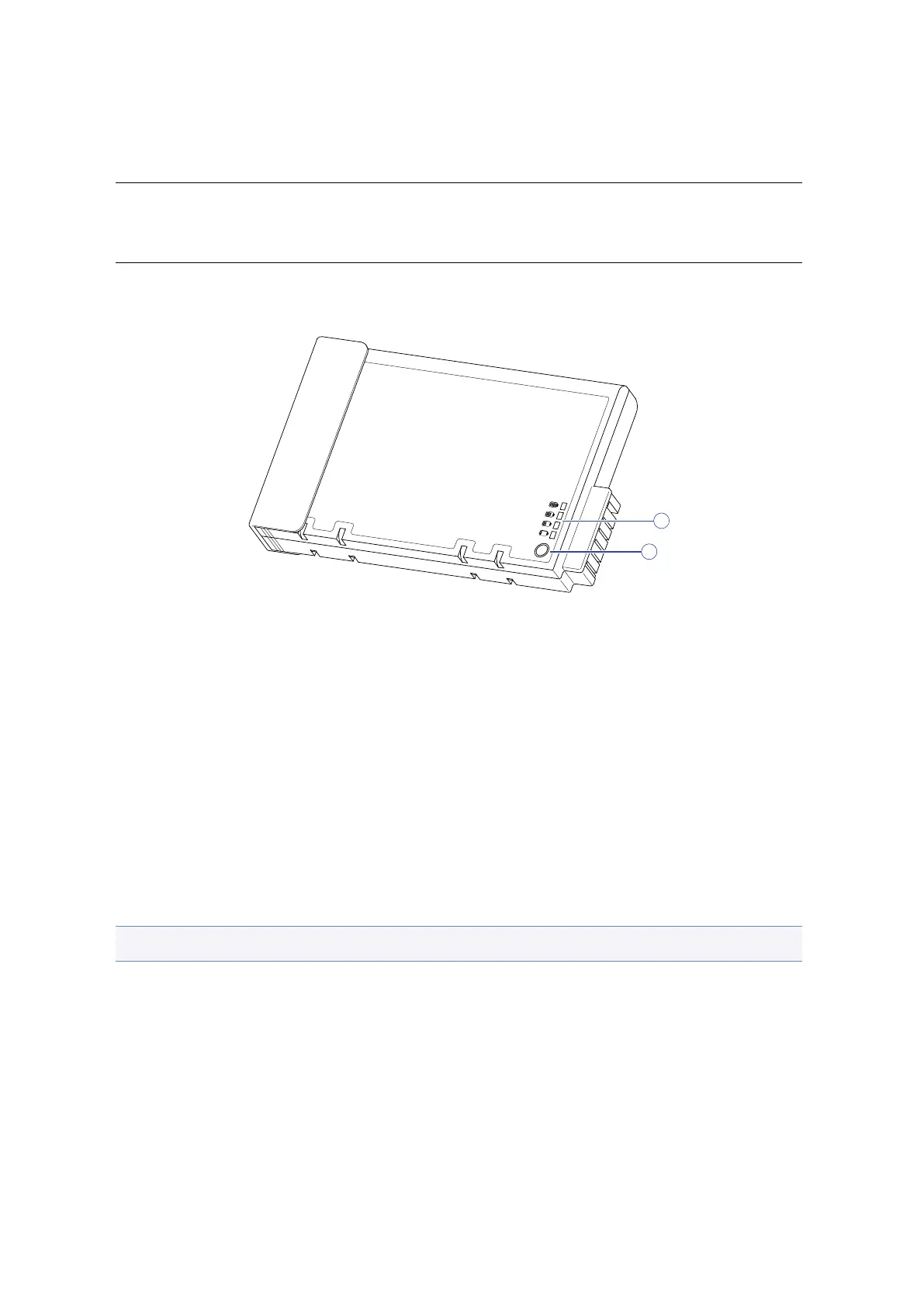
1. Power meter
2. Power test button
The remaining battery life can be checked both on the device, using the power manager,
as well as with the power meter located on the battery itself. The power meter is acti-
vated by pressing the Power Test button. The number of LED lights indicates the power
level of the battery pack.
5.1 Battery Charging
When the device is connected to an AC adapter, any inserted batteries will automatically
begin to recharge. While the batteries are charging, the Battery Charge icon on the In-
dicator panel will be active aer 6–12 seconds. When the batteries are fully charged, the
Battery Charge icon will turn o.
Note: When not in use for a month or more, fully charge the battery prior to storing.
When RSWA is turned o, a fully discharged battery will take about 3 hours to recharge.
If RSWA is turned on and is not in suspend mode, it will take about 4–5 hours to recharge
the battery.


 To Next Page