15
7 Remote Control
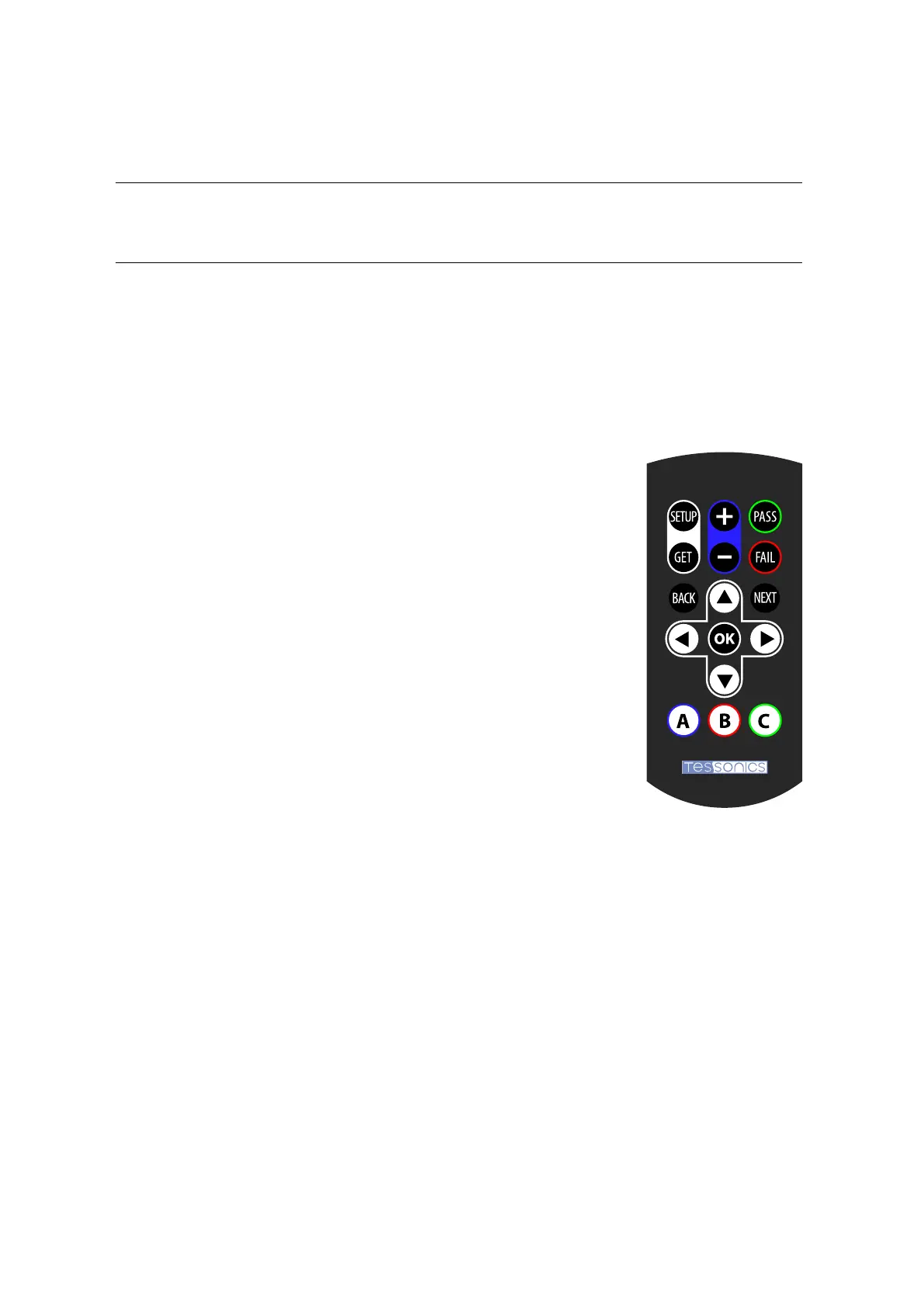
A remote is supplied with the unit and allows for operation of the device wirelessly. Once
the soware has been initialized, the remote allows the operator to perform common tasks
including probe setup and getting images. When not in use, the remote is stored in a spe-
cialized holder on the back on the device.
7.1 Button Assignments
Setup/Get
Perform Setup or Get routine for taking a measurement
+ / -
Increase/decrease the diameter of the manual circle
Pass/Fail
Make a decision on weld quality
Next
Move to next weld or unit
Back
Exit from menu or dialog
Ok
Conrm selection in menus and dialogs
Up/Down
Up and down cursor keys; in Array Explorer’s main window: Navigate up and down
in the weld list view
Le/Right
Le and right cursor keys; in Array Explorer’s main window: Navigate le and right
in recent measurements
A
Opens drop down menu in A-scan view
B
Toggles between front and back cells in weld list view


 To Next Page