6 First steps
12
6.3 Establishing a Bluetooth
®
connection
The instrument can be connected to the testo Smart App via
Bluetooth
®
connection
The measuring instrument is switched on.
To establish a connection via Bluetooth
®
, you need a
tablet or smartphone with the Testo Smart App already
installed on it.
You can get the App for iOS instruments in the App Store
or for Android instruments in the Play Store.
Compatibility:
Requires iOS 13.0 or later/Android 8.0 or later,
requires Bluetooth
®
4.2 or higher.
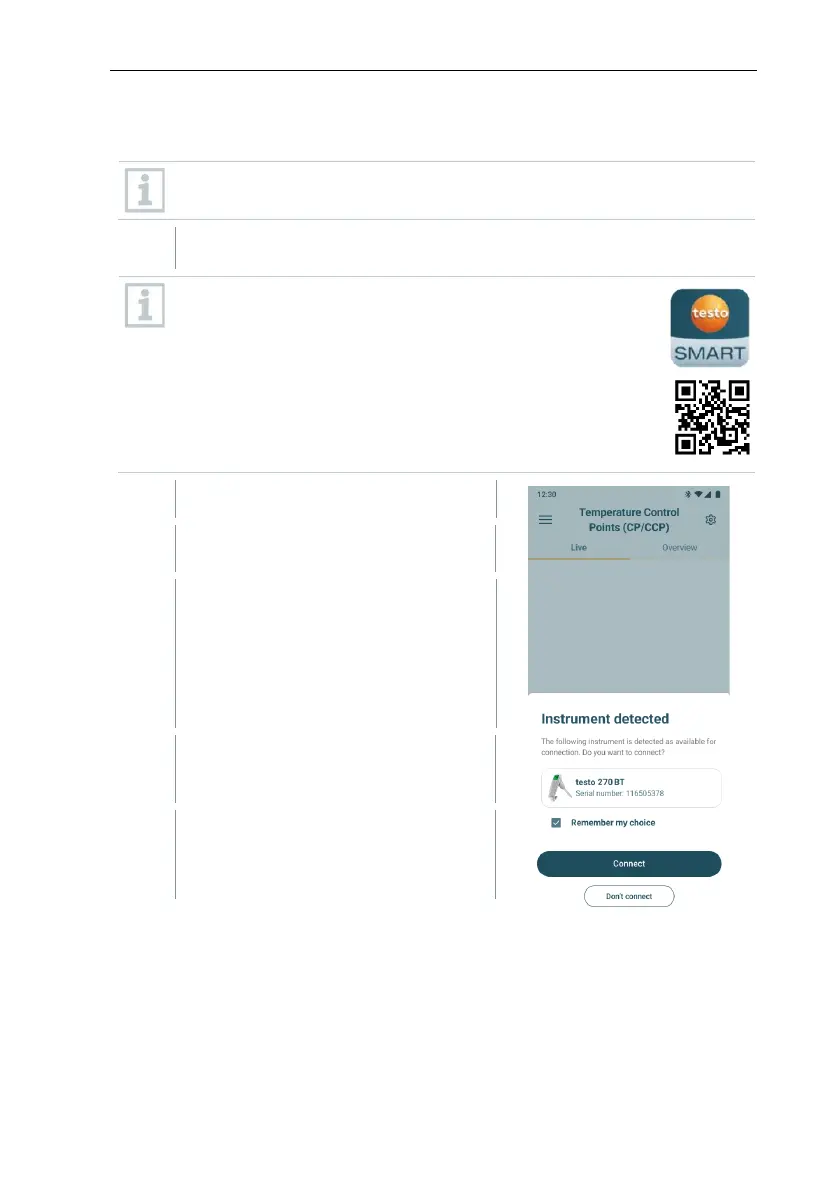
Open the testo Smart App.
The app automatically searches for
Bluetooth
®
devices in the vicinity.
If several devices are found, select
the desired device and select
Connect.
Also confirm the pairing request of
the operating system (Android / iOS).
If necessary, switch the device to be
connected off and on again to restart
the connection module.
If the connection is successful, the
Bluetooth
®
symbol stops flashing
and the device is visible on the app
in the device list menu item.



 To Next Page