6 First steps
17
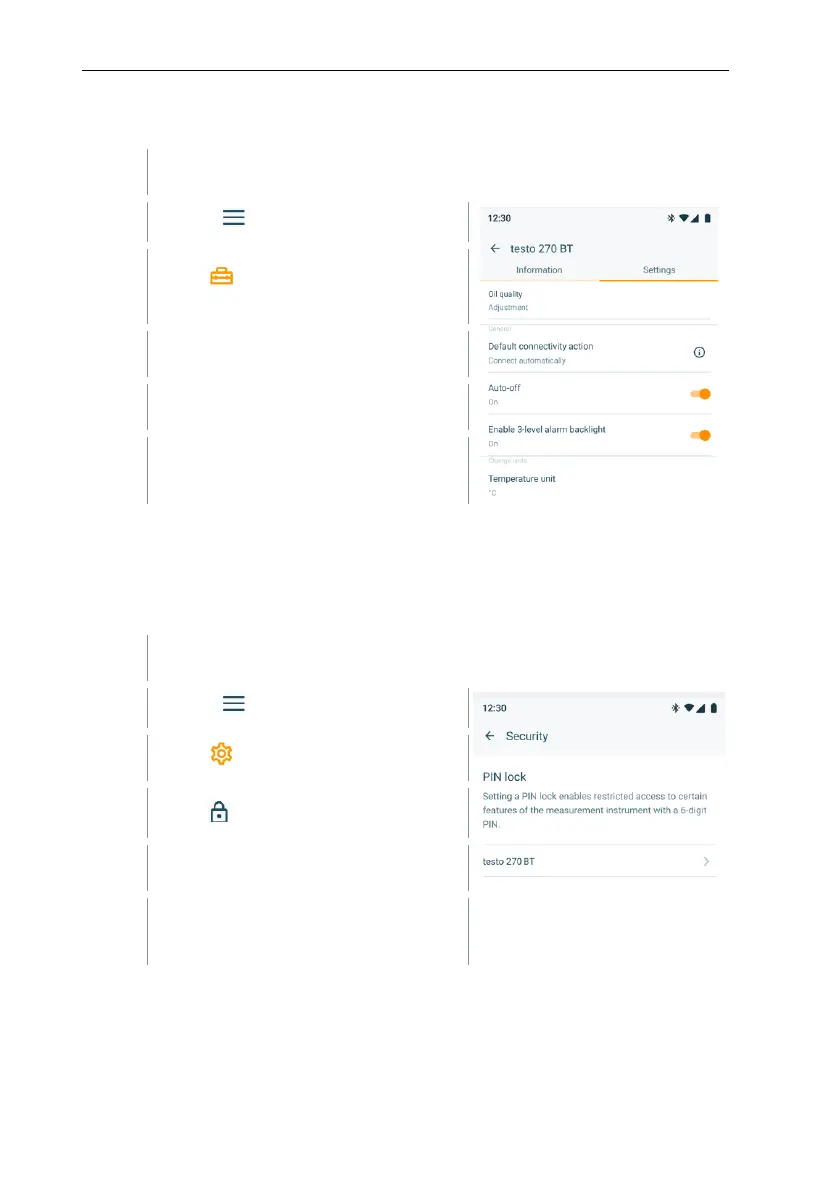
6.5.4 Carrying out configuration via app
Device is connected to the testo Smart App via Bluetooth
®
.
Click on in the testo Smart App.
Select Measurement
instruments
Select measurement device.
Change the desired settings, e. g.
enable/ disable alarm indicator.
6.5.5 Locking / unlocking configurations
Via the testo Smart App you can lock/unlock the set values, including TPM limit
values, from the configuration. The instrument is delivered with the configuration
mode unlocked (PIN is deactivated).
Device is connected to the testo Smart App via Bluetooth
®
.
Click on in the testo Smart App.
Select measurement device.
Define the desired PIN or disable
locking by entering the PIN.



 To Next Page