9 Maintaining the product
31
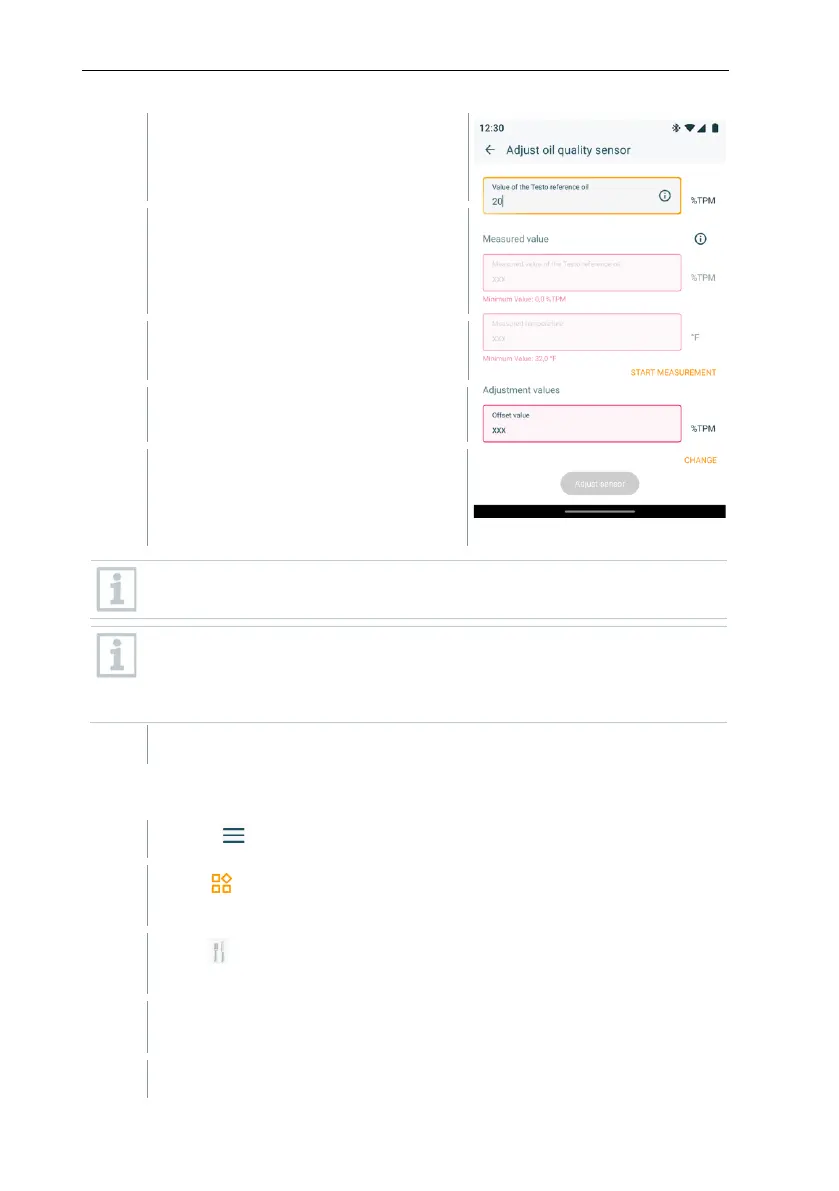
Immerse sensor in reference oil and
click [Start measurement].
Adhere to the immersion depth!
Start calibration/adjustment process
in the app.
For faster recording of readings:
move sensor in oil.
Wait until the measured value is
stable.
Display no longer flashes, Auto Hold
is shown on the display.
The offset between the target and
actual value is calculated
automatically by the app and entered
in the Offset value field.
Adjustment with reference oil impairs the accuracy by 0.5% TPM
compared to the factory calibration.
A maximum correction of +/-3% TPM is possible. If the TPM value
displayed deviates by more than 3% TPM from the target value of the
reference oil, a technical check of the instrument by Testo Service is
recommended.
Set the offset value with [Change].
Carry out reset (delete adjustment and reset to factory setting)
Click on in the testo Smart App.
Select Application areas.
Select Calibration & Adjustment.
Click Reset to resett he adjustment value.



 To Next Page