6 Using the product
35
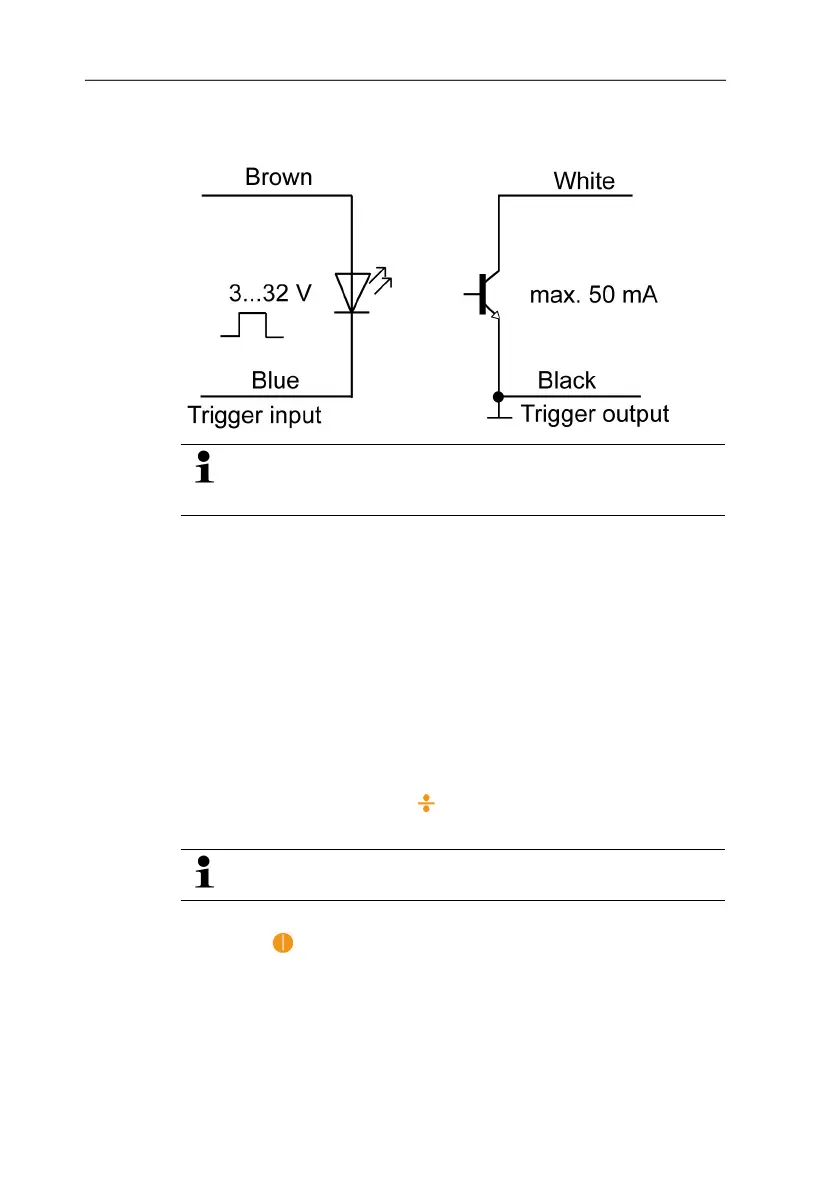
Terminal diagram
The instrument must be manually switched between the
external and internal trigger signal, see Internal/external
trigger signal (page 37).
Pos: 29 /TD/Überschr iften/6. Produkt ver wenden @ 0\mod_117377492855 4_79.doc @ 328 @ 1
6 Using the product
Pos: 30 /TD/Überschr iften/6.1 Einstellun gen vornehmen @ 0\mod_11845 84321421_79.doc @ 1863 @ 2
6.1. Performing settings
Pos: 31 /TD/Produkt verwenden/testo 477/Eins tellungen vorneh men @ 4\mod_1249460650835_79. doc @ 47183 @ 3333
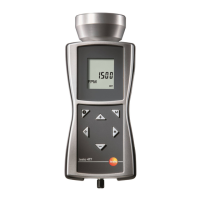
✓ The instrument is switched on.
1. Press [M].
> Setting option (e.g. Hz) is shown (for settings, see following
section Setting options).
2. Set values with [], [4], [ ] or [–] and confirm entry with [M].
- Instrument changes to the next setting option.
A parameter set differently than the factory setting flashes
during operation.
3. Repeat steps 1-2 until the desired settings are performed.
4. Press [
].
- Instrument returns to Measuring Mode.


 To Next Page